69
5
Analysis
5.1 Analyzing One Potential Measurement under
Multiple Conditions
Analysis can be performed continuously simply by specifying multiple analysis conditions for a
single potential measurement datale. When determining the analysis conditions, there is no need
to perform multiple manual steps. The software can store up to 100 sets of conditions.
1
2
3
1
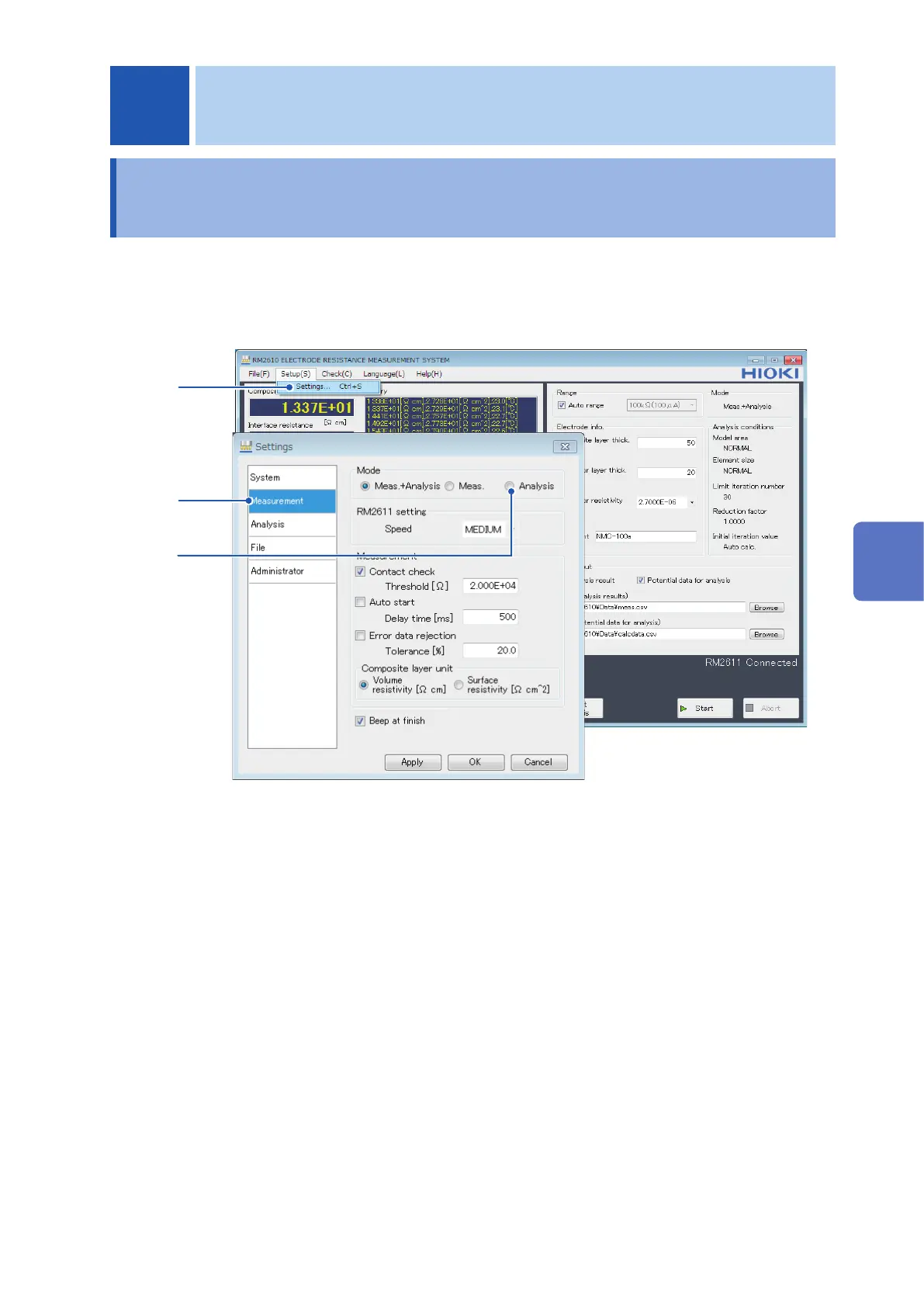
Choose [Settings].
2
Choose [Measurement].
3
Choose [Analysis] as the [Mode].
When specifying multiple analysis conditions, those conditions will apply to one le of
potential data output for analysis use. Please save that le prior to setting the conditions.
5 Analysis
5
Analysis



 To Next Page