73
6
Saving and Loading
Measurement Conditions
6.1 Saving Measurement Conditions
This section describes how to save the current measurement conditions in a user-specied folder
on the PC.
1
2
3
1
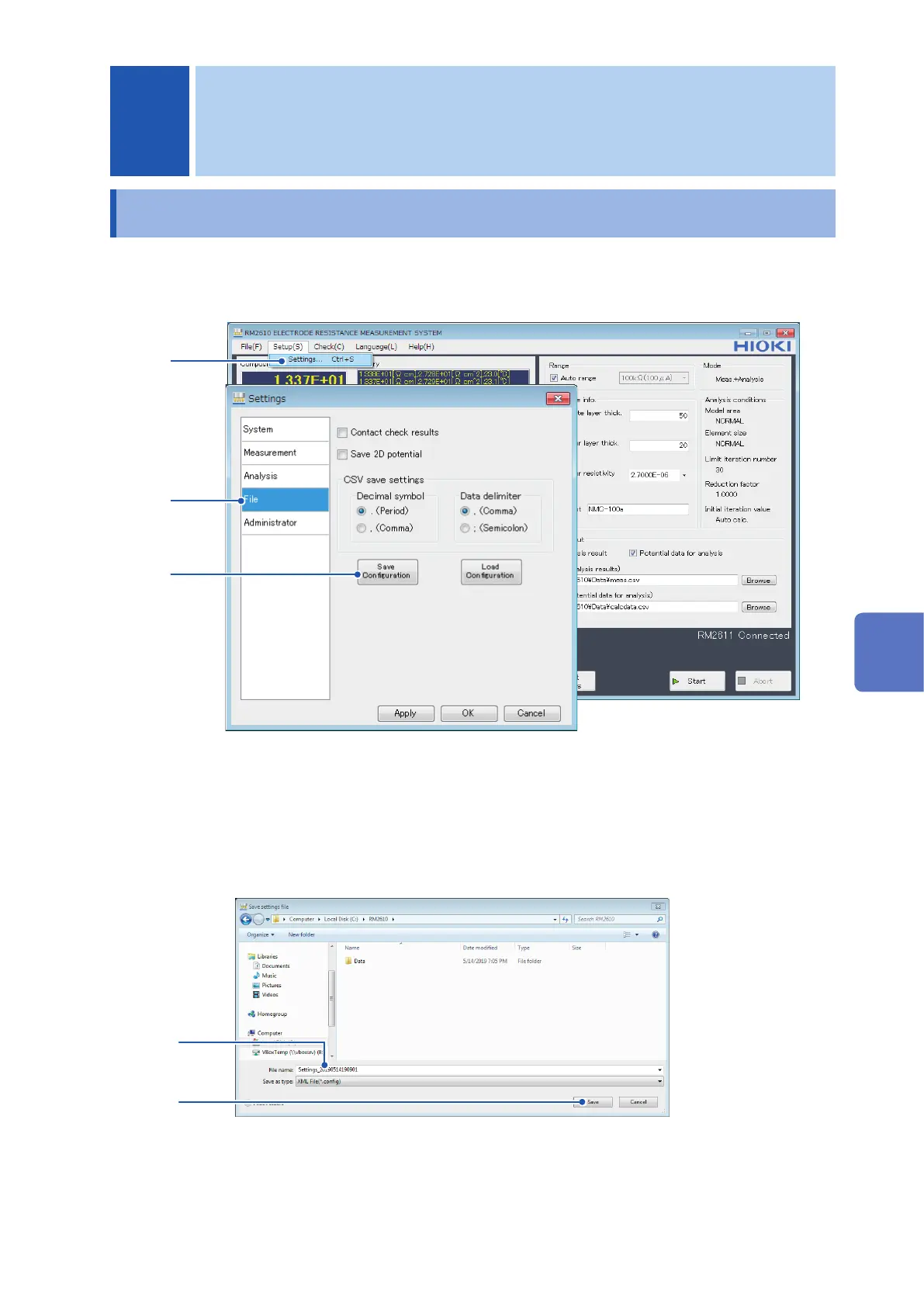
Choose [Settings].
2
Choose [File].
3
Click [Save Conguration] to display the [Save settings le] dialog box.
4
5
4
Provide a name for the le and choose a location in which to save the le.
5
Click [Save] to save the le.
6 Saving and Loading Measurement Conditions
10
9
8
7
5
4
3
2
1
索引
6
Saving and Loading Measurement Conditions



 To Next Page