38
Conguring the Contact Check Function
3.3 Conguring the Contact Check Function
The contact check function measures the contact resistance of the measurement target and probes
before measurement to detect probe contact errors and prevent decreased reliability of measured
values due to incomplete probe contact. The function can identify pins with incomplete contact and
prevent measurement errors.
1
2
3
4
5
1
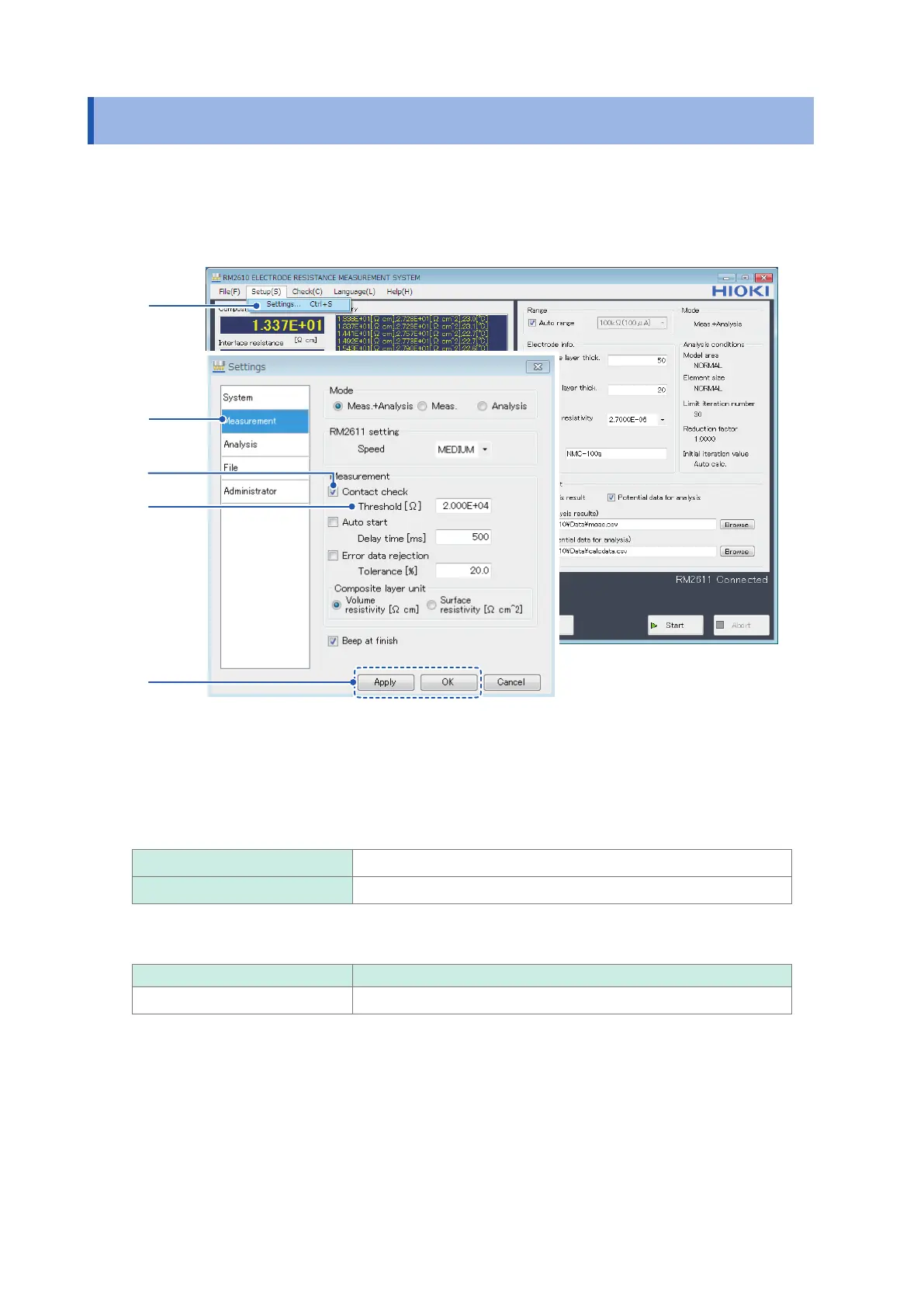
Choose [Settings].
2
Choose [Measurement].
3
Choose one of the following settings for [Contact check]:
ON
Enable the contact check function.
OFF Disable the contact check function. (Skip step 4 below.)
4
Enter the error data threshold at which to stop measurement in the [Threshold] eld.
Initial value Valid setting range
2.000E+04 1
Ω
to 1 M
Ω
5
Click [Apply] or [OK] to accept the settings. (Clicking [OK] will cause you to return to the
main screen.)



 To Next Page