Brevera Breast Biopsy System User Guide
Chapter 3: Components, Controls, and Indicators
MAN-04303-002 Revision 006 Page 33
3.2.2 Footswitch Connection
Warning:
Position the footswitch and power cords to prevent accidental tripping.
Warning:
Position the footswitch to prevent accidental operation by a patient or
wheelchair.
The footswitch is initially installed by a Service Engineer. If the footswitch is
disconnected from the console, insert the footswitch cord into the footswitch receptacle
(on the back of the console). The red dots align at the top when attached correctly.
3.2.3 Device Driver and Remote Control Connections
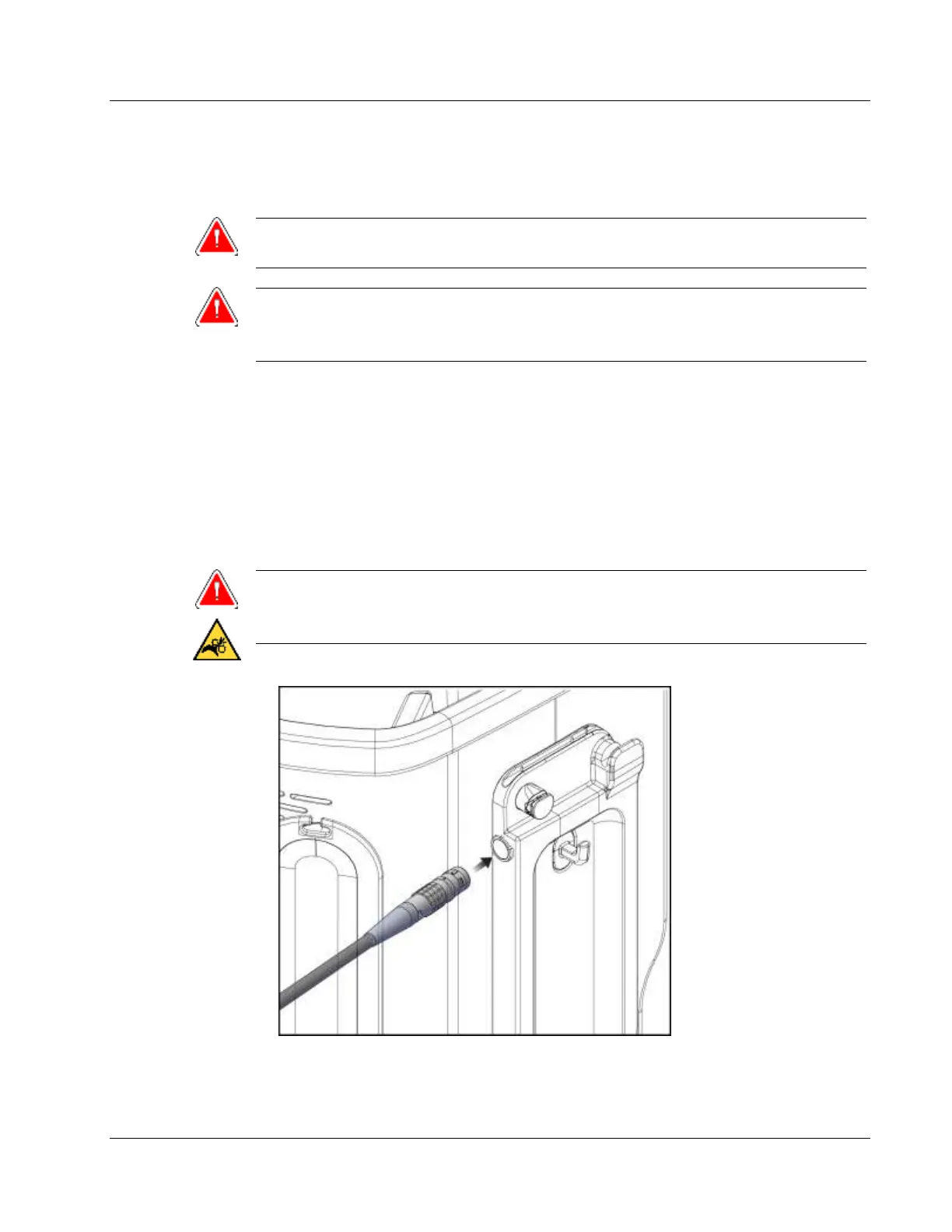
The device driver cord has an in-line remote control. The device driver cord attaches to
the device driver receptacle on the left side of the saline tubing management plate, near
the saline pinch valve. The red dots will align at the top when attached correctly.
Warning:
Do not place fingers on the metal parts of the device driver. These parts can
move during system use.
Figure 13: Device Driver Connection













 To Next Page