Brevera Breast Biopsy System User Guide
Chapter 4: User Interface - Imaging Display
Page 52 MAN-04303-002 Revision 006
4.3.1 How to Select a Procedure
Select an entry from the list in the Procedure information area of the screen.
4.3.2 How to Add a Procedure
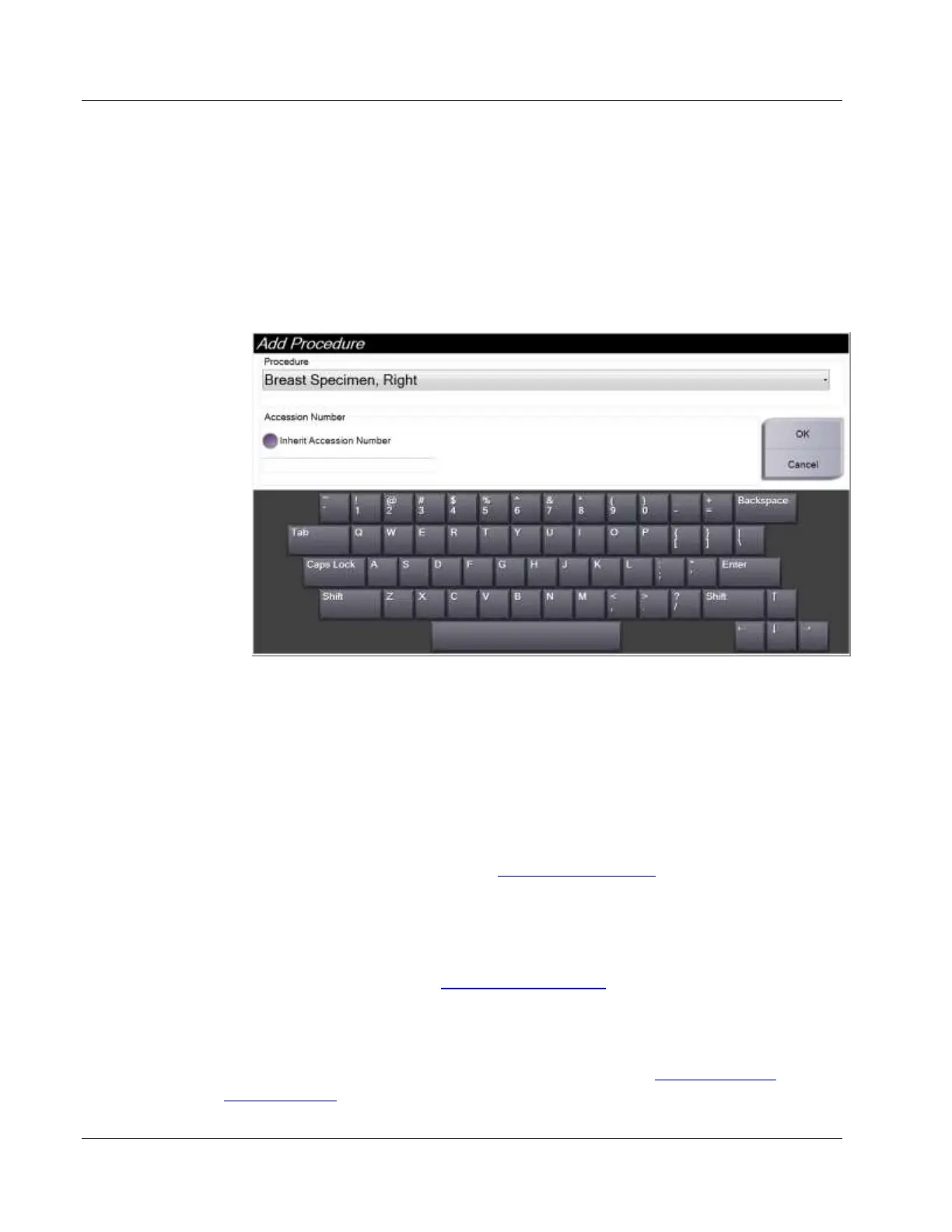
1. To add another procedure for the active patient, select the + button in the upper right
of the Procedure screen to display the Add Procedure dialog box.
2. Use the drop-down menu to select the type of procedure to add.
3. Enter an Accession Number (optional).
4. Select the OK button. A new number displays in the Procedure Information area of
the Procedure screen.
4.3.3 How to Access the Review Mode Screen
Select the Review Mode button on the Procedure screen to access the Review Mode screen
and the image review features. Refer to The Review Mode Screen on page 91 for more
information.
4.3.4 How to Access the Image Enhancement Tools
Select the Tools button on the Procedure screen to access the tools bar and image
enhancement features. Refer to Image Enhancement Tools on page 92 for more information.
4.3.5 How to Access the Filter Info
Select the Filter Info button to access filter information such as laterality, accession
number, procedure information, and filter comments. Refer to The Filter Info and
Comments Screen on page 93 for more information.













 To Next Page