Brevera Breast Biopsy System User Guide
Chapter 6: Imaging System Modes
MAN-04303-002 Revision 006 Page 65
6: Imaging System Modes
6.1 X-ray Mode
X-ray mode is the default mode of the Imaging system. To use the X-ray mode, start up
the system and log in. Make sure the key switch on the imaging panel is in the unlocked
position.
6.2 No X-ray Mode
The system also has a No X-ray mode that allows the user to perform a biopsy without
taking any images. To enter No X-ray mode, select the No X-ray button on the Startup
screen on the Imaging display.
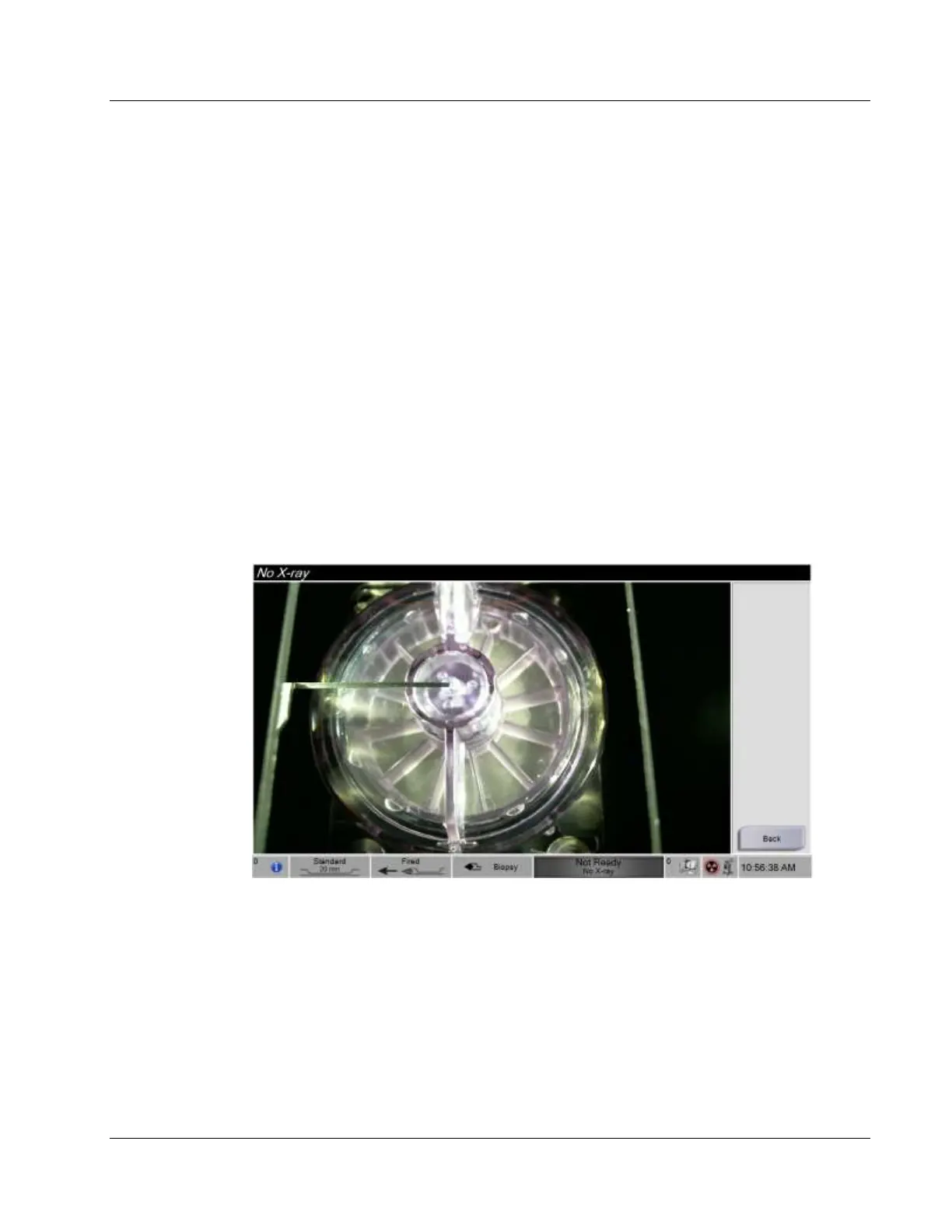
When the system is in No X-ray mode, the tissue filter moves one position after each
biopsy cycle and the number of biopsy cycles completed is shown on the Technologist
display (same as in X-ray mode). Standby, Test, Biopsy, Lavage, and Aspirate modes
operate in normal fashion. The user interface screens on the Imaging display are absent.
In place of the X-ray image, a real-time video of the tissue filter is displayed.













 To Next Page