Brevera Breast Biopsy System User Guide
Chapter 3: Components, Controls, and Indicators
MAN-04303-002 Revision 006 Page 37
3.3 Controls and Indicators
3.3.1 Imaging Panel Controls and Indicators
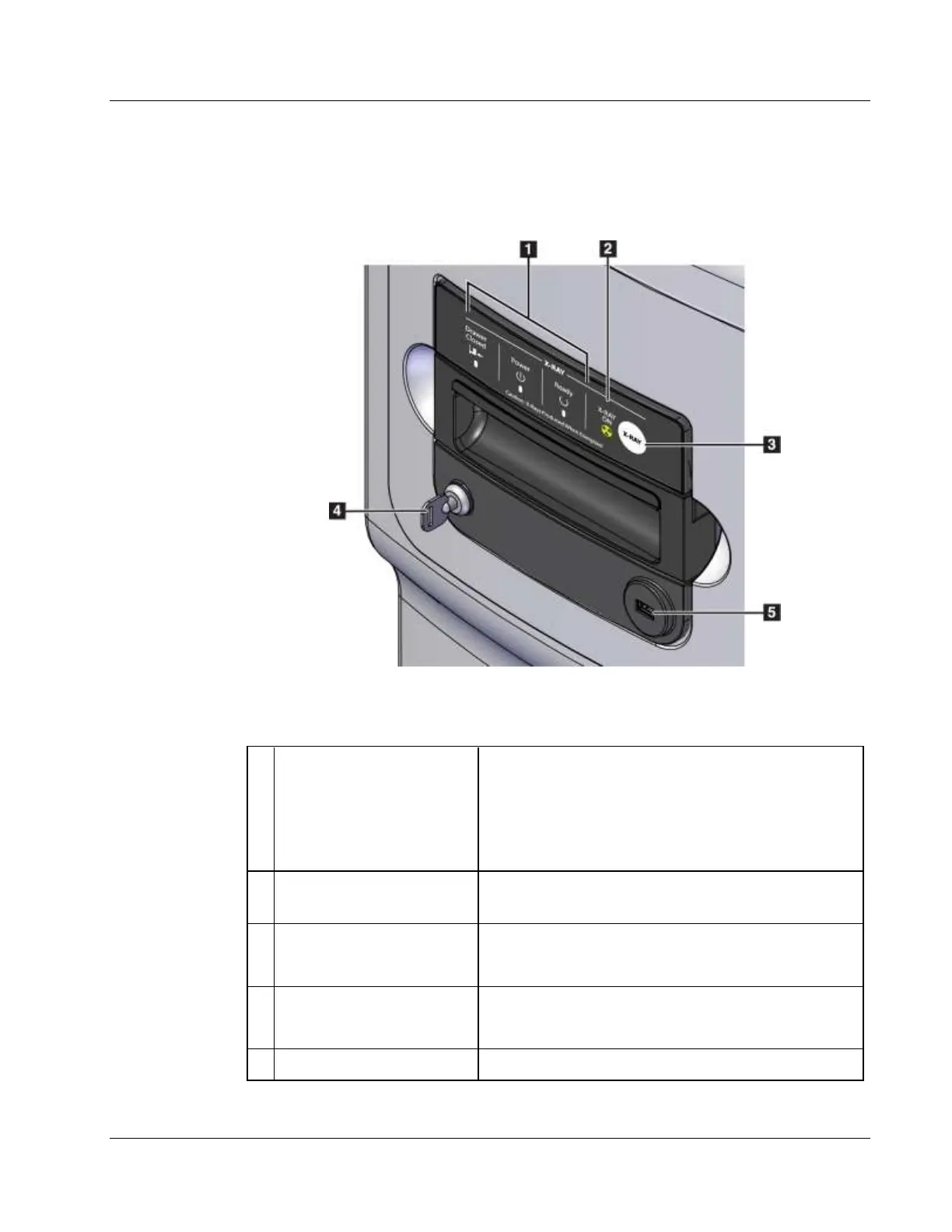
Figure 18: Imaging Panel Controls and Indicators
Drawer Closed = LED is green when the tissue filter
drawer is fully closed.
Power = LED is green when the power is on.
Ready = LED is green when the drawer is ready to
receive cores.
X-RAY ON = LED is amber when an x-ray is in
progress.
Button used for Manual Gain Calibration and to abort
current x-ray exposure
Locked: X ray is disabled (orientation as shown).
Unlocked: X ray is enabled.
Connection for non-powered USB device (optional)













 To Next Page