Brevera Breast Biopsy System User Guide
Chapter 3: Components, Controls, and Indicators
MAN-04303-002 Revision 006 Page 25
3.1.1 Imaging Cabinet Components
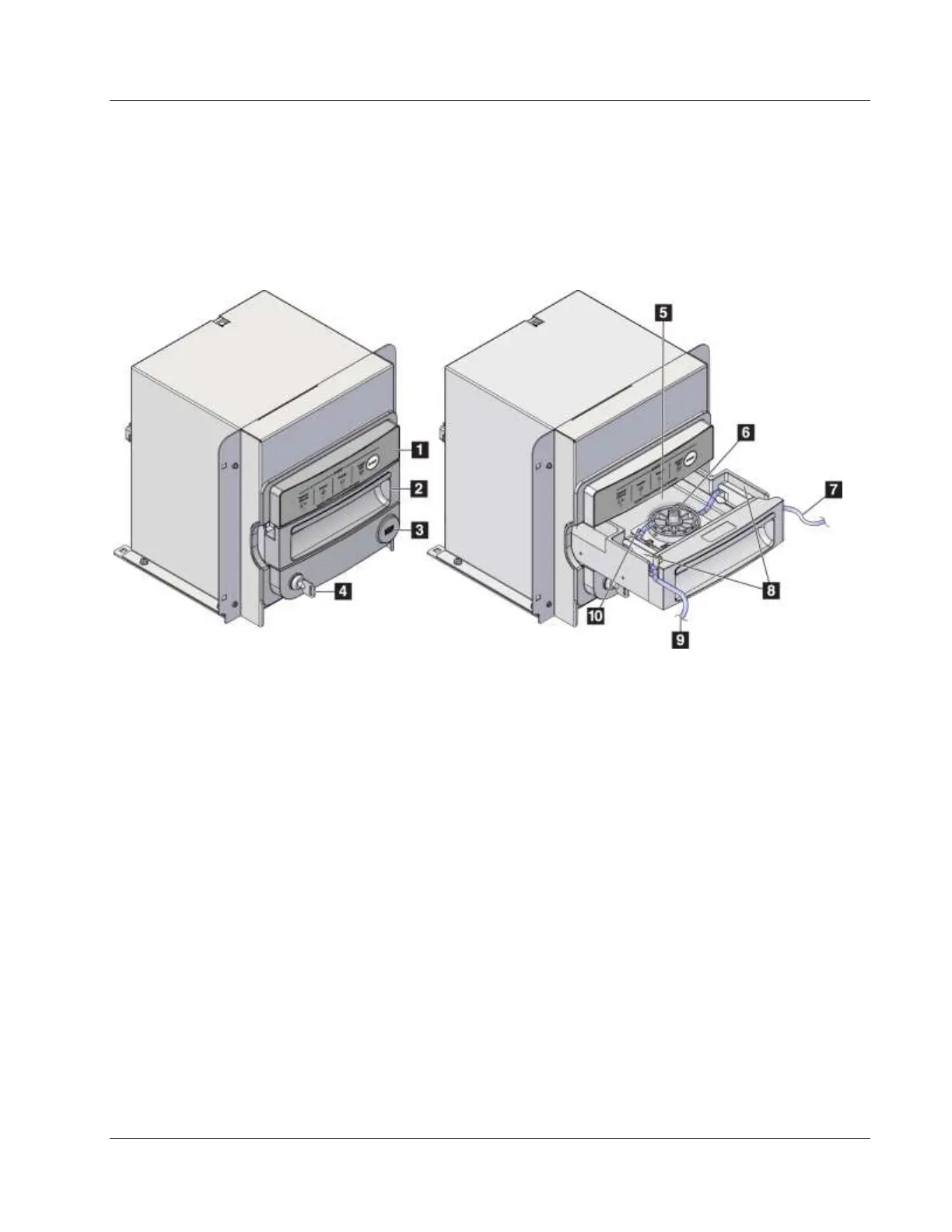
The Brevera console houses a cabinet where the biopsy cores are collected and imaged.
The cores are collected in a disposable tissue filter that is placed in the drawer of the
imaging cabinet. The imaging cabinet includes a panel that gives status information
about the x-ray system.
Figure Legend
1. Imaging panel
2. Tissue filter drawer
3. USB port (for non-powered USB flash drive only)
4. Key switch
5. Detector plate
6. Tissue filter assembly
7. Tubing outlet to the suction canister
8. Tubing channels
9. Suction tubing inlet from the biopsy needle
10. Locator pin (each corner)













 To Next Page