HT2000H_en_n.doc Page 40 of 167
In this menu, there are up to 6 buttons available. Tap one of the buttons to enter the respective menu/sub
menu/function.
Special icons:
• ARROW (see example B, green circle). If more than 6 buttons are available, an ARROW icon is
displayed, press this to access the additional buttons..
• EXIT: exits from the current menu.
2.4.2.3 Screen type 3: Parameter display and selection
Screen type 3:
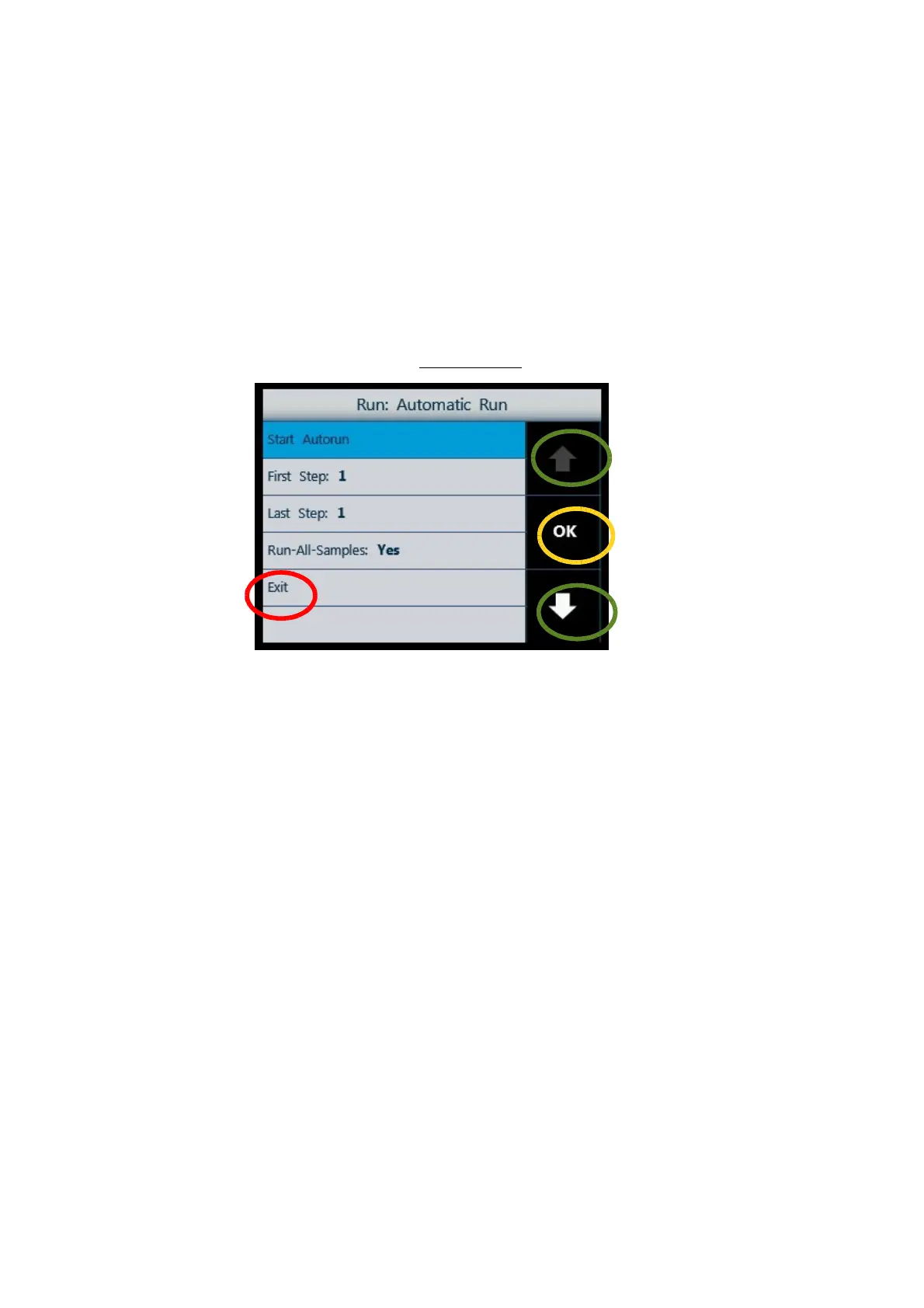
Figure 31: Screen type 3_example A
Use the arrows on the right (green circles) to move between the different option/parameters.
Tap “OK” (yellow circle) to access the selected option/parameter for editing. The selected parameter/option
is highlighted with a blue background.
Select “EXIT” (red circle) to exit from this screen. “EXIT” is always the last option on the list; if the list
includes a large number of items you may be required to press the “DOWN arrow” several times to reach
the “EXIT” option.
2.4.2.4 Screen type 4: Parameter editing



 To Next Page