4.3 Replacing Components
● Ensure that loads are supplied with power when replacing major components.
For example, keep the switches for primary loads in the ON position, and do
not turn
o the battery switch and AC input switch at the same time.
● Seek the customer's prior consent if load disconnection is required.
● Rectiers and the SMU are hot-swappable.
4.3.1 Replacing an SMU02C
Prerequisites
● An ESD wrist strap, ESD gloves, ESD box or bag, cabinet door key, and
required tools are available.
● The new SMU is intact.
Procedure
Step 1 Connect the ground cable of the ESD wrist strap, and wear the ESD wrist strap and
ESD gloves.
Record the software version of the old SMU. If the old SMU is damaged and version
information cannot be viewed, send the bar codes of the old SMU and cabinet to technical
support engineers.
Step 2 Disconnect the communications cable from the SMU02C panel and record the
cable information.
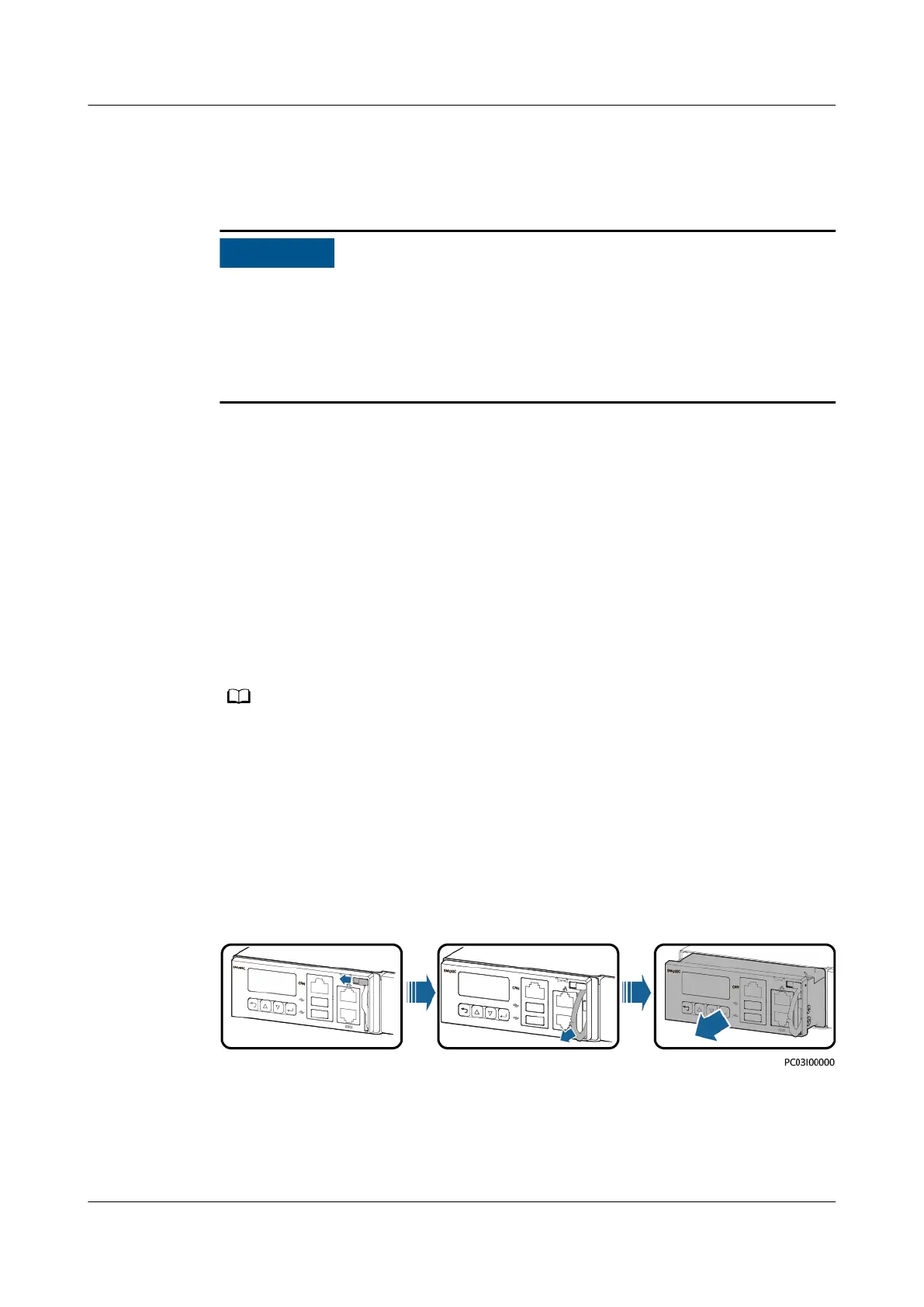
Step 3 Push the locking latch leftward.
Step 4 Pull the handle outwards and remove the SMU02C from the subrack.
Figure 4-1 Removing the SMU02C
Step 5 Place the new SMU02C in the slot, push the locking latch leftwards, and pull out
the handle.
Step 6 Gently push the SMU02C along the guide rails until it is engaged. Close the
handle, and push the locking latch rightwards.
iSitePower Integrated Smart Site (ICC1000-A1-E1)
User Manual 4 Maintenance
Issue 04 (2022-10-15) Copyright © Huawei Technologies Co., Ltd. 118









 To Next Page