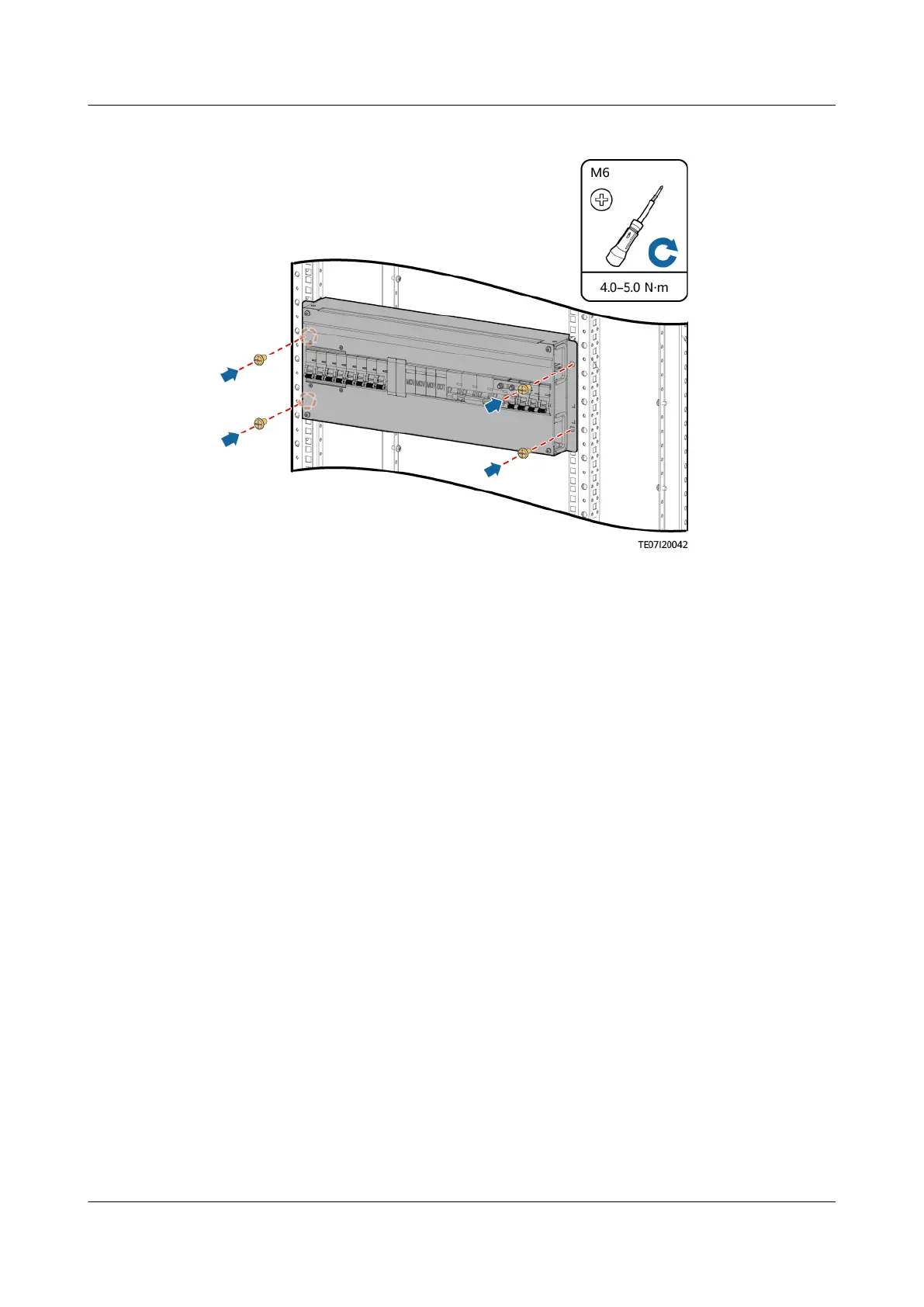
Figure 4-25 Installing an ACDB380-63-2B
Step 5 Connect the cables to the ACDB380-63-2B based on the recorded information.
Step 6 Remove the ESD wrist strap or gloves and put all the tools away.
----End
4.3.15 Replacing a PDU2000-16-1PH-7
Context
● A cabinet door key,
at-head screwdriver, and Phillips screwdriver are
available.
● The new PDU2000 is intact.
Procedure
Step 1 Switch
o the circuit breaker of the PDU2000 on the ACDB220-63-12B.
Step 2 Remove the PDU2000 input cable from the inverter.
Step 3 Remove the load cable plugs from the PDU2000 output sockets and record them.
Step 4 Remove the PDU2000 ground cable.
Step 5 Remove the PDU2000.
iSitePower Integrated Smart Site (ICC1000-A1-E1)
User Manual 4 Maintenance
Issue 04 (2022-10-15) Copyright © Huawei Technologies Co., Ltd. 135









 To Next Page