4.3.10 Replacing a DG Expansion Module GIM01C
Prerequisites
● The ESD wrist strap, ESD gloves, and key to the cabinet door are available.
● The new GIM01C is intact.
Procedure
Step 1 Connect the ground cable of the ESD wrist strap, and wear the ESD wrist strap and
ESD gloves.
Step 2 Record the connection positions of cables on the GIM01C panel and disconnect
the cables.
Step 3 Unscrew and take out the faulty GIM01C.
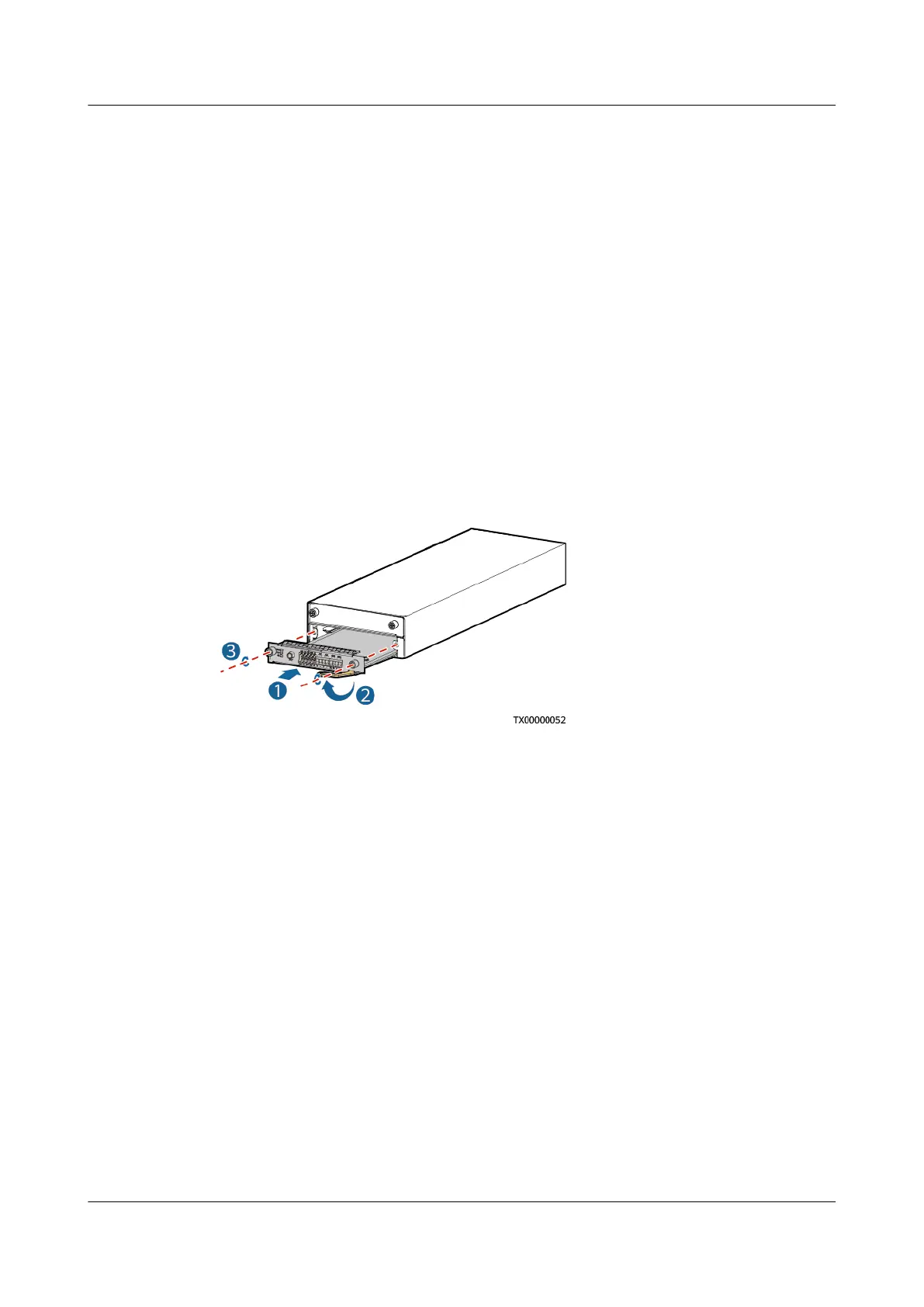
Step 4 Install the new GIM01C in the correct slot.
Figure 4-18 Installing the GIM01C
Step 5 Connect all the cables on the GIM01C board to the new GIM01C based on the
recorded information.
Step 6 Disconnect the ground cable of the ESD wrist strap, and remove the ESD wrist
strap and ESD gloves.
----End
Follow-up Procedure
Put the replaced component in an ESD box or bag and return it to the local
warehouse.
4.3.11 Replacing an Inverter ETP23006-C1A1
To replace an inverter, perform the following steps.
Prerequisites
● The ESD wrist strap or ESD gloves, Phillips screwdriver, ESD box or bag, and
cabinet door key are available.
● You have
conrmed the model of the inverter to be replaced and prepared a
new inverter.
iSitePower Integrated Smart Site (ICC1000-A1-E1)
User Manual 4 Maintenance
Issue 04 (2022-10-15) Copyright © Huawei Technologies Co., Ltd. 129









 To Next Page