● You are authorized to enter the site with the key.
Context
An inverter needs to be replaced if it is faulty and cannot be repaired immediately.
Procedure
Step 1 Wear an ESD wrist strap or ESD gloves.
Step 2 Switch
o the upstream DC output circuit breaker for the inverter.
Step 3 Record the cable connection positions on the inverter to be replaced, and
disconnect the cables.
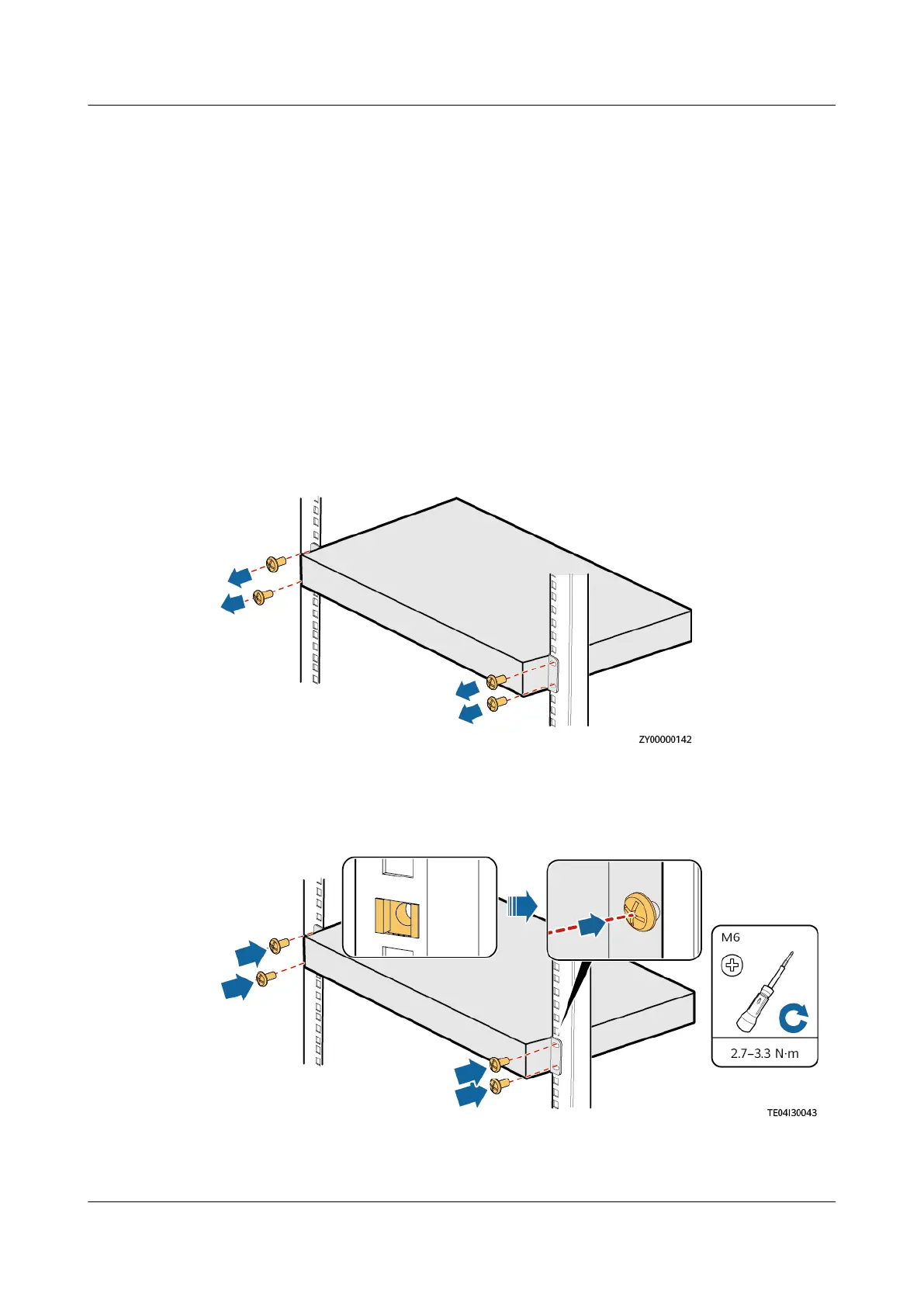
Step 4 Remove the inverter.
Figure 4-19 Removing the inverter
Step 5 Install a new inverter.
Figure 4-20 Installing an inverter
Step 6 Remove the inverter modules from the old inverter and install them on the new
inverter.
iSitePower Integrated Smart Site (ICC1000-A1-E1)
User Manual 4 Maintenance
Issue 04 (2022-10-15) Copyright © Huawei Technologies Co., Ltd. 130









 To Next Page