4.3.30 Replacing an AC Input Module
Prerequisites
The required tools are available and the new AC input module is intact.
● Power o the AC input module before replacing it.
● Power-o will cause load devices to be shut down. Before replacing the AC
input module, obtain the customer's approval.
Procedure
Step 1 Switch o the circuit breaker on the AC input module.
Step 2 Record the installation positions of cables, remove the cables and insulate them.
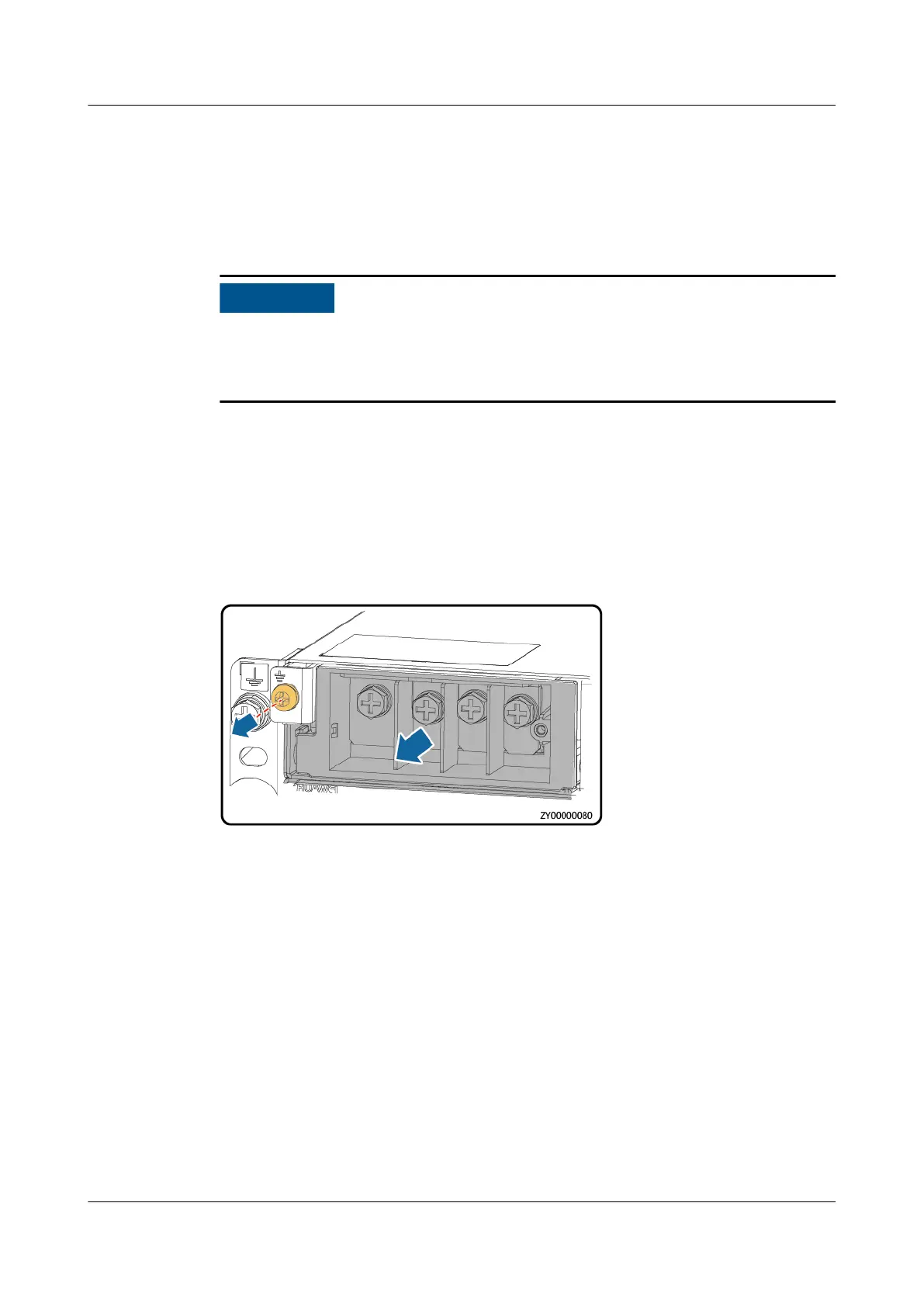
Step 3 Remove the AC input module.
Figure 4-52 Removing the AC input module
Step 4 Install the new AC input module.
Step 5 Install the AC input power cables based on the recorded information.
----End
Follow-up Procedure
Pack the removed parts and send it to the local warehouse.
4.3.31 Replacing an AC SPD Module
Prerequisites
● You have obtained an ESD wrist strap or a pair of ESD gloves, an ESD box or
bag, and the cabinet door key.
● The new AC SPD module is intact and the indication window is green.
iSitePower Integrated Smart Site (ICC1000-A1-E1)
User Manual 4 Maintenance
Issue 04 (2022-10-15) Copyright © Huawei Technologies Co., Ltd. 157









 To Next Page