Follow-up Procedure
● Place the replaced component into the ESD box or bag and then place the
ESD box or bag into the carbon box with foams or the bag of a new
component.
● Fill in the fault card with the information regarding the faulty component.
● Contact your local Huawei
oce to handle the faulty component.
4.3.14 Replacing an ACDB380-63-2B
Perform the following steps to replace an ACDB380-63-2B.
Prerequisites
● The ESD wrist strap or ESD gloves, Phillips screwdriver, ESD box or bag, and
cabinet door key are available.
● You are authorized to enter the site with the key.
Procedure
Step 1 Connect the ESD wrist strap ground cable, and wear the ESD wrist strap and ESD
gloves.
Step 2 Record the cable connection positions on the ACDB380-63-2B and disconnect the
cables.
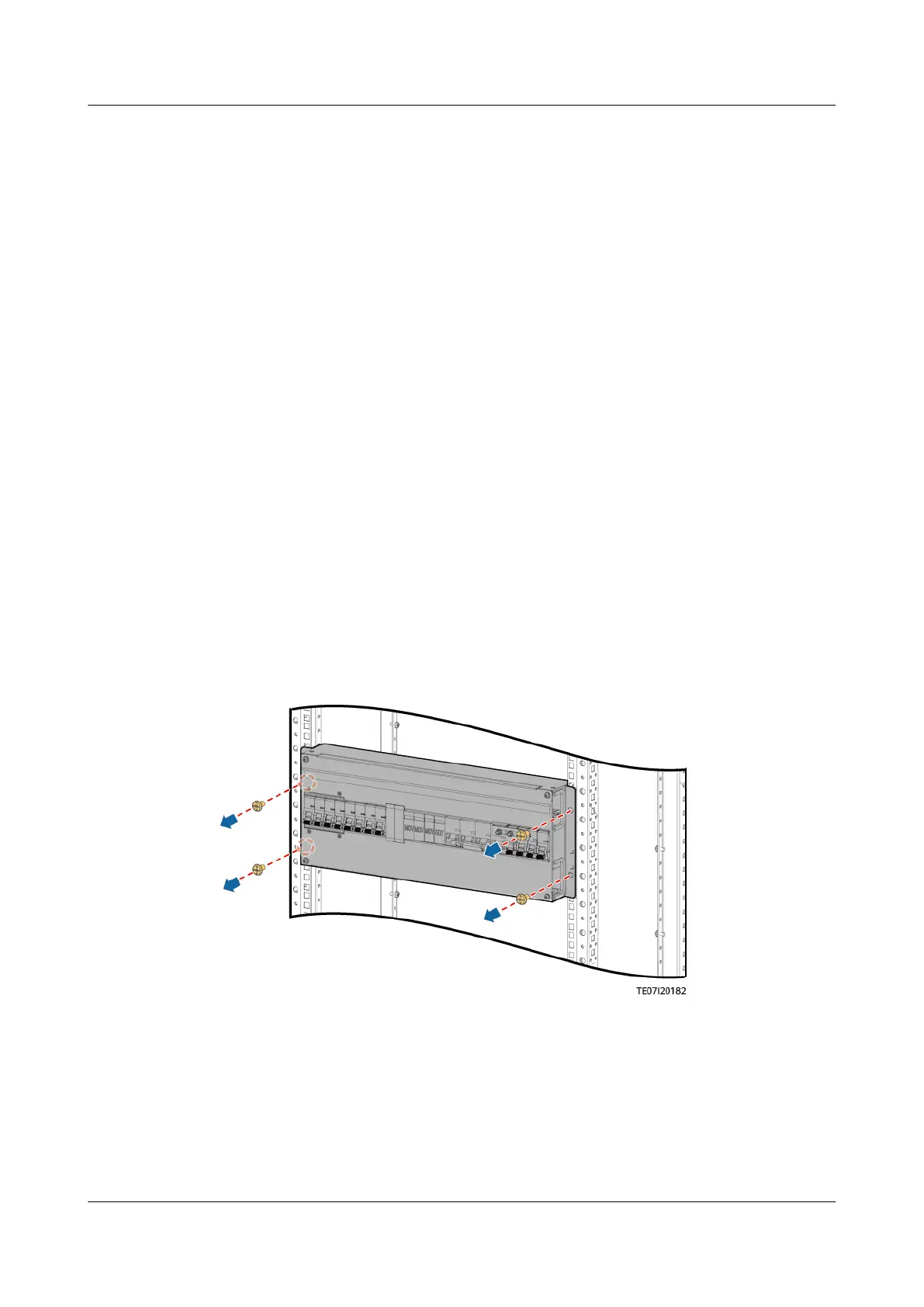
Step 3 Remove the ACDB380-63-2B.
Figure 4-24 Removing an ACDB380-63-2B
Step 4 Install a new ACDB380-63-2B.
iSitePower Integrated Smart Site (ICC1000-A1-E1)
User Manual 4 Maintenance
Issue 04 (2022-10-15) Copyright © Huawei Technologies Co., Ltd. 134









 To Next Page