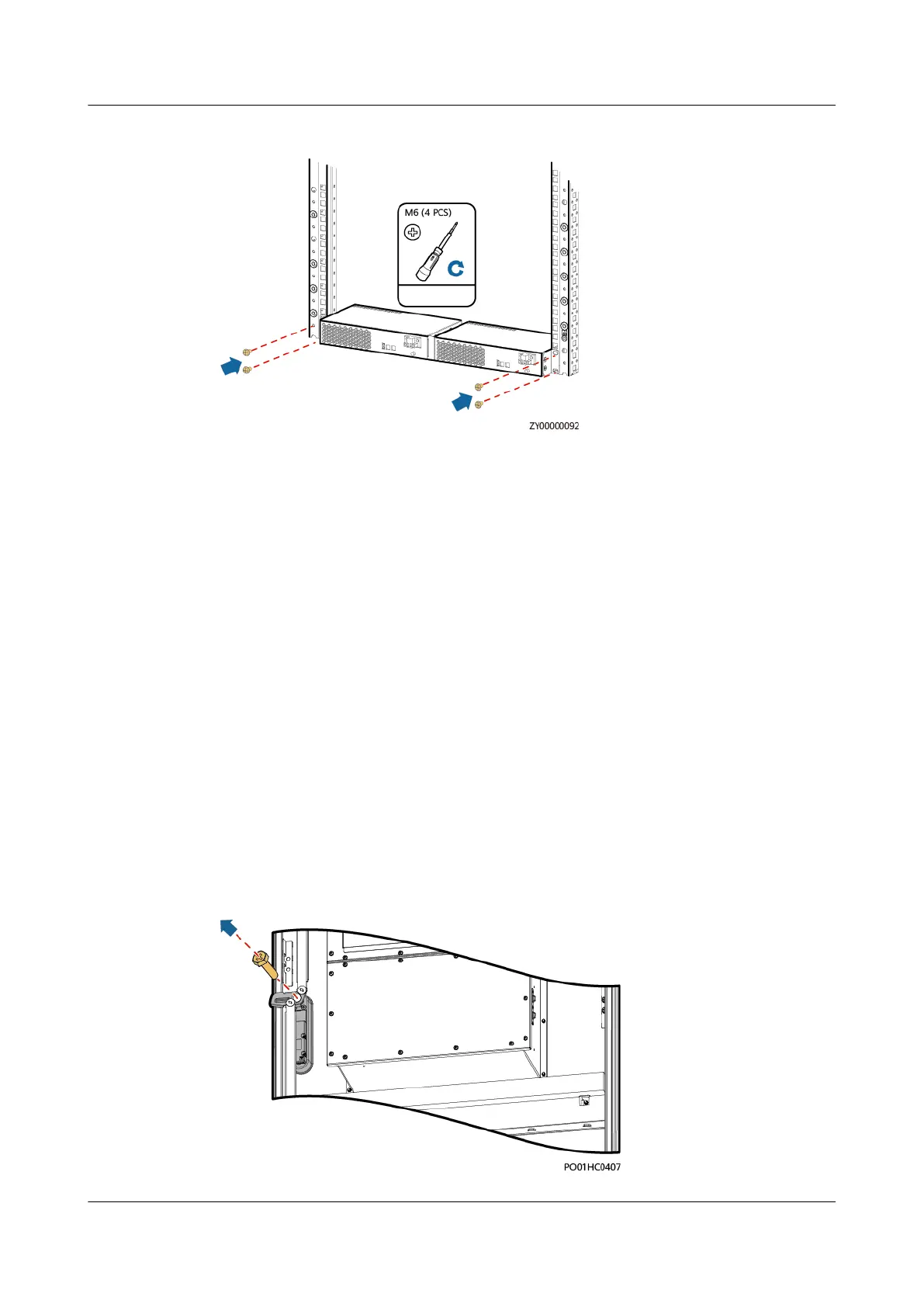
Figure 4-40 Installing a heater on the rack
Step 6 Connect the cables to the heater based on the recorded information.
Step 7 Switch on the heater circuit breaker on the DCDU.
Step 8 Remove the protective gloves.
----End
4.3.22 Replacing an Electronic Lock
Prerequisites
● You have obtained an ESD wrist strap, a pair of ESD gloves, an ESD box or
bag, the cabinet door key, and tools.
● The new electronic lock is intact.
Procedure
Step 1 Connect the ground cable for the ESD wrist strap, and put on the ESD wrist strap
and ESD gloves.
Step 2 Disconnect the electronic lock cable from the cable connector.
Step 3 Unscrew the electronic lock rotation axis.
Figure 4-41 Unscrewing a rotation axis
iSitePower Integrated Smart Site (ICC1000-A1-E1)
User Manual 4 Maintenance
Issue 04 (2022-10-15) Copyright © Huawei Technologies Co., Ltd. 147









 To Next Page