F How Do Change the Communications
Protocol for COM4 and COM5?
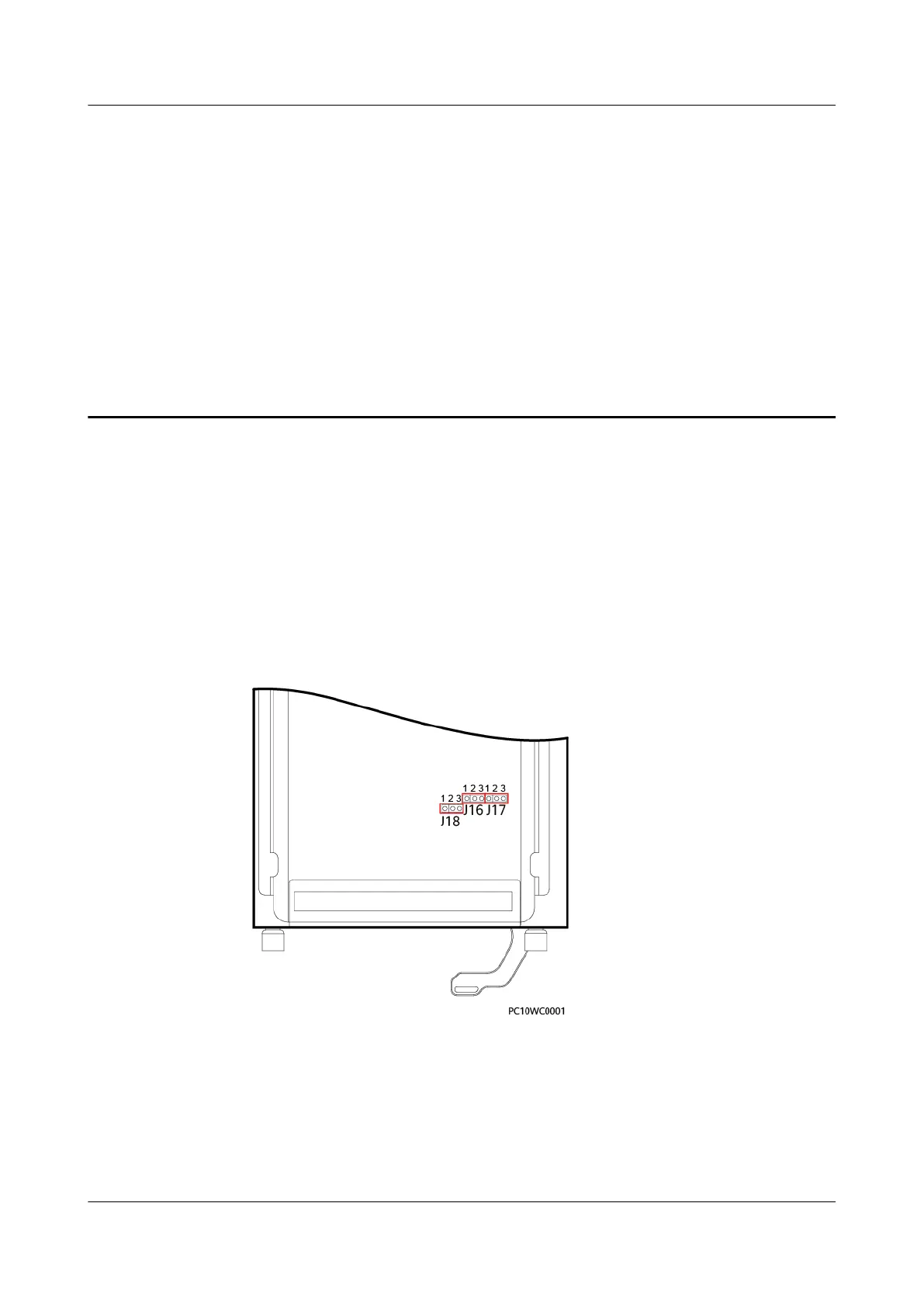
● To use CAN for communication through the COM4 port:
Take out the CIM02C, remove the jumper caps from pins 1 and 2 in the J18
position shown in Figure F-1, and insert the jumper caps to pins 2 and 3.
● To use RS232 for communication through the COM5 port:
Take out the CIM02C, remove the jumper caps from pins 1 and 2 in the J16
and J17 positions shown in Figure F-1, and insert the jumper caps to pins 2
and 3.
Figure F-1 COM4 and COM5 port jumper positions
iSitePower Integrated Smart Site (ICC1000-A1-E1)
User Manual
F How Do Change the Communications Protocol for
COM4 and COM5?
Issue 04 (2022-10-15) Copyright © Huawei Technologies Co., Ltd. 167









 To Next Page