To prevent burns, exercise caution when removing a BCU-1203A because it
may be hot as a result of continuous operation.
Procedure
Step 1 Wear protective gloves.
Step 2 Record the connection positions of cables on the BCU-1203A and remove the
cables.
Step 3 Remove the BCU-1203A.
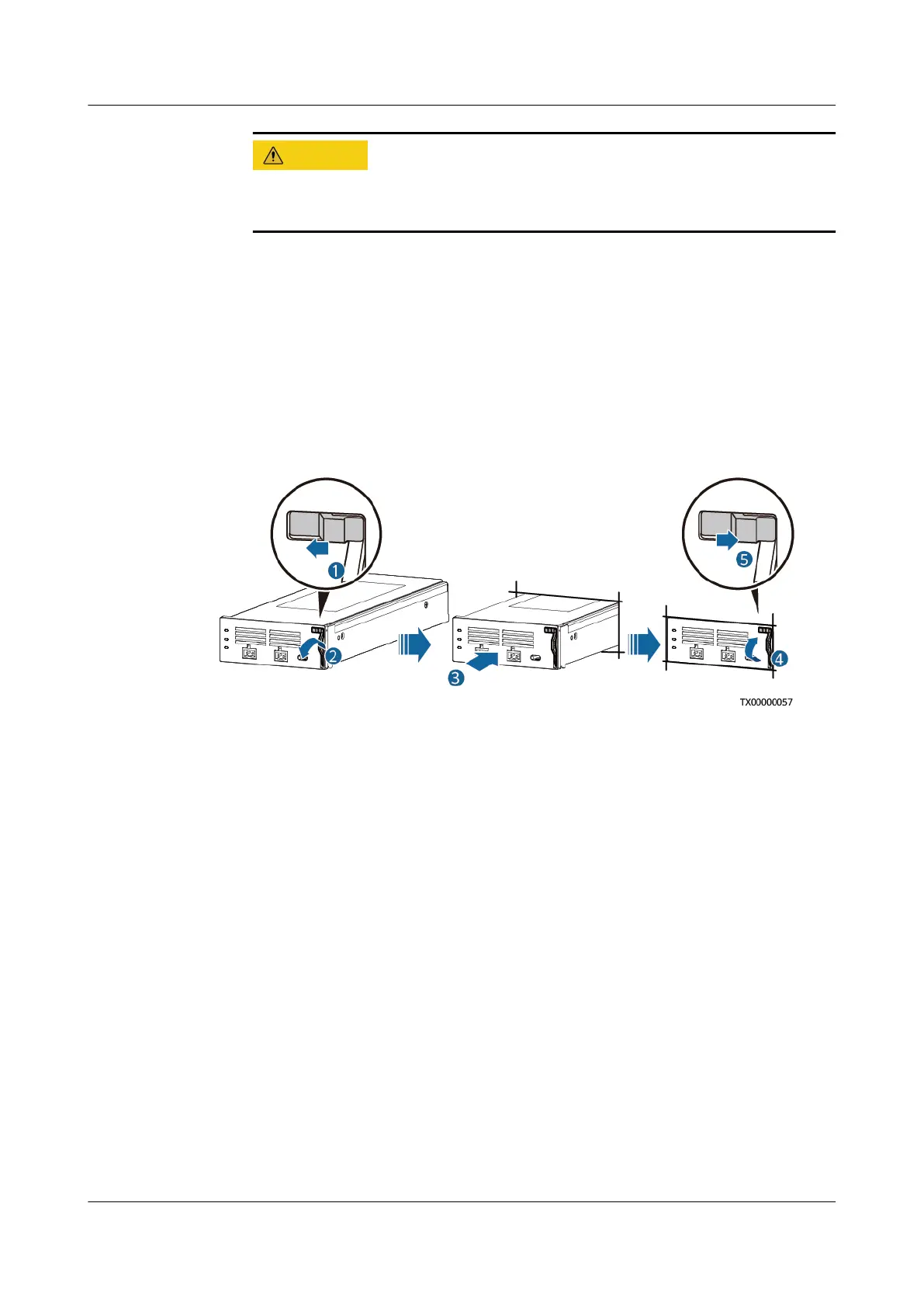
Step 4 Install the new BCU-1203A in position.
Figure 4-12 Installing a BCU-1203A
Step 5 Reconnect the cables to the BCU-1203A based on the recorded information.
Step 6 Remove the protective gloves.
----End
Follow-up Procedure
Pack the removed component and send it to the local warehouse.
4.3.7 Replacing a BC-1206A
Prerequisites
● The protective gloves, Phillips screwdriver, and key to the cabinet door are
available.
● The new BC-1206A is intact.
Procedure
Step 1 Wear protective gloves.
Step 2 Record the connection positions of cables on the BC-1206A and BCU-1203A and
remove the cables.
iSitePower Integrated Smart Site (ICC1000-A1-E1)
User Manual 4 Maintenance
Issue 04 (2022-10-15) Copyright © Huawei Technologies Co., Ltd. 125









 To Next Page