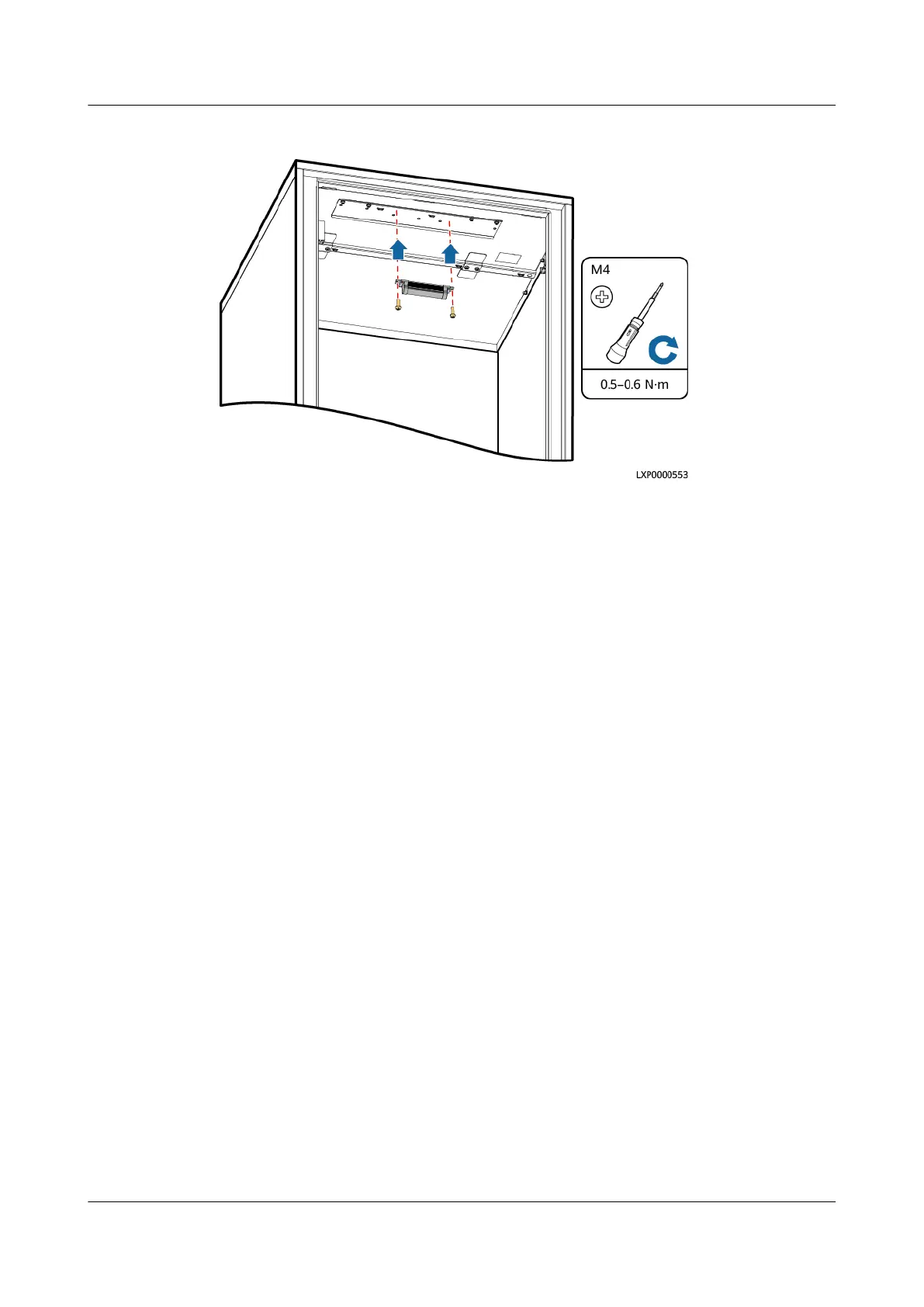
Figure 4-50 Install a light
----End
Follow-up Procedure
Pack the removed component and send it to the local warehouse.
4.3.28 Replacing a Smart ETH Gateway
Prerequisites
● An ESD wrist strap, ESD gloves, ESD box or bag, door key, and required tools
are available.
● The new smart ETH gateway is intact.
Procedure
Step 1 Connect the ground cable to the ESD wrist strap, and put on the ESD wrist strap
and ESD gloves.
Step 2 Switch
o the circuit breaker corresponding to the smart ETH gateway.
Step 3 Disconnect the smart ETH gateway cables, record the cable information, and label
them.
1. Disconnect the gateway power cable.
2. Disconnect the gateway communications cable.
3. Disconnect the gateway ground cable.
Step 4 Remove the smart ETH gateway.
Step 5 Take out the new smart ETH gateway and install it on the guide rail.
Step 6 Connect the smart ETH gateway cables based on the recorded information.
1. Connect the gateway ground cable.
2. Connect the gateway communications cable.
iSitePower Integrated Smart Site (ICC1000-A1-E1)
User Manual 4 Maintenance
Issue 04 (2022-10-15) Copyright © Huawei Technologies Co., Ltd. 155









 To Next Page