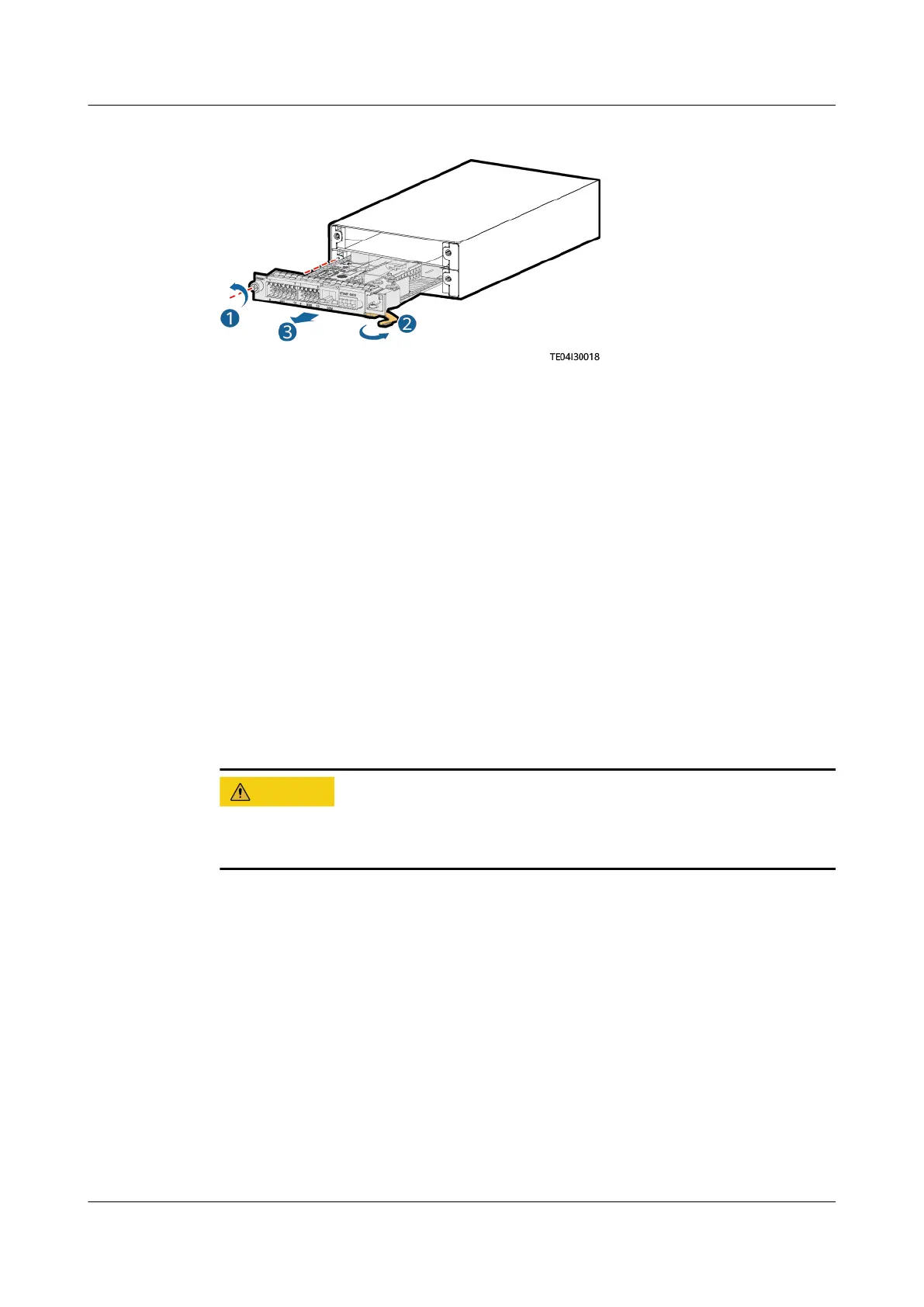
Figure 4-3 Removing the UIM05B1
Step 4 Install the new UIM05B1.
Step 5 Install the cables based on the recorded information.
Step 6 Disconnect the ground cable from the ESD wrist strap, and remove the ESD wrist
strap and ESD gloves.
----End
Follow-up Procedure
Pack the removed component and send it to the local warehouse.
4.3.3 Replacing a R4875G5/R4850G5
Prerequisites
● You have obtained a pair of protective gloves and the cabinet door key.
● The new
rectier is intact.
Protect yourself from being burnt when moving the rectier because the rectier
has a high temperature.
Procedure
Step 1 Put on protective gloves.
Step 2 Push the locking latch at the right side of the panel towards the left.
Step 3 Gently draw the handle outwards, and then remove the
rectier from the subrack.
iSitePower Integrated Smart Site (ICC1000-A1-E1)
User Manual 4 Maintenance
Issue 04 (2022-10-15) Copyright © Huawei Technologies Co., Ltd. 120









 To Next Page