Follow-up Procedure
Send the removed air conditioner for repair.
4.3.20 Replacing an Air Conditioner PC1500D-1
Prerequisites
● You have obtained an ESD wrist strap, a pair of ESD gloves, a Phillips
screwdriver, a wrench, an ESD bag, and the cabinet door key.
● You have
conrmed the model of the air conditioner to be replaced and
prepared a replacement air conditioner.
● You are authorized to enter the site with the key.
Context
You need only to disconnect the air conditioner power supply, but not the AC input
to the system.
Procedure
Step 1 Connect the ground cable of the ESD wrist strap, and wear the ESD wrist strap and
ESD gloves.
Step 2 Power o the air conditioner and record the cable information.
Step 3 Record the positions where cables are connected to the air conditioner, and
disconnect the cables.
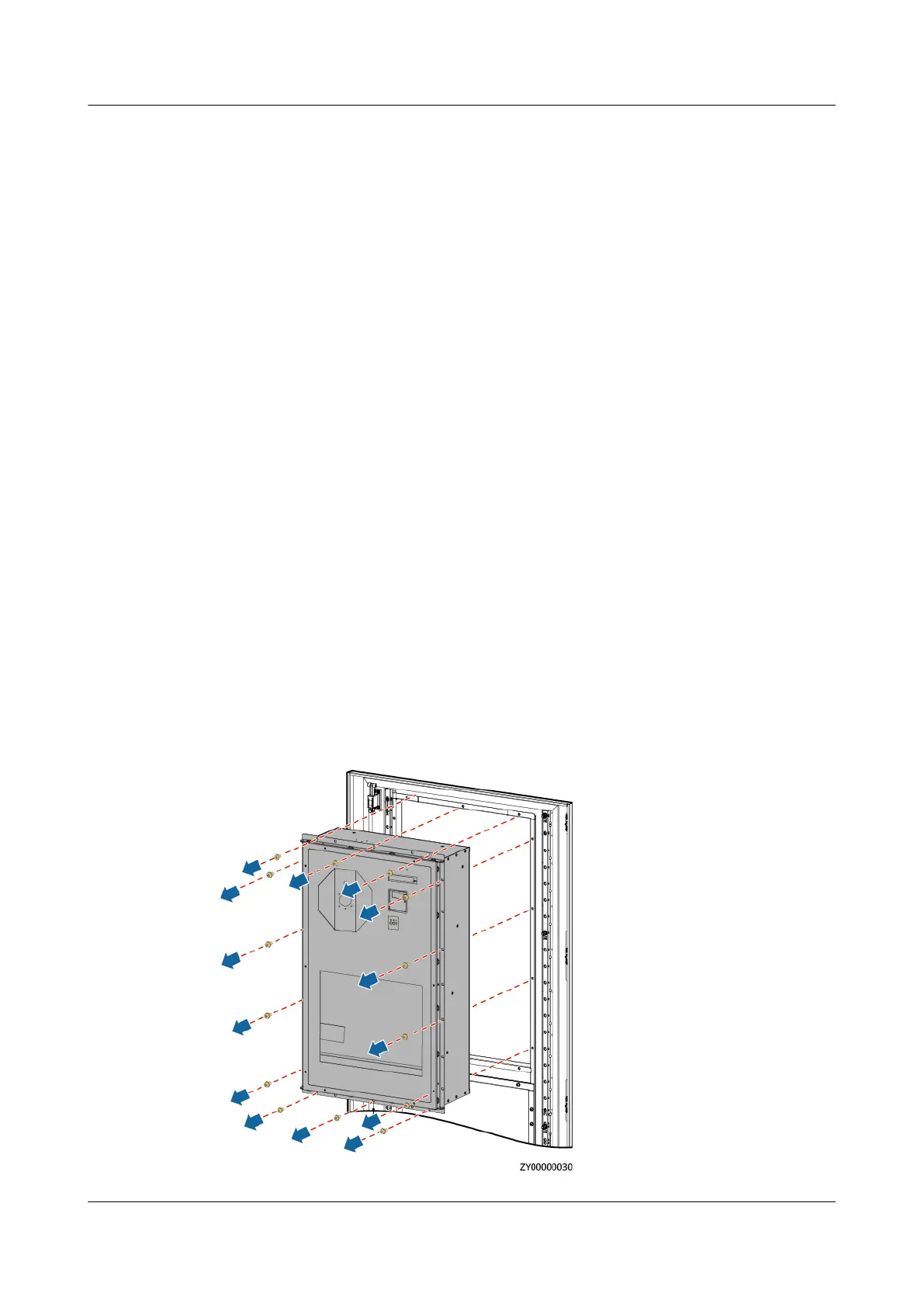
Step 4 Remove the air conditioner.
Figure 4-36 Removing the air conditioner
iSitePower Integrated Smart Site (ICC1000-A1-E1)
User Manual 4 Maintenance
Issue 04 (2022-10-15) Copyright © Huawei Technologies Co., Ltd. 144









 To Next Page