(4) Two 12 V DC outputs (5) Two 24 V DC outputs (6) Handle
(7) ON/OFF switch (used to
turn on/turn o the output)
(8) Four 24 V AC outputs (9) Fan
Indicator
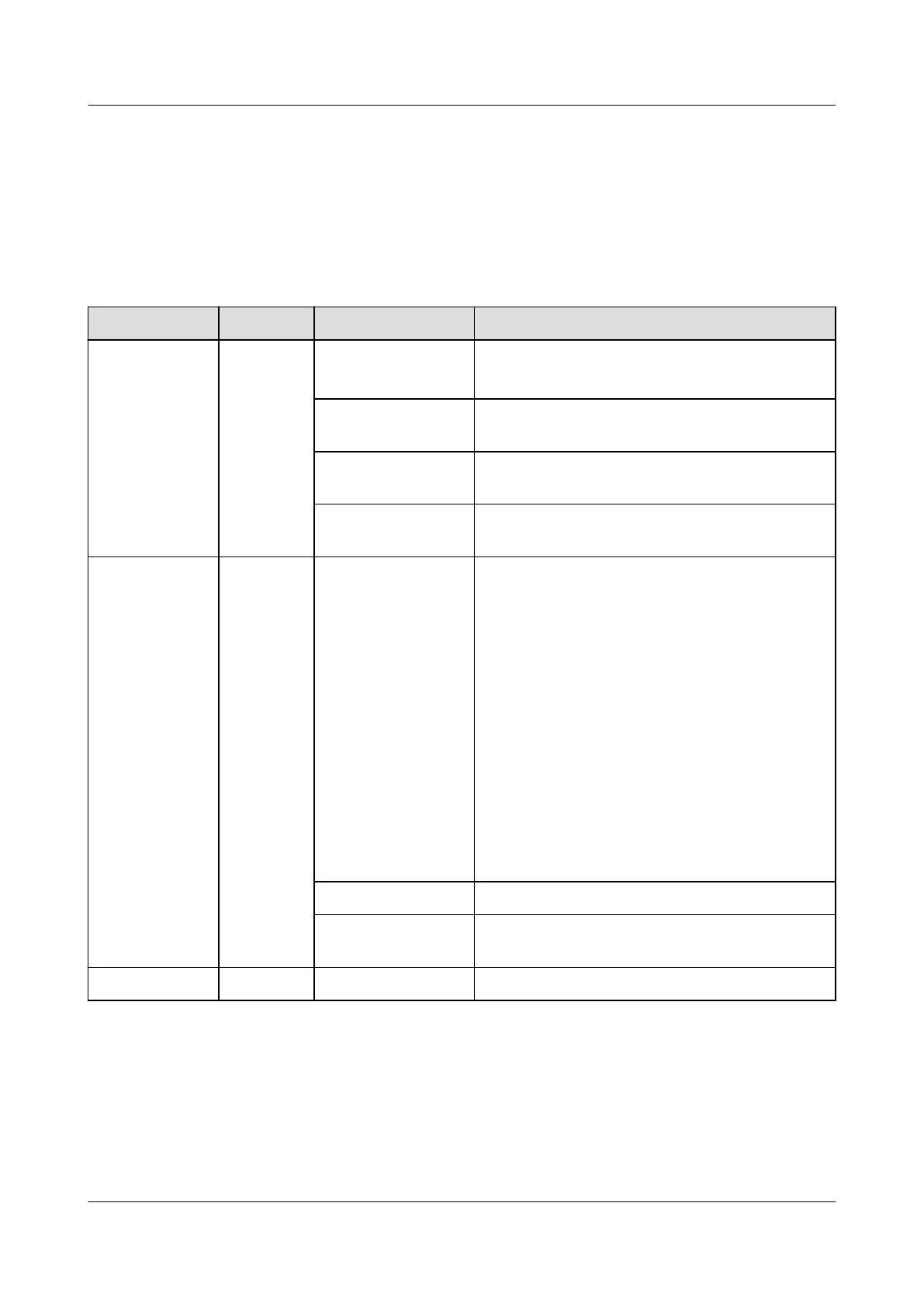
Table 3-28 Description of the indicators
Item Color Status Description
Power
indicator
Green O ● The power module is faulty.
● There is no DC input.
Steady on The DC input is available and the power
system is working properly.
Blinking slowly
(0.5 Hz)
The DC input is available and the module is
being queried.
Blinking fast (4
Hz)
The DC input is available and the module is
loading software.
Alarm
indicator
Yellow Steady on ● An ambient overtemperature alarm is
generated.
● Overtemperature protection is triggered.
● Undertemperature protection is triggered.
● The 12 V DC, 24 V DC, or 24 V AC output
is turned
o.
● The power module is hibernating. (In this
mode, only the protection indicator is on
and no alarm is reported.)
● A DC input overvoltage or undervoltage
alarm is generated.
● The 12 V DC, 24 V DC, or 24 V AC output
experiences overcurrent, short circuit, or
over power.
O The power module is normal.
Blinking slowly
(0.5 Hz)
The power module fails to communicate.
Fault indicator Red O The power module is normal.
iSitePower Integrated Smart Site (ICC1000-A1-E1)
User Manual 3 Components
Issue 04 (2022-10-15) Copyright © Huawei Technologies Co., Ltd. 52









 To Next Page