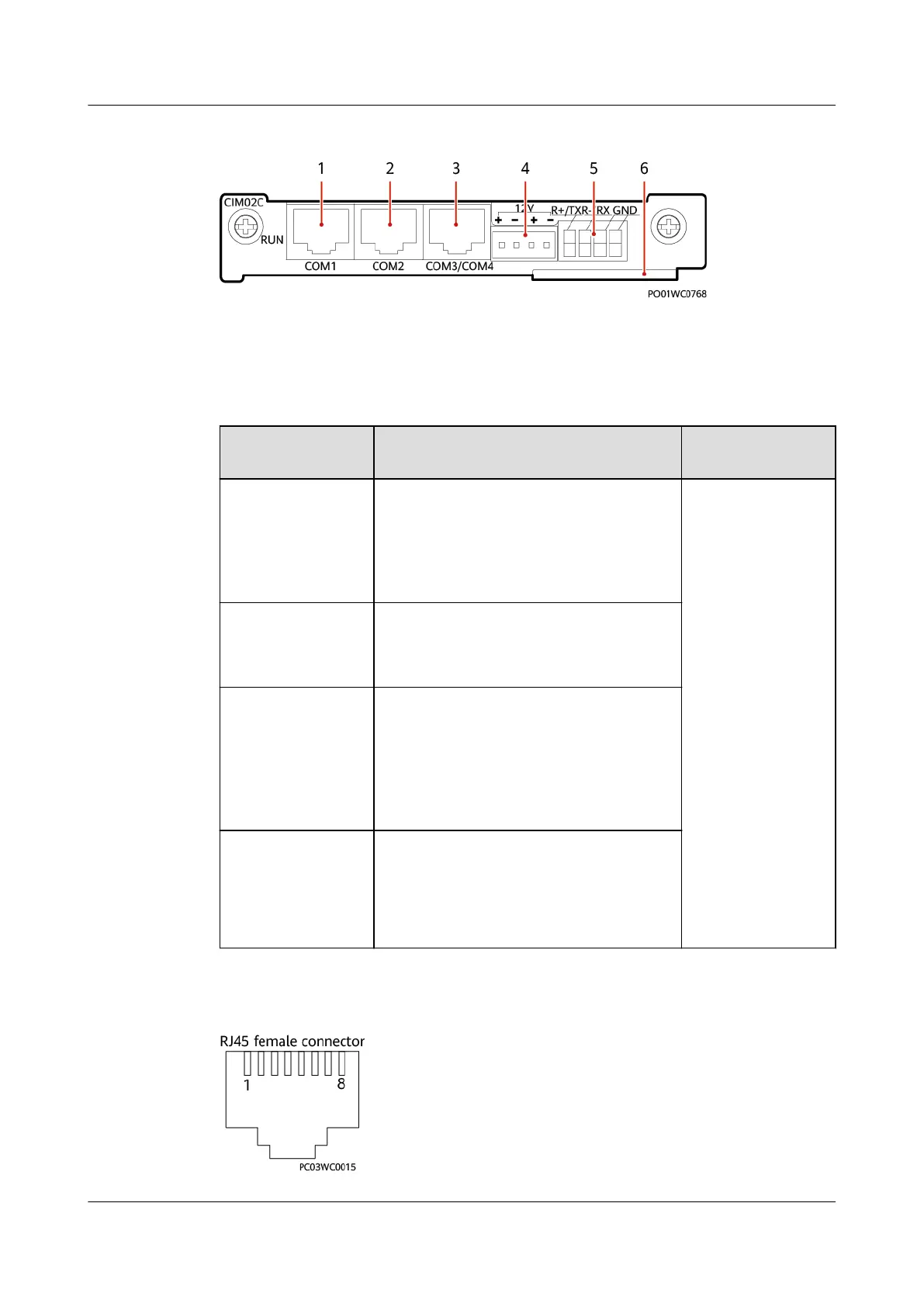
Figure 3-30 Panel
(1) COM1 port (2) COM2 port (3) COM3/COM4 port
(4) 12 V power port (5) COM5 port (6) Handle
Table 3-35 Communications port description
Communications
Port
Description Communications
Parameter
COM1 port Supports RS485.
Supplies 12 V power.
Connects to a smart device, such as a
digital temperature and humidity
sensor or an electricity meter.
Baud rate:
Default value:
9600 bit/s
Options: 9600
bit/s, 1200 bit/s,
2400 bit/s, 4800
bit/s, 14400 bit/s,
19200 bit/s,
115200 bit/s
COM2 port Supports RS485.
Supplies 12 V power.
Connects to a smart device.
COM3/COM4 port COM3 supports RS485.
COM4 supports RS232 and CAN.
RS232 is used by default, which can be
changed to CAN by using a jumper. For
the operation method, see appendix.
Connects to the power system.
COM5 port Supports RS232 and RS485. RS485 is
used by default, which can be changed
to RS232 by using a jumper. For the
operation method, see appendix.
Connects to an air conditioner.
Figure 3-31 Pins in the COM1/COM2/COM3/COM4 ports
iSitePower Integrated Smart Site (ICC1000-A1-E1)
User Manual 3 Components
Issue 04 (2022-10-15) Copyright © Huawei Technologies Co., Ltd. 57









 To Next Page