WindO/I-NV4 User’s Manual 3-9
5 User Communication
3
Communication
5.2 User Communication Settings Procedure
This section describes the procedure for setting user communication.
●
Create a new user communication protocol, and then configure it to a communication interface
Using Transmission Command and Receive Command
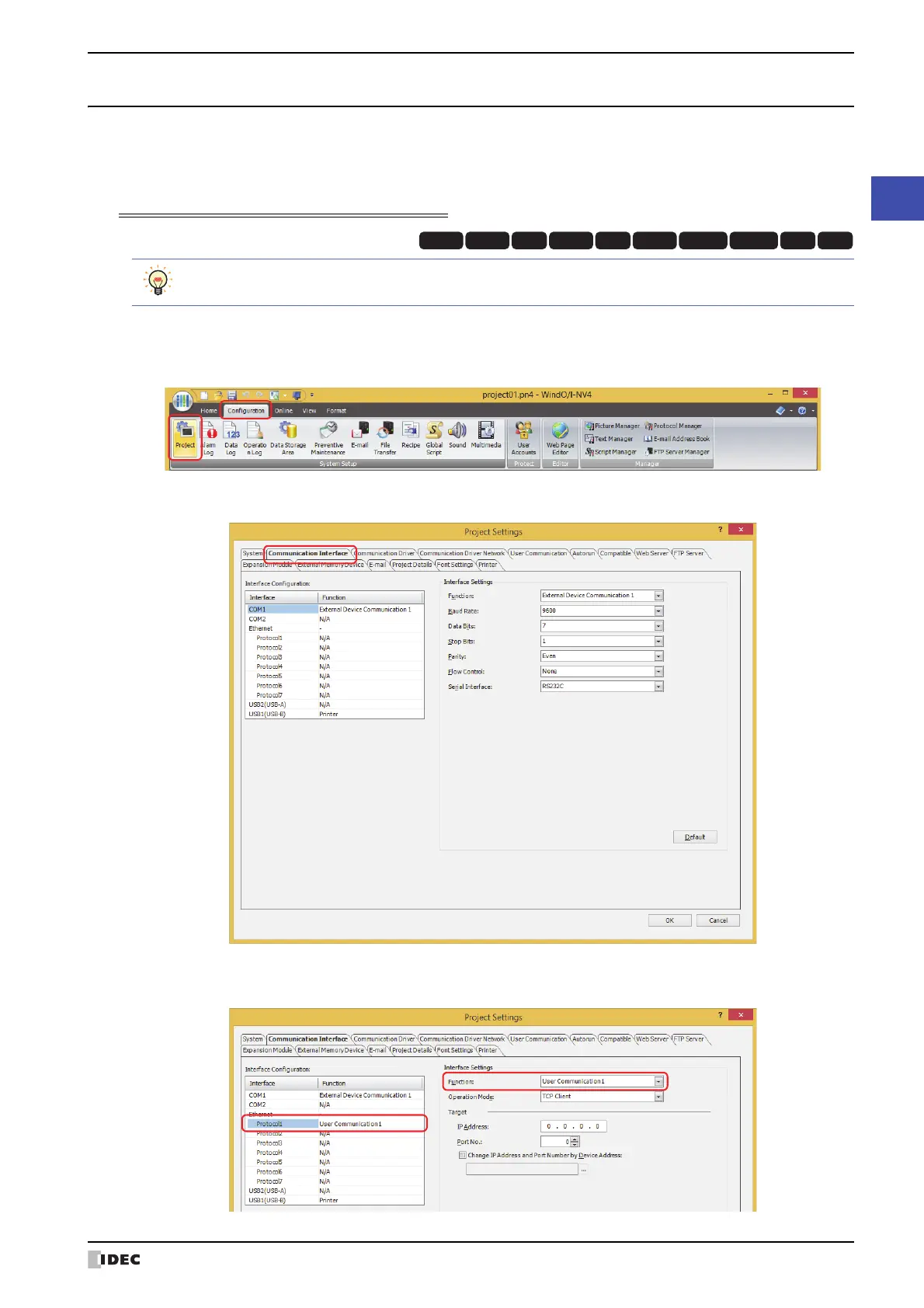
1 On the Configuration tab, in the System Setup group, click Project.
The Project Settings dialog box is displayed.
2 Click the Communication Interface tab on the Project Settings dialog box.
3 Select the interface for user communication under Interface Configuration, and then select the user
communication in Function under Interface Settings.
HG3G
HG2G-5FHG5G-V HG4G-V HG3G-V HG2G-V HG2G-5T
HG4G HG1G HG1P
To use the commands for inching function with HG1P, refer to “Using Inching Function” on page 3-21.



 To Next Page
 Loading...