WindO/I-NV4 User’s Manual 4-25
3 Project Settings Dialog Box
4
Project Settings
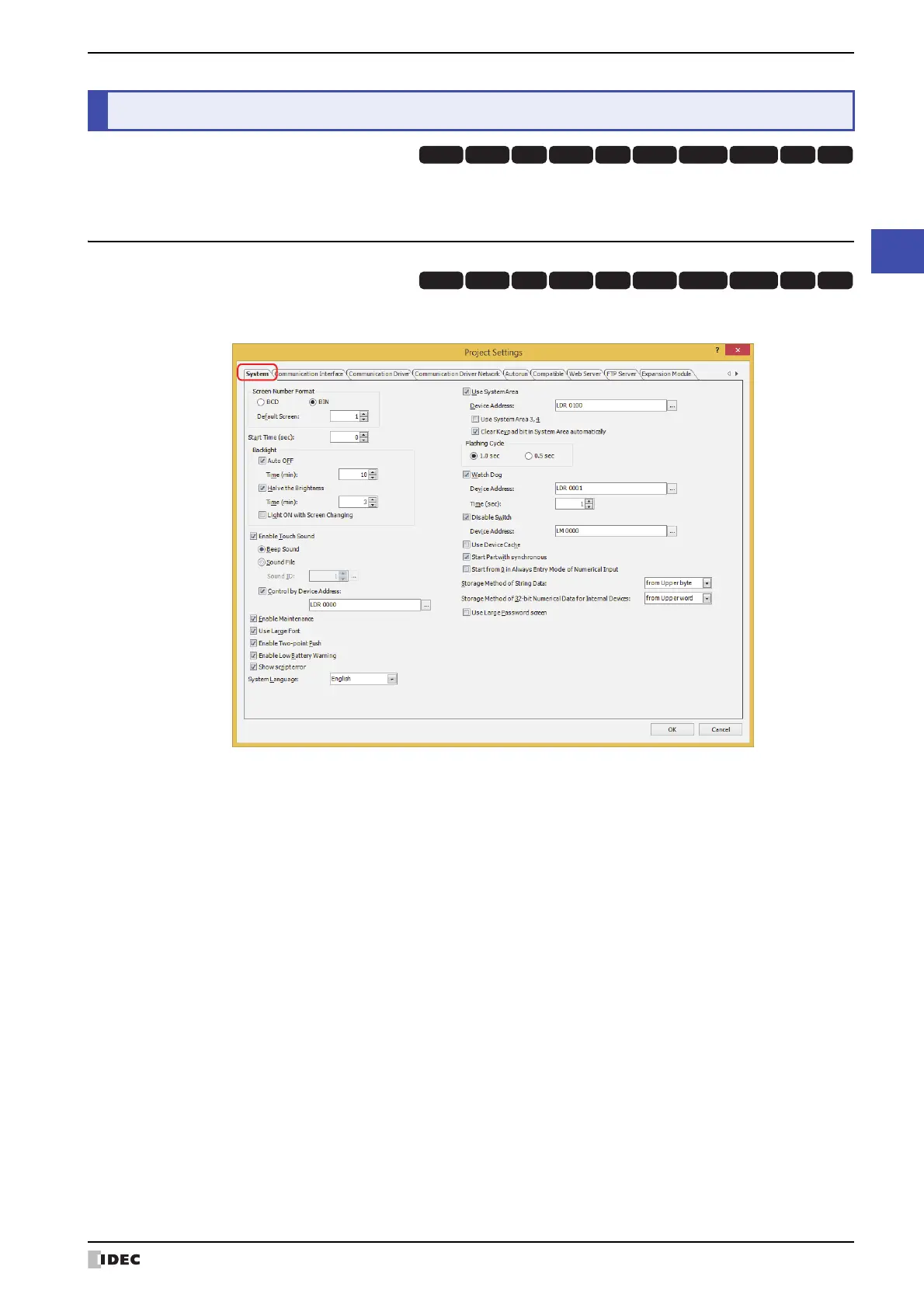
This section describes items and buttons on the Project Settings dialog box.
3.1 System Tab
The System tab is used to configure MICRO/I operations for the project data overall.
■ Screen Number Format
Selects the type of data to use for the System Area 1 Display screen number (address number+0) as BCD or BIN.
■ Start Time (sec)
Specifies the time from when the MICRO/I power is turned on until communications start with the external device
(0 to 9999 seconds).
3 Project Settings Dialog Box
HG3G
HG2G-5FHG5G-V HG4G-V HG3G-V HG2G-V HG2G-5T
HG4G HG1G HG1P
HG3G
HG2G-5FHG5G-V HG4G-V HG3G-V HG2G-V HG2G-5T
HG4G HG1G HG1P
Default Screen: Specifies the screen number of the base screen to display first when the MICRO/I is turned on (0 to
3000). When 0 is specified, the MICRO/I is in the screen waiting state. Write a screen number to
System Area 1 Display screen number (address number+0) or specify the default screen number
from 1 to 3000.



 To Next Page
 Loading...