5 Key Button
8-98 WindO/I-NV4 User’s Manual
5.5 Key Browser
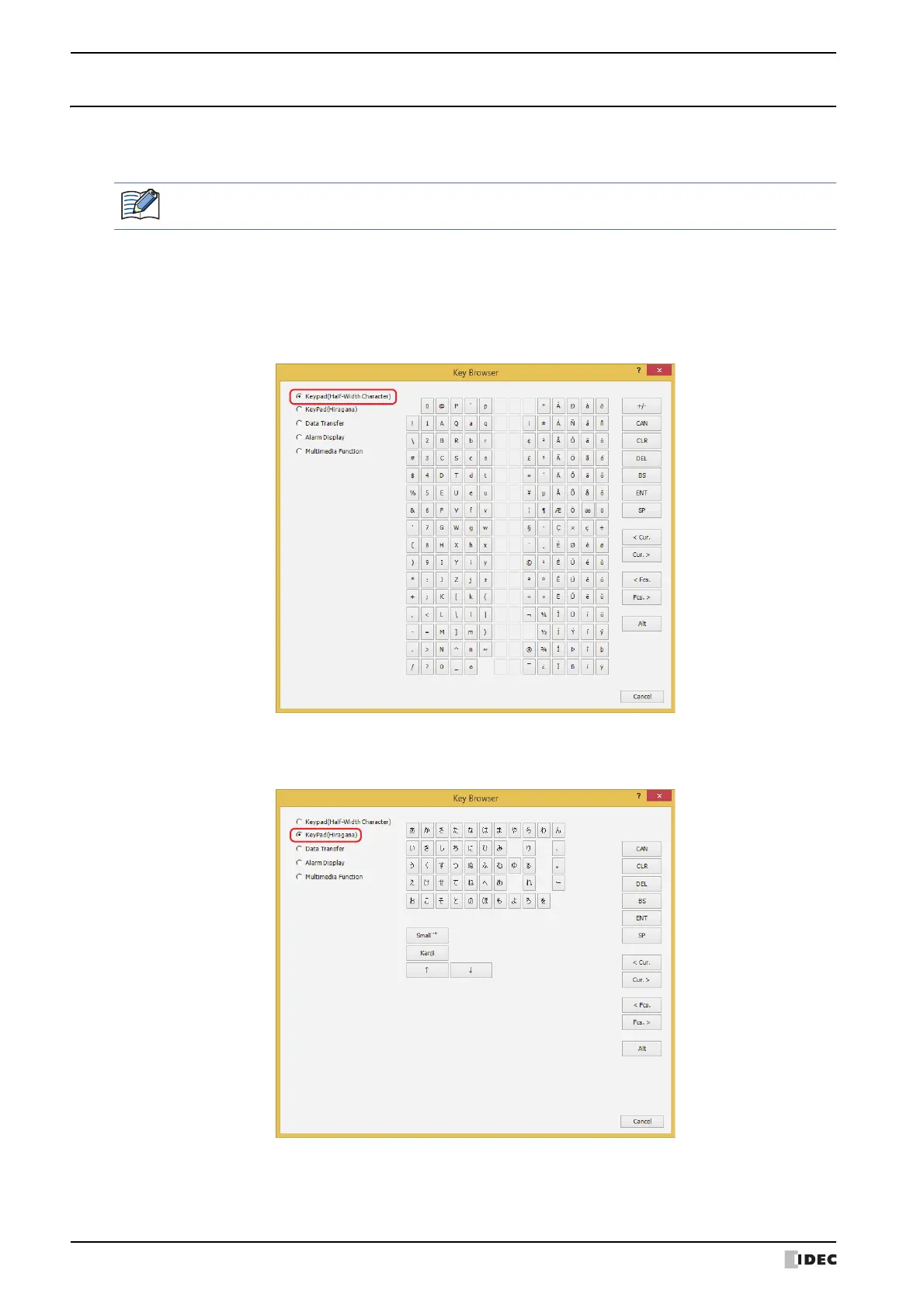
Select the key using the Key Browser. The Key Browser closes when a key is selected. The name of the key is shown
in Key Type. Settings that apply to the selected key are displayed.
Select the key type from the following uses:
Keypad(Half-Width Character), Keypad(Hiragana)
*1
, Data Transfer, Alarm Display, Multimedia
Function
*2
■ Keypad(Half-Width Character)
These buttons are used for Numerical Input and Character Input:
■ Keypad(Hiragana)
*1
These buttons are used for Character Input to enter Hiragana and Kanji:
*1 HG5G/4G/3G/2G-V only
*2 This is applicable for models with a video interface only.
When you select a key, the label for that key is assigned as the Registration Text.



 To Next Page
 Loading...