5 User Communication
3-28 WindO/I-NV4 User’s Manual
● Configuring registered user communication protocol to another user communication
Configure an user communication protocol registered in Protocol Manager to another user communication.
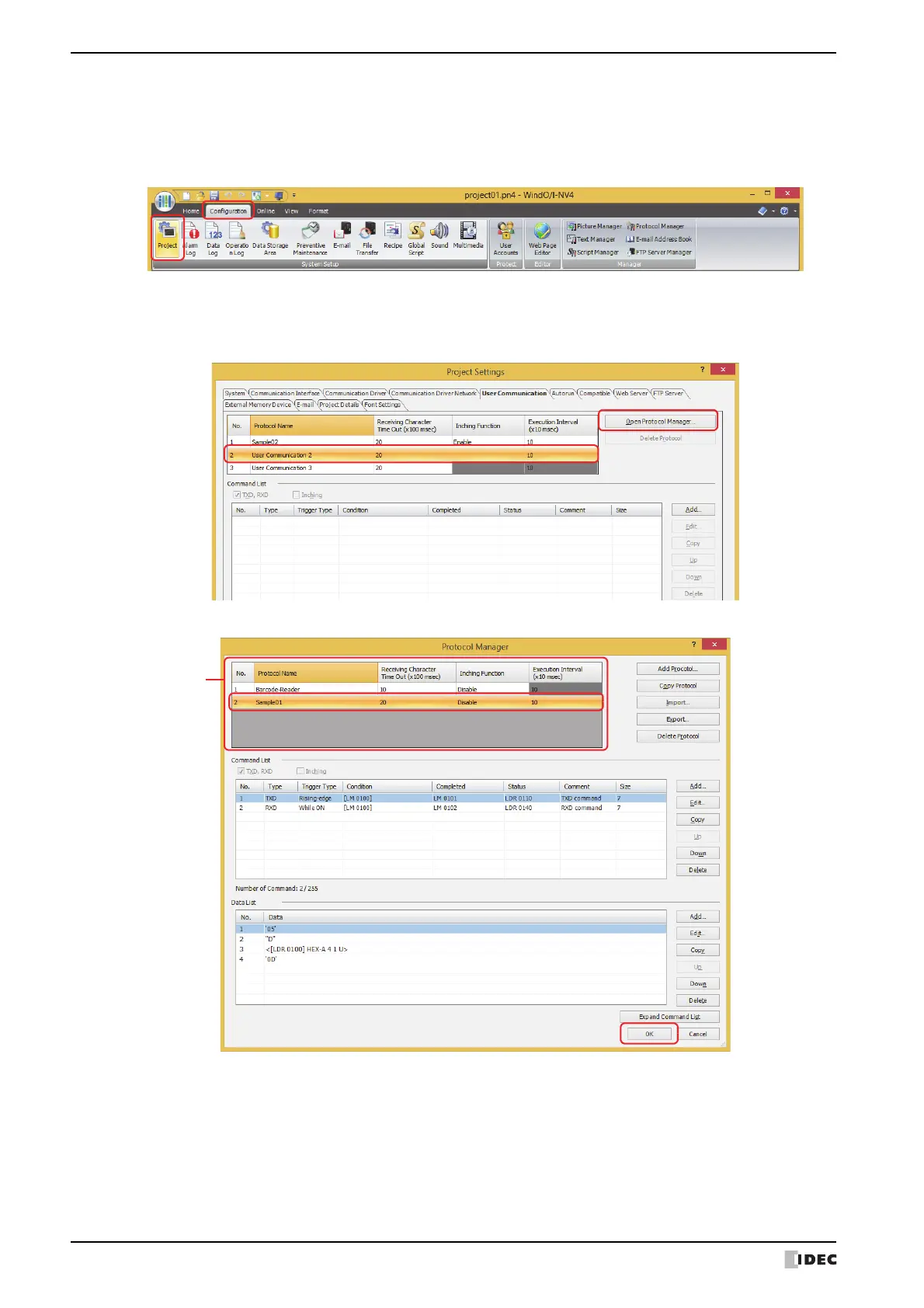
1 On the Configuration tab, in the System Setup group, click Project.
The Project Settings dialog box is displayed.
2 In the User Communication tab on the Project Settings dialog box, select the user communication to set from the
protocol list, and then click Open Protocol Manager.
Protocol Manager is displayed.
3 Select a user communication protocol in (Protocol List), and click OK.



 To Next Page
 Loading...