WindO/I-NV4 User’s Manual 30-1
30
Expansion Modules
This chapter describes how to use or operate the expansion modules, how to write a Cyclic Script and the basic
operations of the Module Configuration dialog box.
1.1 Overview of Expansion Modules
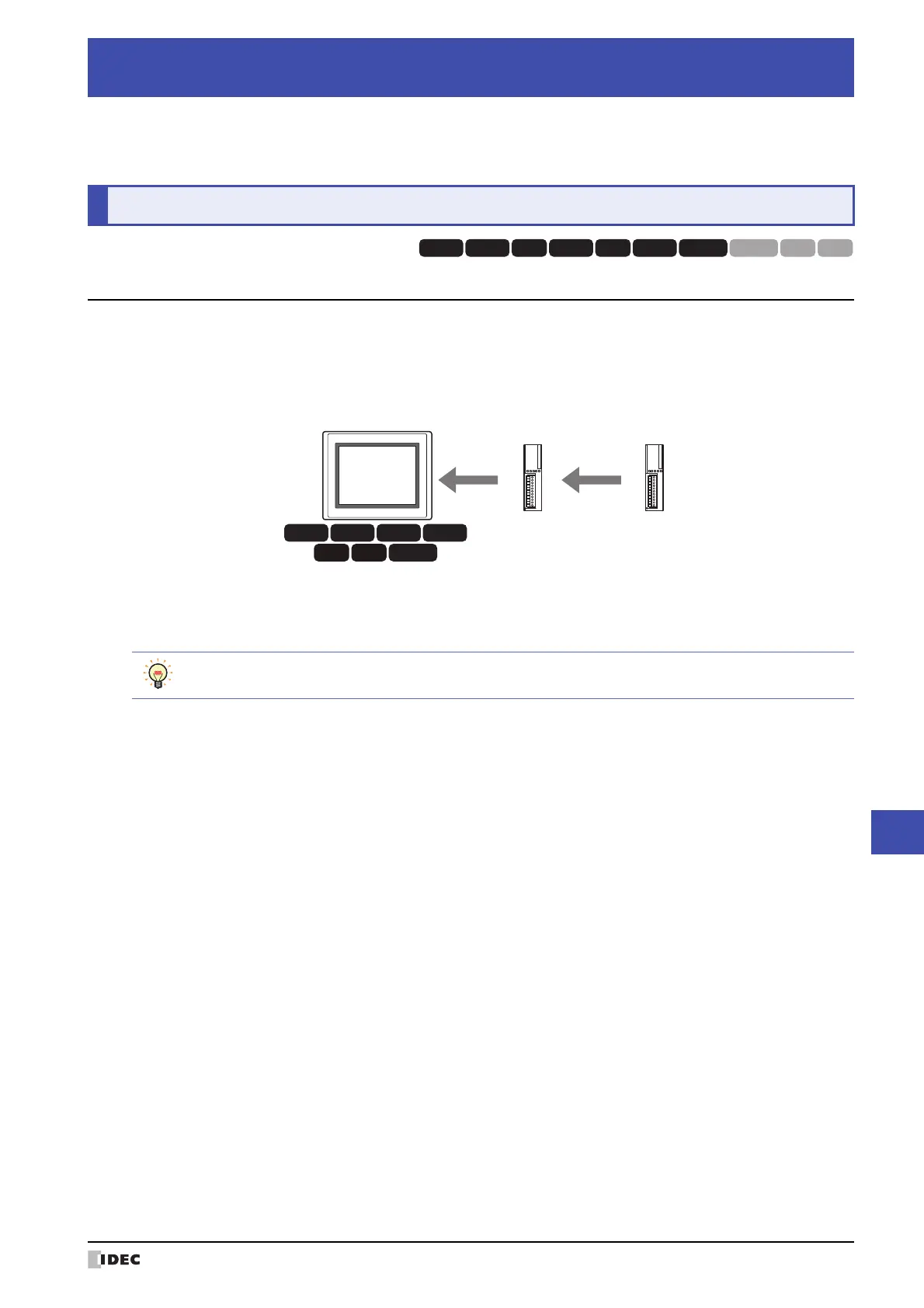
The MICRO/I has an expansion interface which allows you to add input and output functionality by adding expansion
modules.
For the HG5G/4G/3G-V, HG4G/3G, up to four IDEC MICROSmart PLC expansion I/O modules may be installed. For the
HG2G-V, HG2G-5F, up to two IDEC MICROSmart PLC expansion I/O modules may be installed.
Expansion I/O modules can be used to configure a display and I/O control system for small equipment with only a few
I/O, or for applications with simple I/O control requirements.
Chapter 30 Expansion Modules
1Overview
HG3G
HG2G-5F HG2G-5T
HG4G HG1G
HG3G
HG2G-5FHG5G-V HG4G-V HG3G-V HG2G-V HG2G-5T
HG4G HG1G HG1P
HG3G
HG2G-5F
HG4G
HG5G-V HG4G-V HG3G-V HG2G-V
Expansion module
Slot 1
Expansion module
Slot 2
MICRO/I
Attached expansion modules are referred to as Slot 1 and Slot 2 in order from the module closest to the
MICRO/I.



 To Next Page
 Loading...