2 Digital I/O Modules
30-12 WindO/I-NV4 User’s Manual
2.1 Using Digital I/O Modules
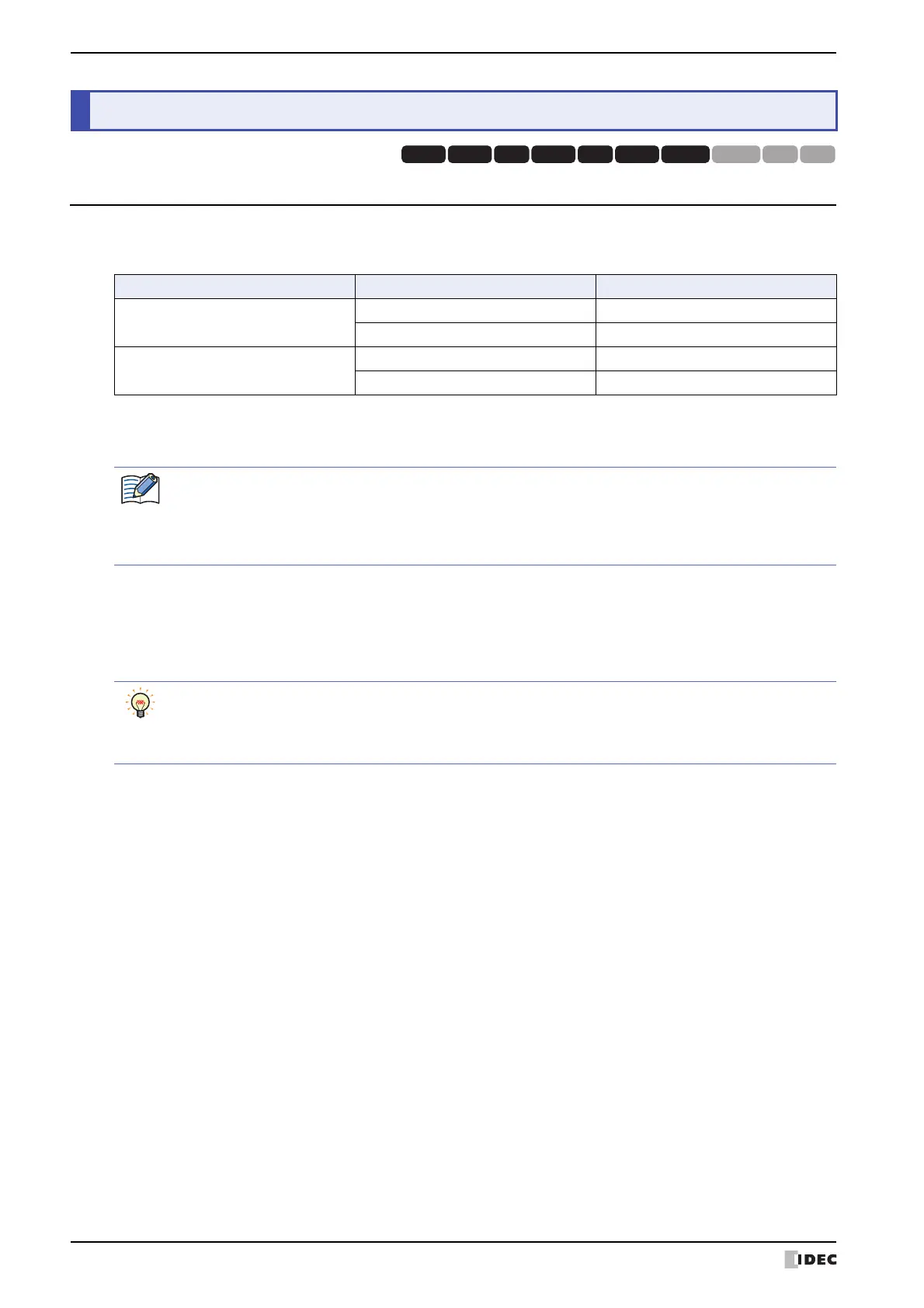
The inputs and outputs on the digital I/O modules are mapped to following device address locations within the
MICRO/I. The device name and symbol vary based on the model.
To monitor the inputs and control the outputs, the Expansion Inputs(#I), Expansion Outputs(#Q), Digital Input(LEX)
and Digital Output (LEY) are used.
The Expansion Inputs(#I), Expansion Outputs(#Q), Digital Input(LEX) and Digital Output(LEY) are octal-based,
meaning that only numbers 0 to 7 are used in their addresses.
Address numbers are assigned in ascending order from Slot 1. However, if a unit has four input/output ports, address
numbers 0 to 3 are assigned to each, and address numbers 4 to 7 cannot be used.
2 Digital I/O Modules
HG3G
HG2G-5FHG5G-V HG4G-V HG3G-V HG2G-V HG2G-5T
HG4G HG1G HG1P
Type No. Device Name Symbol
HG5G/4G/3G/2G-V
Expansion Inputs #I
Expansion Outputs #Q
HG4G/3G, HG2G-5F
Digital Input LEX
Digital Output LEY
When entering the control device, inputs "#" before the symbol (device type). In addition, on the Device
Monitor a "#" is displayed before the symbol.
Example: I100 is configured.
#I100
Inputs and outputs of Digital I/O modules can also be controlled and monitored using the word devices
#WI, #WQ, WLEX and WLEY. #WI, #WQ, WLEX and WLEY are useful for batch control of inputs and
outputs. For details about allocation of address number, refer to Chapter 33 “Internal Devices” on page 33-
1.



 To Next Page
 Loading...