Multitron - Incubation Shaker
Operation
Page 76 of 146 25 February 2019
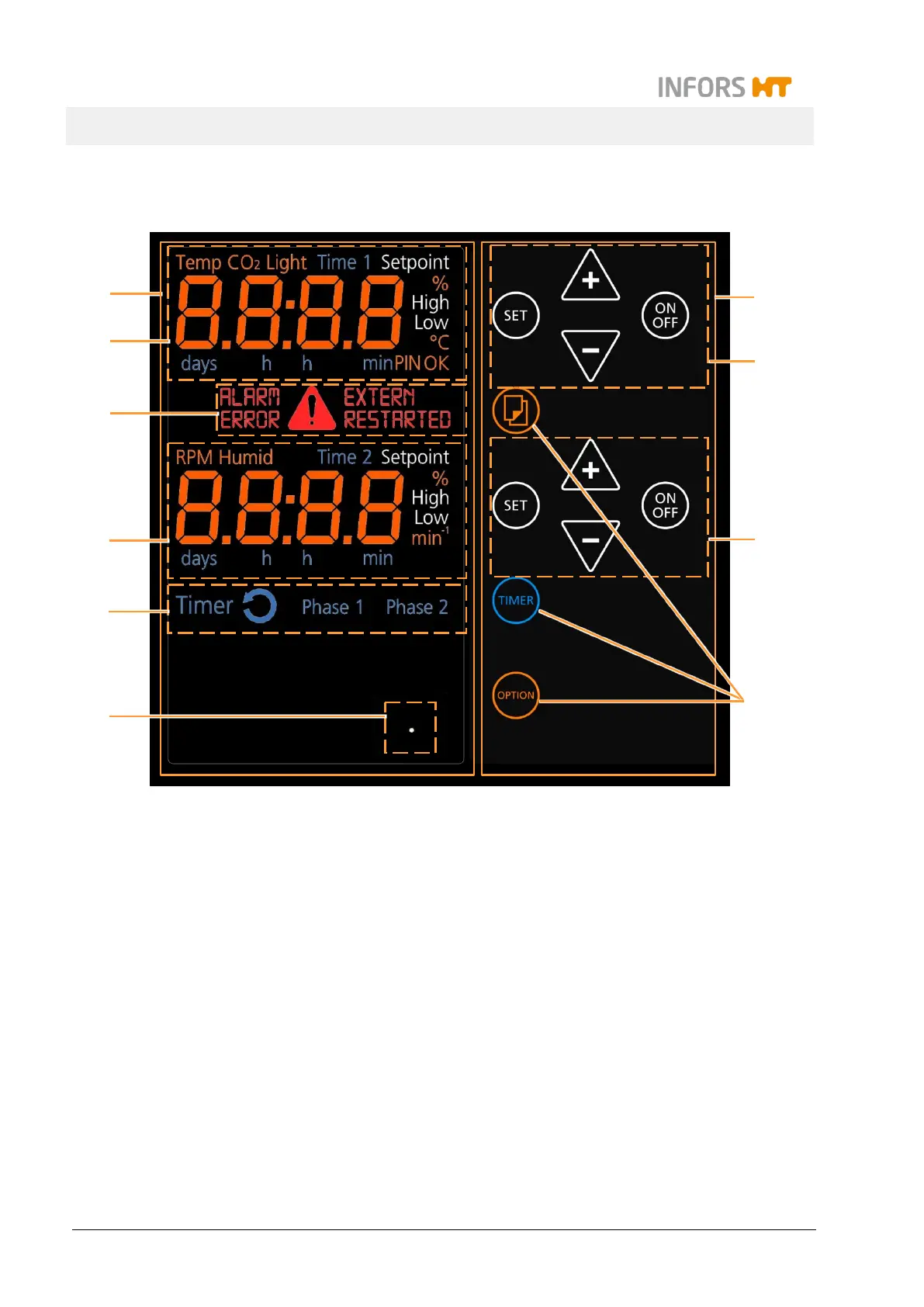
7.3 Overview about the Display und Controls
1 Complete display area
2 Upper display: Parameter
values (temperature, CO
2
, light); time (timer 1)
3 Error and warning messages, alarm
4 Lower display: Parameter setpoints and
values (RPM, humidity); time (timer 2)
5 Display area for the timer function
6 Display for the ethernet function when the
equipment is operated via ethernet
7 Complete operating panel
8 Upper operating panel: For setting the
parameters (temperature, CO
2
,
light), time
(timer 1)
9 Lower operating panel: For setting the
parameters (RPM, humidity), time (timer 2)
10 Further operating keys (selection, TIMER and
OPTION)
Parameters in gray are only available when the
according option is installed.



 To Next Page