Multitron - Incubation Shaker
Operation
Page 100 of 146 25 February 2019
7.5.6 Stopping the Timer Function
Turning off the timer function
If required, the timer function can be stopped at any time. Proceed
as follows:
Procedure 1. Tap the TIMER key to select the timer function.
2. Tap the ON/OFF key in the lower operating key are to turn the
timer function off.
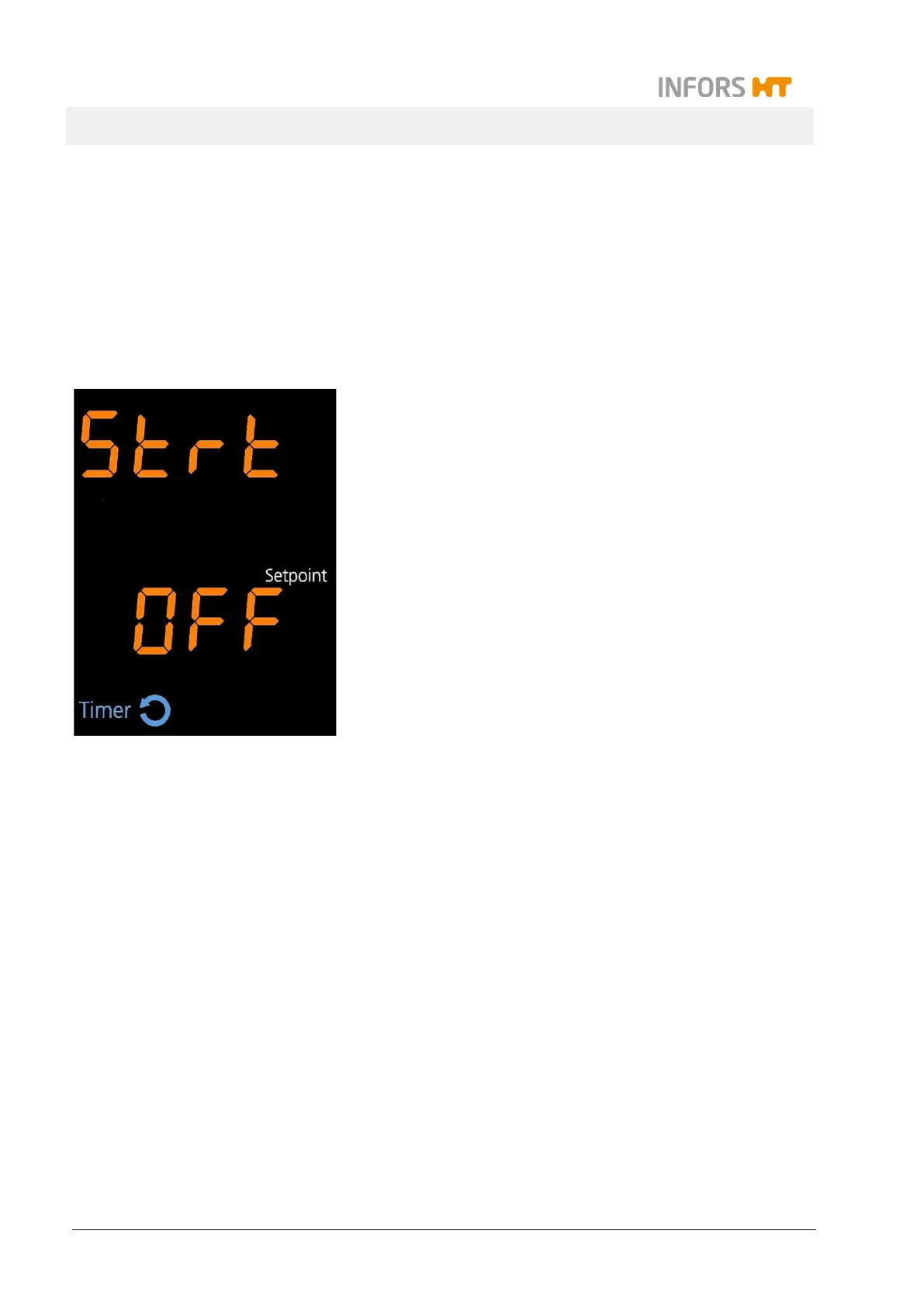
On the alphanumeric displays the messages Strt (upper) and
OFF (lower) appear. In the lower display area the white sign
Setpoint is lit up.
In the separate timer display area the sign Timer and maybe
the symbol cycle are lit up.
3. Tap the Select key to quit the timer programming mode.
The display returns to the normal operating mode.
Turning off the first or second timer
Both timers (Time 1 and Time 2) can also be switched off individu-
ally. Pay attention to the following:
If the first timer (Time 1) is switched off, the second timer
(Time 2) is switched off as well.
If the second timer (Time 2) is switched off, the first timer
(Time 1) remains active.
In cyclic mode, the second timer (Time 2) can be switched off
but not switched on again.



 To Next Page