Multitron - Incubation Shaker
Operation
Page 78 of 146 25 February 2019
7.3.2 Signs and Messages Regarding the Timer Function
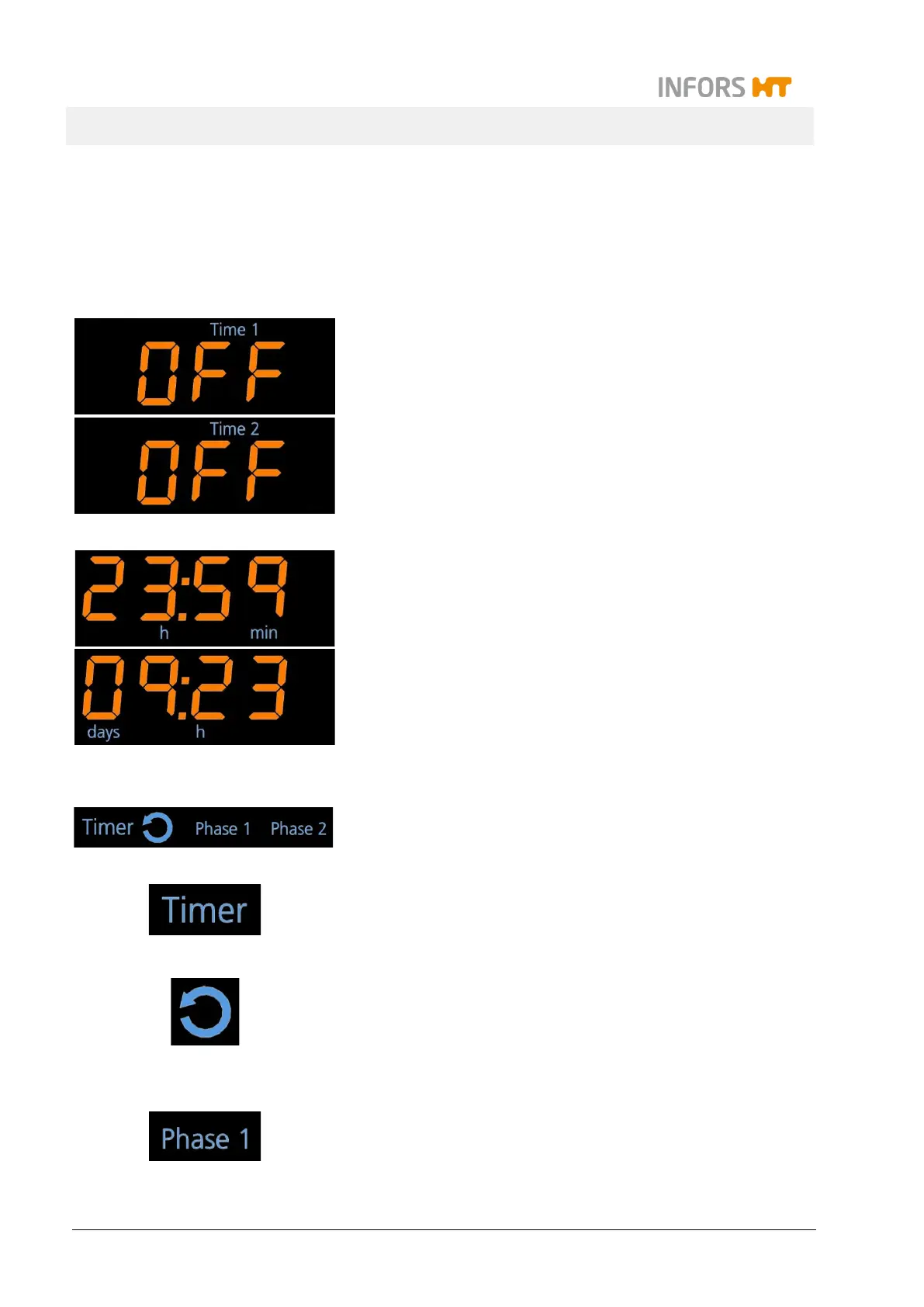
In the upper and lower display area
All signs and symbols in connection with the timer information –
except the duration which needs to be entered – light up in blue.
In the upper display area the sign Time 1 lights up, when within the
timer function (see below) the setpoint value for the duration of the
first phase (Phase 1) can be entered.
First, the message OFF appears, if the timer is not activated.
In a similar way but not at the same time
, the according information
for the second phase (Phase 2, Time 2) is shown in the lower dis-
play area.
On both alphanumeric displays the time for the timer function is
shown.
When entering a time between one minute (00:01) and 23 hours
and 59 minutes (23:59) the units h and min light up.
When entering a time between 24 hours or one day (01:00) and
the maximum of 9 days and 23 hours (09:23) the units days and h
light up.
In the separate timer display area
In the separate timer display area there are the four signs Timer, a
symbol for cycle, Phase 1, und Phase 2.
The sign Timer indicates that either within the timer function the
setpoints for the duration (Time 1 and/or Time 2
that at least one timer has been activated.
The symbol for the cycle mode lights up in addition to the sign
Timer as soon as two durations (Time 1 and Time 2) have been
entered and both timers are activated. Then the equipment alters
between the parameter setpoints of the first and the second phase
in an endlessly repeated cycle.
The signs Phase 1 and Phase 2 indicate in which phase the equip-
ment is operating if both timers are active with different parameter
settings.



 To Next Page