Micromate Operator Manual – 721U0201 Revision 6 93
will be generated when the unit exceeds the trigger level. The default setting is to beep when the
unit has been triggered.
e. Language
The Micromate supports different languages. Selecting this menu will display the available
languages. The default setting is English.
f. Long Text Scrolling
Long text scrolling controls the display of long text on the Micromate screen. When long text
scrolling is on, text too long to be displayed is scrolled across the screen. The default setting is Off.
11.4.7. Password
The Password menu will display a new window with the full QWERTY keyboard and the current
password if it has been enabled. If the password has not been enabled, the text box will be blank.
a. Enter a Password for the First Time
If the password function has not been used previously, the text box with the keyboard will be
blank. Use the navigation and check mark keys or use a finger to touch the screen and enter a
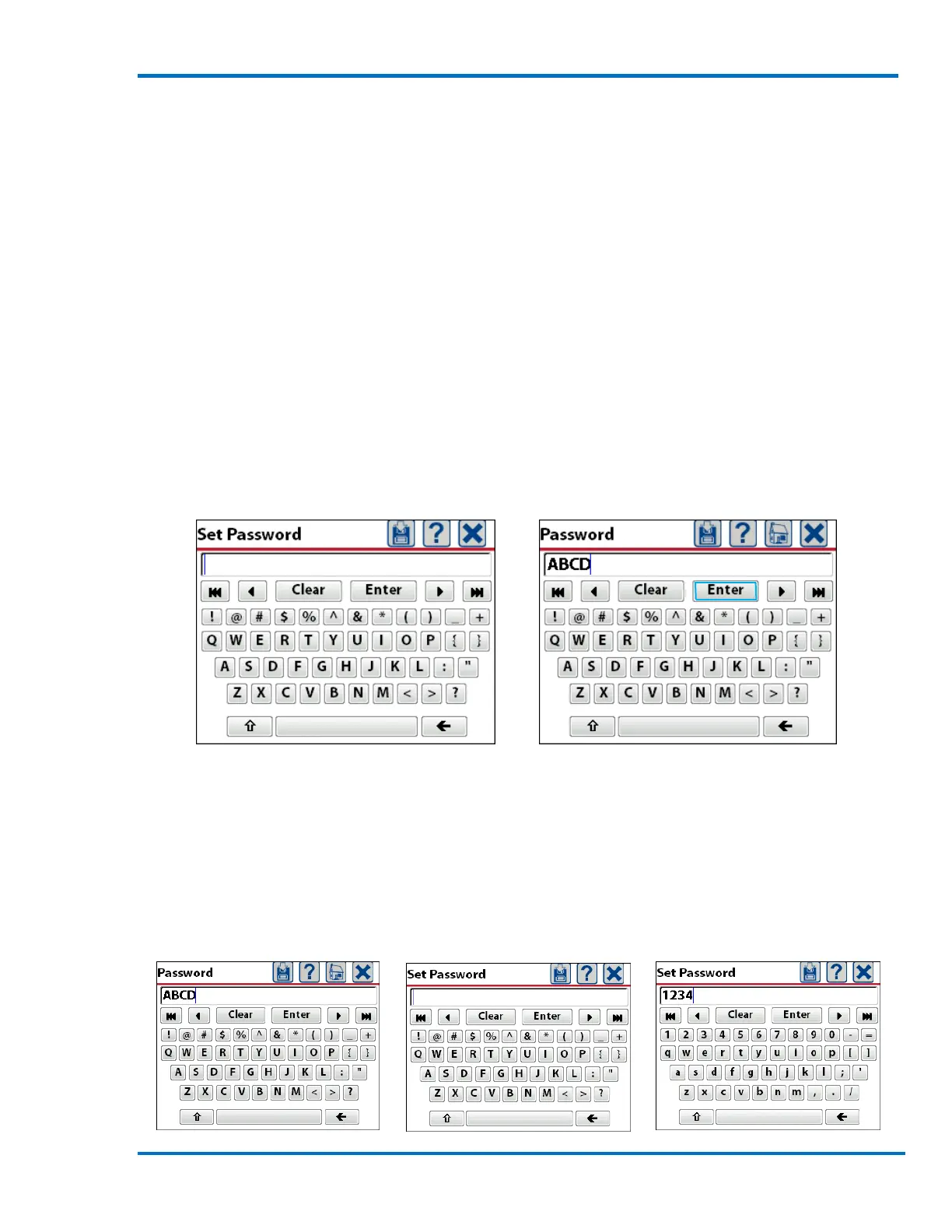
password. In this example the password that was entered was ABCD. Press the save icon or Enter
on the keyboard to save and activate the password.
Initial Screen with a Blank Text Box Password ABCD Entered
b. Change the Password
To change the current password, select the password function. This will display the keyboard with
the current password displayed in the text box. Press Clear on the keyboard to remove the old
password. Using the navigation keys or a finger enter the new password. Press the save icon or
Enter on the keyboard to save and activate the password. In the example below the original
password was ABCD and has been changed to 1234.



 To Next Page