Micromate Operator Manual – 721U0201 Revision 6 21
8. KEYPAD
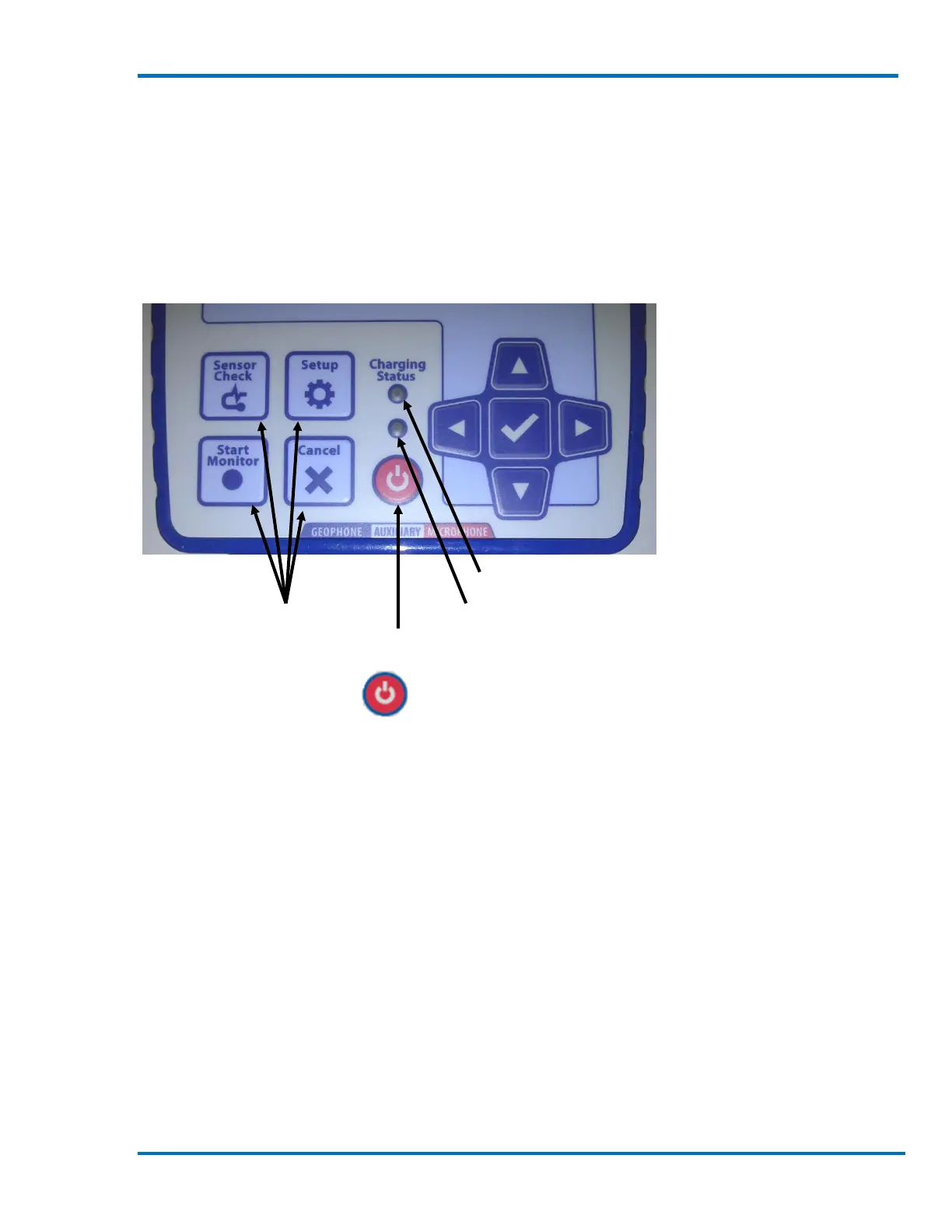
The Micromate keypad has 10 sealed, integrated keys. These include four dedicated function keys,
a power button, four navigation keys and the check mark key. They can be used to access different
menus and features. The key pad can be used in parallel with the touch screen for added flexibility.
Familiarize yourself with the key pad by performing such functions as a Sensor Check. The Cancel
key will always exit a command or return to the previous screen.
Navigation arrow keys
and central check mark
key
Charging status LED
Dedicated function keys Heartbeat indicator LED
Power button
8.1. Power Button
The Power button has two different functions:
1) The power button is used to turn the Micromate on and off by electrically connecting and
disconnecting the internal battery. This eliminates the need to open the unit.
2) The power button is also used to turn the display on and off. When the display has been
turned off the Micromate will be placed in a low power state to conserve battery life.
8.1.1. Turn the Micromate On and Off
When the Micromate is shipped from the factory, the internal battery is disconnected.
Disconnecting the internal battery reduces the current drain from the battery to its own very low
self discharge rate. Assuming the battery is stored at a temperature between 0°C and 45°C (32° F
and 113° F), the typical charge retention will be greater that 80% after three months.
NOTE: The Micromate will not operate if the internal battery has been disconnected.
To turn the Micromate on, the internal battery must be connected. To connect the internal
battery press and hold the power button for at least five seconds. The Micromate will connect the
internal battery automatically. The display will be turned on and the Micromate will begin loading
the operating system. An installation progress bar, a blue bar moving from left to right, will be



 To Next Page