84 Micromate Operator Manual – 721U0201 Revision 6
9) View Instantel information.
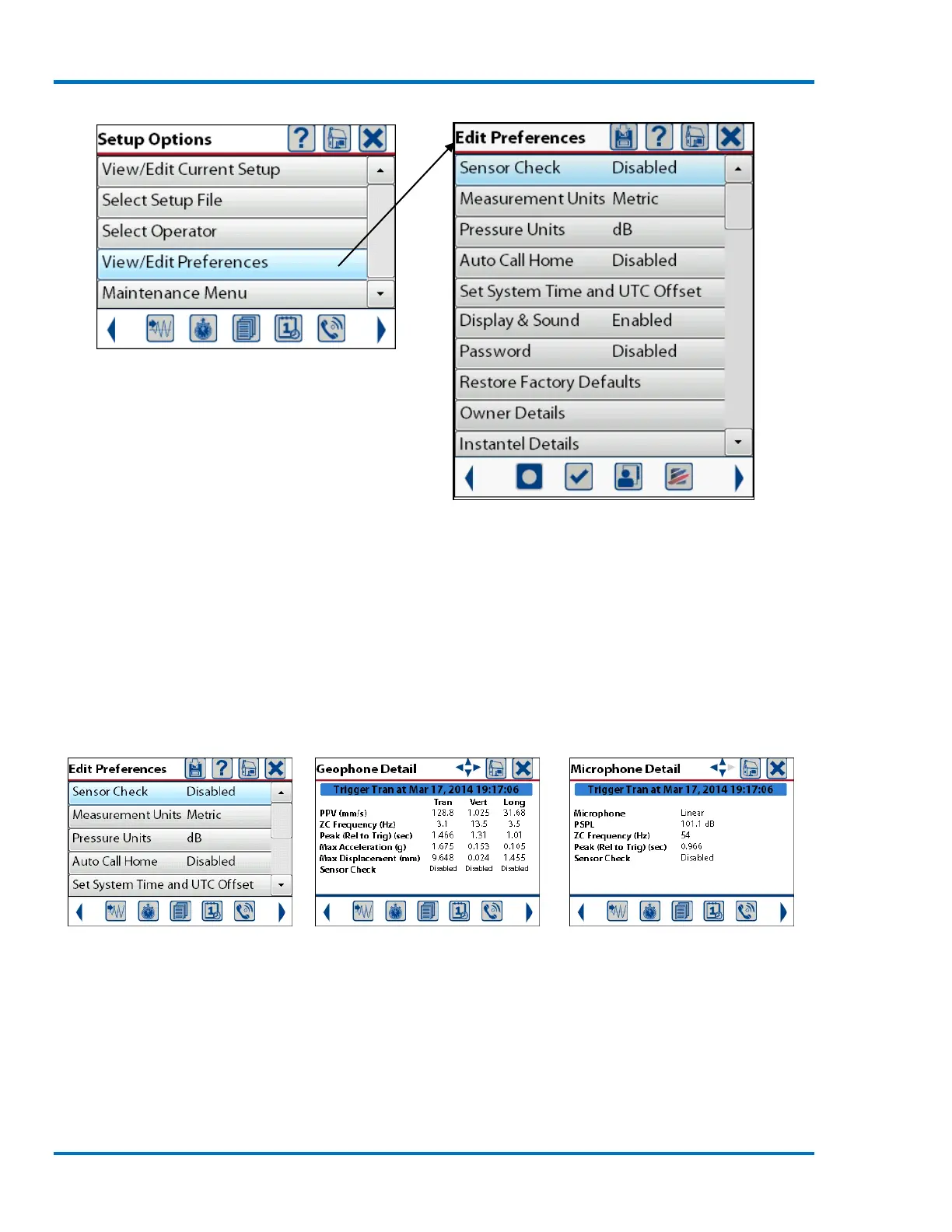
Select the View/Edit Preference Menu
Full Preference Menu
11.4.1. Sensor Check
The Sensor Check menu is used to configure if and when the Micromate will perform the sensor
check. The options are disabled, before the event or after the event.
a. Sensor Check Disabled
If the sensor check has been disabled the Micromate will not perform the test on the geophone or
microphone and the event report will indicate that the sensor check has been disabled.
b. Sensor Check Disabled Event Report Shows Sensor Check Disabled



 To Next Page