Micromate Operator Manual – 721U0201 Revision 6 15
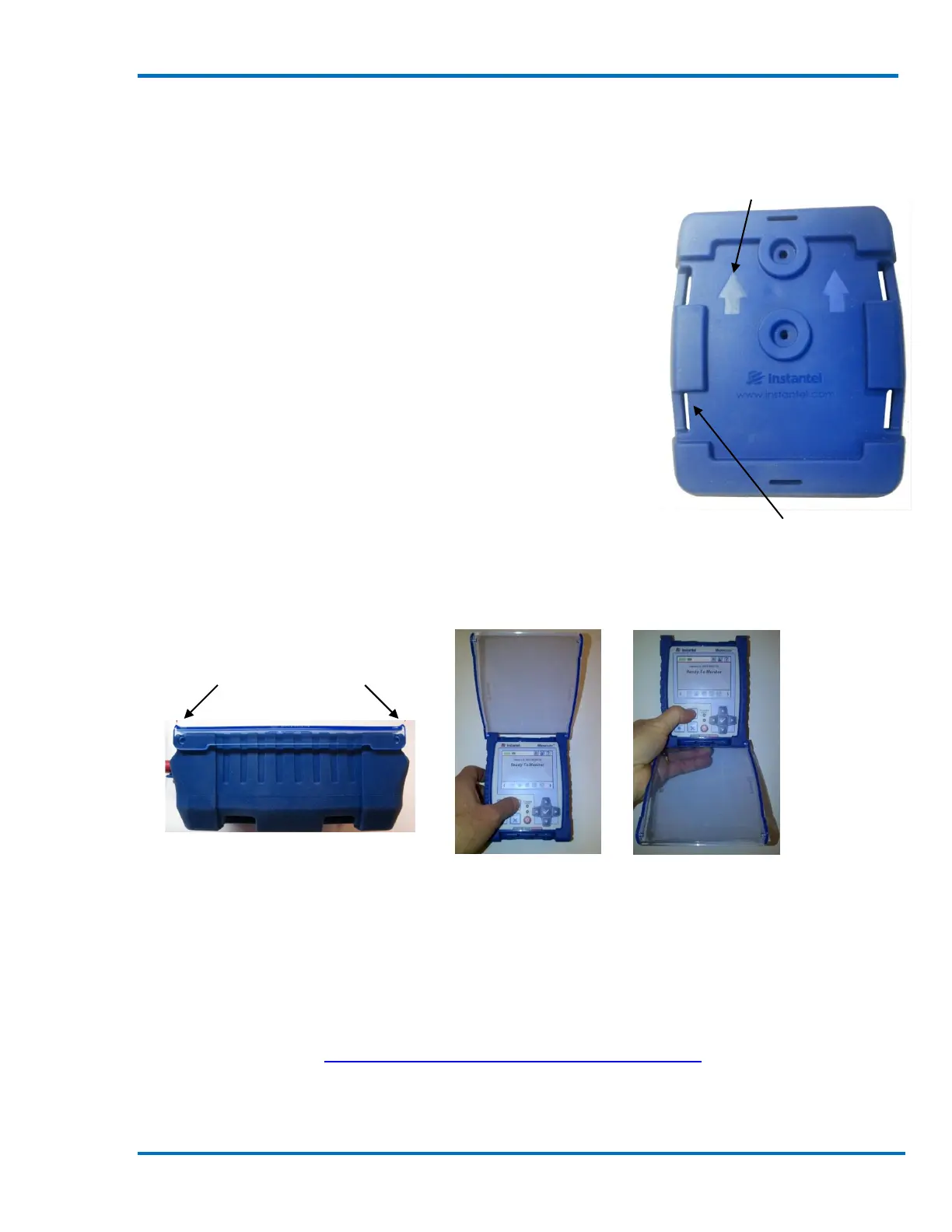
MOLDED ARROWS
INDICATE TOP OF
PROTECTIVE BOOT
Straps and Drainage Slots –
4 Locations
6. MICROMATE PROTECTIVE BOOT
The optional Micromate Protective Boot and Cover (Part No. 721A0301)
have been specifically designed to protect the Micromate unit and
provide flexibility when mounting the unit. The robust protective
boot and separate protective cover offer easy-on, easy-off
installation.
The protective boot is made of a durable silicon based compound.
This material has been designed to handle temperature extremes
in excess of -50°C and 100°C (-58°F to 212°F) and still remain
flexible. The boot provides protection from impact, foreign
objects, prevents water from pooling around the unit and
provides several options for mounting the Micromate.
The wrap-around, clear cover, offers protection from water and
dust. Each end has a curved lip to help prevent drainage directly
onto the connectors, while the sides drain to the outside of the boot.
The clear protective cover has been designed to hinge at either end
providing flexibility for hand held operations or when units are
mounted on a wall or in remote stations.
Hand Held Wall Mount
(cover opens up) (cover opens down)
6.1. Attaching the Boot to the Micromate
The Protective Boot fits securely around the Micromate unit. However, to help ensure the
Micromate remains in the protective boot, the boot can be secured to the back of the Micromate
unit with two screws. This will provide additional protection when units are not assigned to a
specific individual or if the units are part of a rental fleet. When attaching the Protective Boot to
the Micromate, refer to Section 19.6 Torque Specifications and Guidelines.
1) Insert the Micromate unit into the boot with the top on the unit in the direction of the
arrows in the boot.
Curved Surface
Prevents Drainage



 To Next Page