102 Micromate Operator Manual – 721U0201 Revision 6
NOTE:
1) Instantel recommends the Micromate be kept on charge whenever it is not being used. The internal
lithium ion batteries do not experience a memory problem if left on charge all the time.
2) Any USB device that draws power from the Micromate will affect the overall battery life.
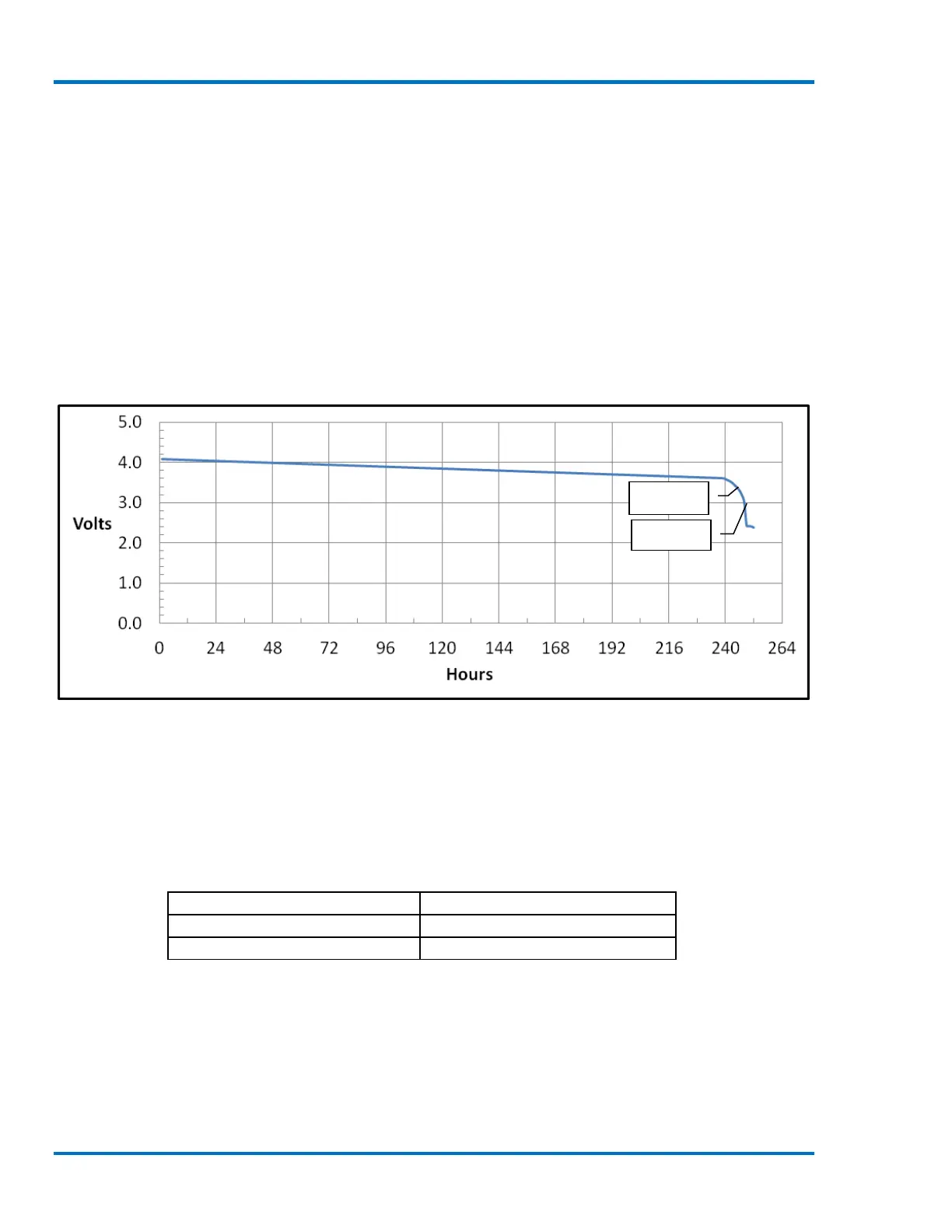
The following is a chart showing the battery discharge for a Micromate under the following circumstances:
a fully charged battery
monitoring in waveform mode at 1024 samples per second
using only a geophone and a linear microphone
Auto Call Home disabled
monitoring at room temperature
no USB devices connected.
This chart is provided as an example only; actual function will vary.
NOTE: In this example, elapsed time between the low battery warning and the Micromate shutting down
was approximately three hours.
12.2.1. Extreme Temperature Operation
The Micromate has been designed to operate in extreme temperatures. The following are the Micromate
temperature ranges:
LCD operating temperature
-10 to 55° C (14 to 131° F)
-40 to 55° C (-40 to 131° F)*
*NOTE: LCD screen saver must be enabled and set to a maximum time out of 2 minutes.
However, it is recommended that the Micromate be connected to an external power source when
monitoring at temperatures below 0°
C (32° F). To prevent damage to the internal lithium ion battery, the
Micromate will only charge the internal battery if the ambient temperature is between 0° C
and 45° C (32° F
and 113° F). This will NOT prevent the Micromate from operating across its entire operating temperature range of
-40 to +45° C.



 To Next Page