72 Micromate Operator Manual – 721U0201 Revision 6
11.1.15. GPS Location
This will display a new window with the currently saved information. The GPS (Global Positioning
System) coordinates, often referred to as waypoints, can be updated by connecting a compatible
GPS device to the Micromate and downloading the information or by manually entering the new
waypoints into the Micromate. A GPS device can be used to locate your exact latitude and
longitude position based on orbiting satellites. Once the waypoints have been entered into the
Micromate, the distance between these two points will be calculated.
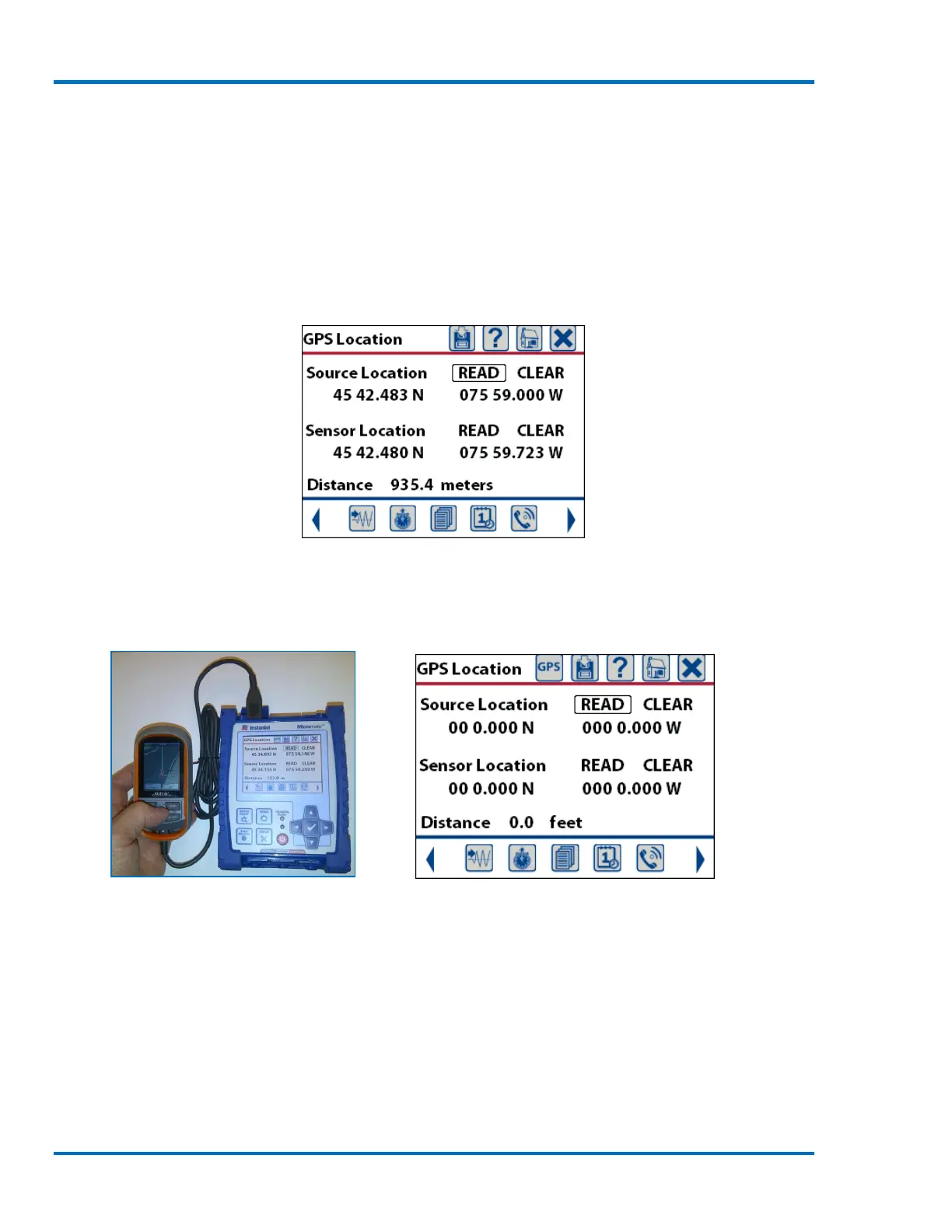
GPS Summary Screen
When the GPS device is connected to the USB port of the Micromate, the Micromate will
automatically recognize the device and the GPS icon will now appear at the top of the display.
GPS Connected to the Micromate GPS Summary Screen with GPS Icon
The Magellan GPS has been designed to only transmit waypoints when an active route has been
selected and the GPS is in contact with the GPS satellite system. Use the following steps to record
the waypoints and download them into the Micromate.
a. Take the GPS device to the source of the vibration and record the first waypoint.
b. Take the GPS to the sensor location and take the second waypoint.



 To Next Page