112 Micromate Operator Manual – 721U0201 Revision 6
13.5. Powered USB Hubs
The Micromate does support the use of USB 2.0 hubs that will allow you to connect multiple
devices to the Micromate’s USB port. Although the Micromate does provide power on its USB port,
five volts and up to 500 mA, Instantel recommends that all USB hubs be externally powered.
Connecting any USB device that draws power directly from the Micromate will reduce the battery
life of the unit.
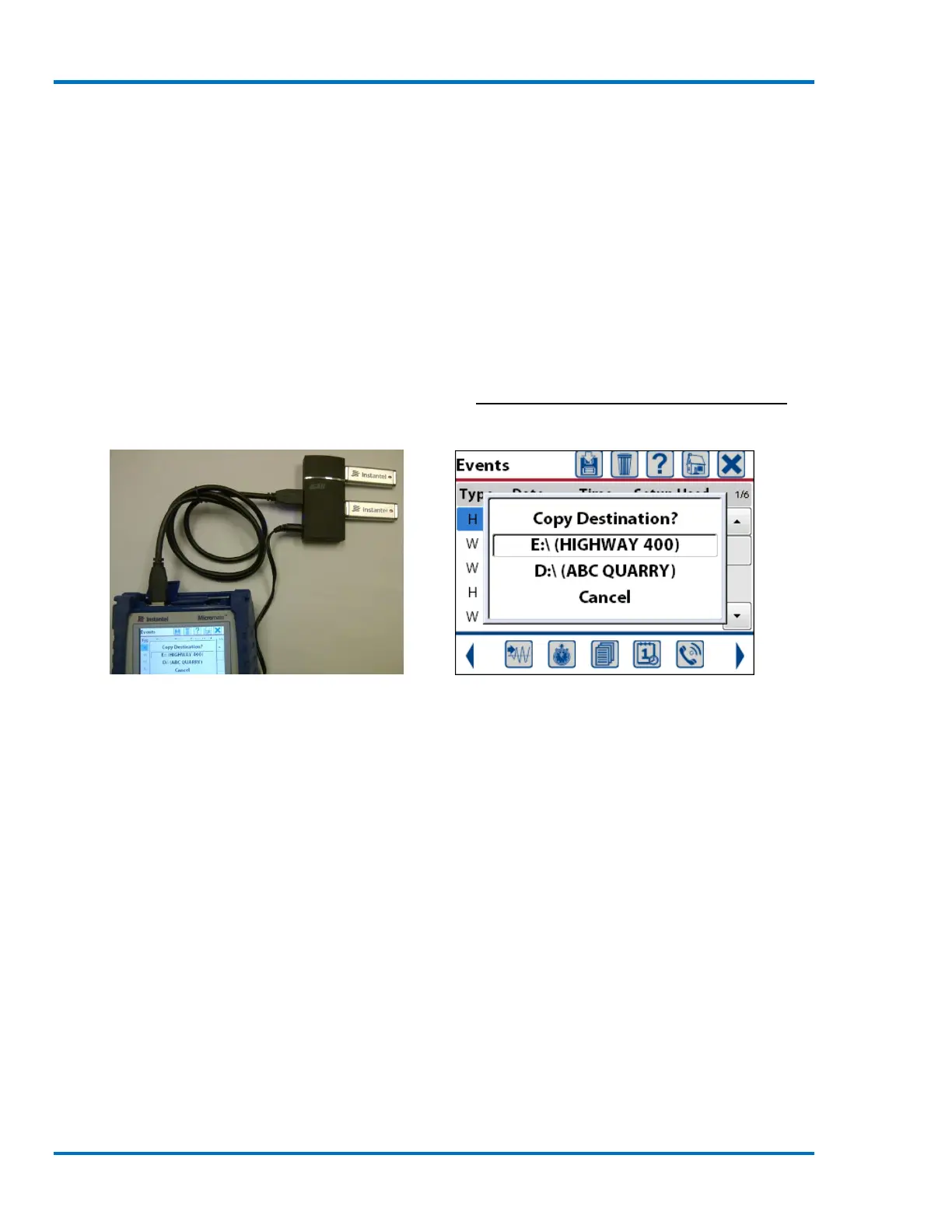
The USB hub could be used when a Micromate has been used to record events at different
locations and these events are to be stored on different memory sticks. Connect the hub to the
Micromate’s USB port and a maximum of two memory sticks at the same time. While in the event
list, if events are saved to the memory stick, an extra message will be presented and the desired
memory stick must be selected. Once the memory stick has been selected the Micromate will
copy the events to that memory stick. Refer to section 9.3.3.b Save Events to USB Memory Stick
for additional information.
Micromate Connected to a Powered Select the Destination Memory Stick
USB Hub and Two Memory Sticks
13.6. Laptops and Computers
The Micromate will communicate through the USB port labeled PC and a free USB port on a
computer running the Blastware program. The communication cable is provided with the
Micromate at the time of purchase. Refer to the Blastware manual for the current computer
specifications and detailed instruction on using the Blastware program.
1) Insert the Blastware CD Version 10.7 or higher into your computer.
2) The Installation procedure will automatically launch.
3) Install the Blastware program and copy the user manuals to your PC.
4) Start the Blastware program on your computer.
5) Select Micromate as the unit type in the bottom left corner of the Blastware program.
6) Connect the USB cable from the Micromate to the PC.
7) To communicate to the Micromate select the Micromate icon at the top of the directory
structure in the Blastware program.
8) Configure the Micromate for your monitoring application.



 To Next Page