Micromate Operator Manual – 721U0201 Revision 6 45
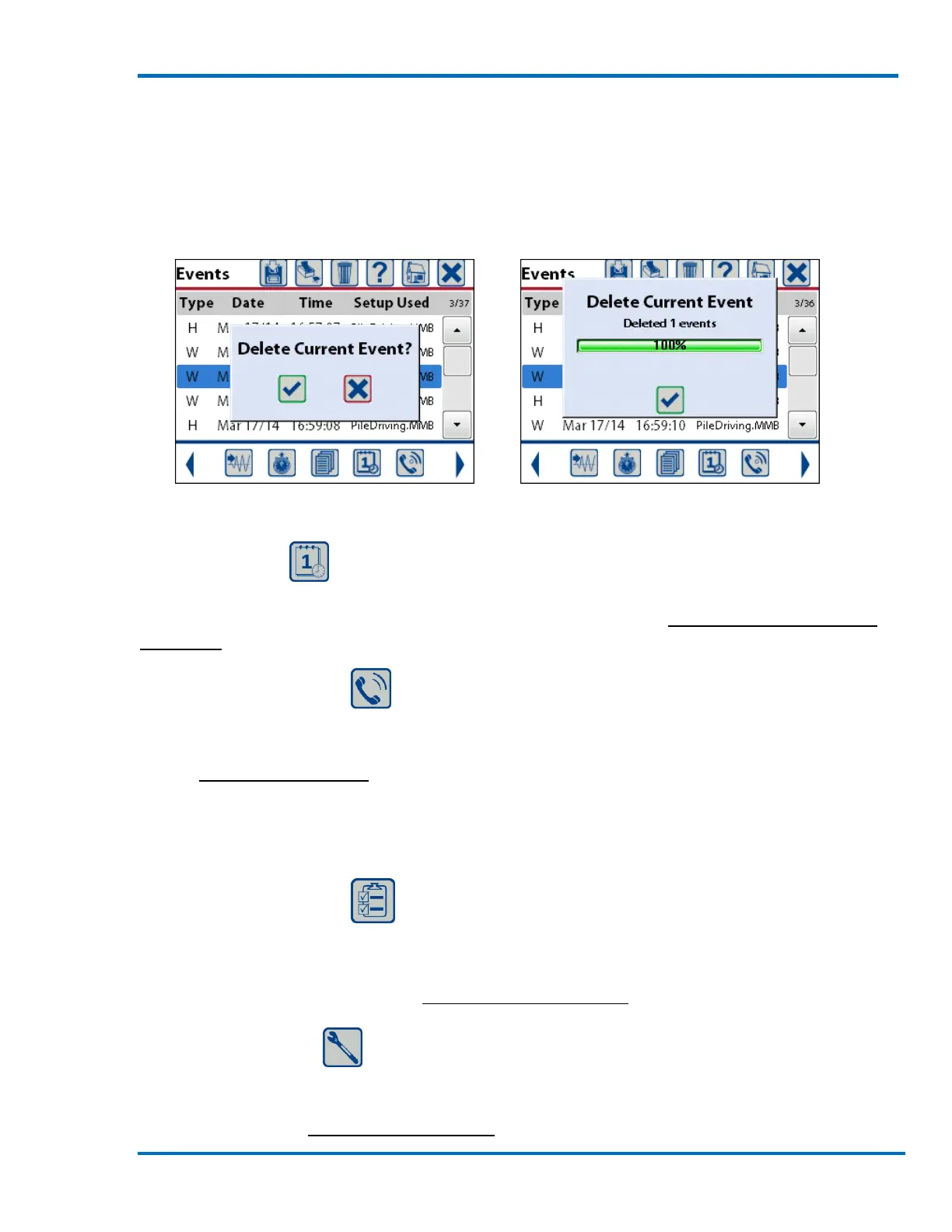
Confirm Delete Selection Deletion Completed
Selecting Delete Current Event will delete only the one event that is highlighted by the blue bar. A
message confirming the selection will be displayed. Pressing the check mark key or touching the
check mark on the screen will delete this event. A status window will be displayed showing the
progress of the event deletion. When the event has been deleted press the check mark to confirm
and clear the window.
Confirm Delete Selection Deletion Completed
9.3.4. Edit Time
The Edit Time short cut will take you directly to the edit time and date menu where you can update
the time of day, the date and time zone information. Refer to section 11.4.5 Set System Time and
UTC Offset for additional information.
9.3.5. Auto Call Home
The Auto Call Home short cut will take you directly to the auto call home setup menu allowing you
to select the modem type, baud rate, set the time out and enable the call home function. Refer to
section 11.4.4 Auto Call Home for additional information.
9.3.6. Edit Preferences
The Edit Preferences short cut will take you directly to the preference menu. The preferences
include such items as when to perform a sensor check, the measurement units to use and screen
saver time out time. Refer to section 11.4 View/Edit Preferences for additional information.
9.3.7. Maintenance
The Maintenance short cut will take you directly to the maintenance menu. The maintenance
menu has a list of functions that can be used to view specific information about the Micromate
unit. Refer to section 11.5 Maintenance Menu for additional information.



 To Next Page