80 Micromate Operator Manual – 721U0201 Revision 6
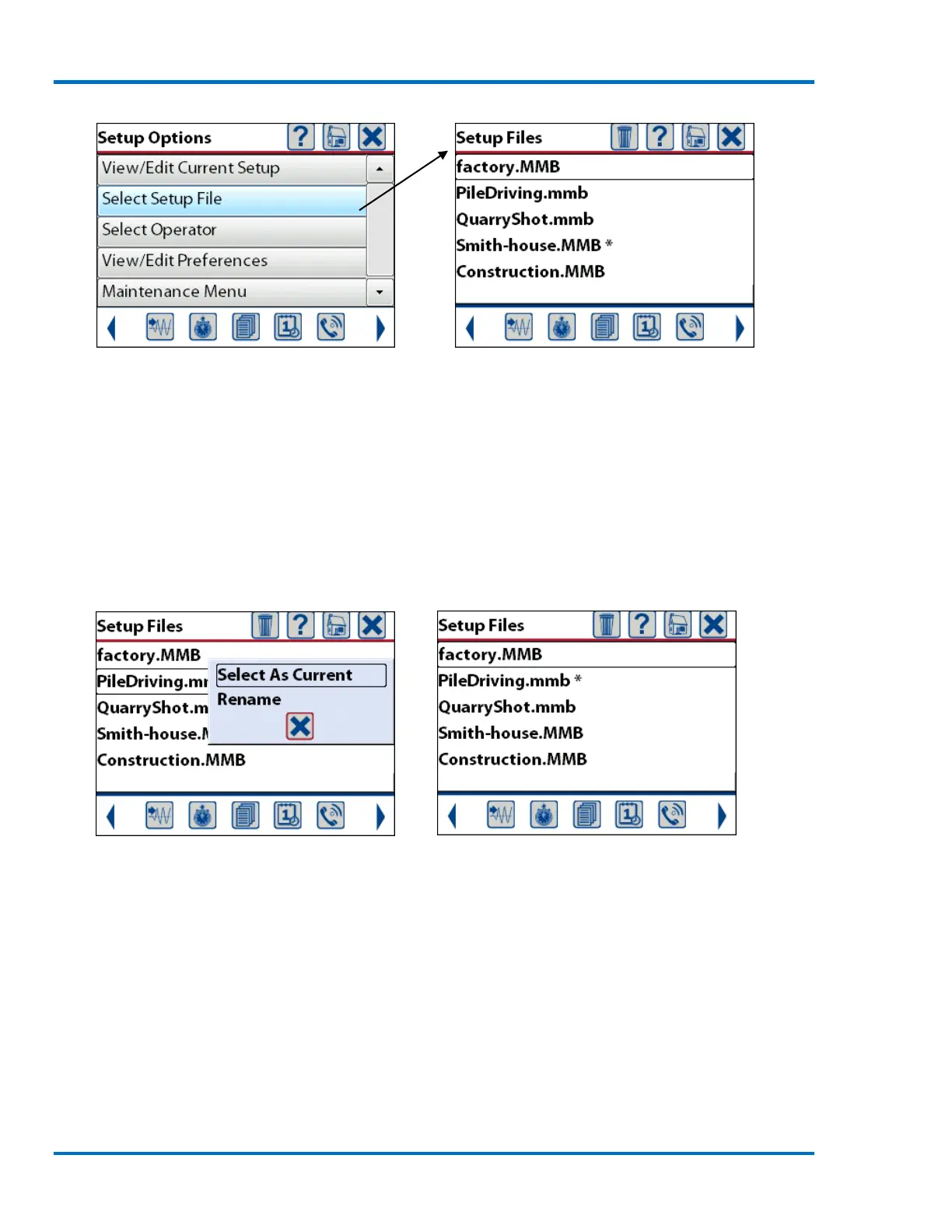
Select Setup File Current List of Setup Files
Within the setup file list the asterisk (*) is used to indicate the current setup file that will be used
when the Micromate is placed into monitor mode.
11.2.1. Select Current Setup File
To select a different file, use the arrow keys to navigate to the entry and press the check mark key
or double tap on the desired file name. This will display the options to select this file as the current
file or to rename the file. Select as current and the asterisk will be moved to this file name.
Set the Setup File as the Current File Asterisk Moved to New Filename
11.2.2. Rename Setup File
To rename a file, navigate to the desired entry to be changed and press the check mark or double
tap on the desired file name. Selecting Rename will display the keyboard with the existing name.
Edit the file name as required and press the save icon or Enter key.



 To Next Page