32 Micromate Operator Manual – 721U0201 Revision 6
9.1.5. Help Icon
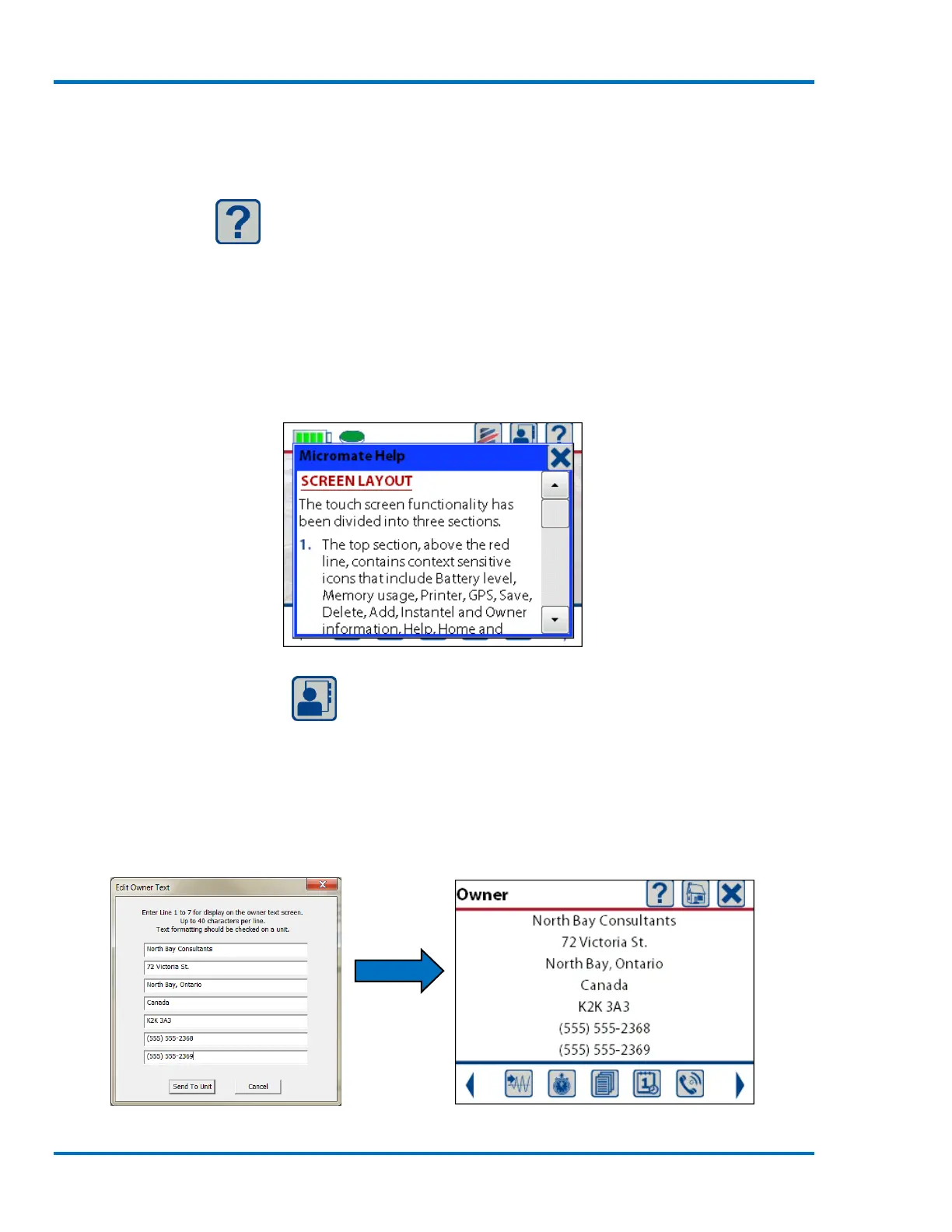
The Help icon will provide context sensitive help based on the window currently displayed. The
Micromate has an extensive built-in context sensitive help information system to provide
assistance if and when it is needed. The help information can be accessed by simply pressing the
question mark (?) at the top right of the display. Once pressed, a new window will be displayed
complete with a scroll bar to view the help information. This window is closed by pressing the
cancel icon or key. The example shown below is the help window that appears when the help icon
is pressed while you are on the home screen.
Home Screen Help
9.1.6. Owner Information
The Owner Information icon, available on the home screen, will display the owner details that have
been downloaded into the Micromate from the Blastware program. This owner information can be
customized to your requirements. This information cannot be edited on the Micromate. Refer to
the Blastware Operators manual for instructions on loading or editing the owner information on
the Micromate.
Owner Information as Entered in Blastware Owner Information Displayed on Micromate



 To Next Page