86 Micromate Operator Manual – 721U0201 Revision 6
the sensor check would fail. This can help identify specific events that might indicate concern at
the monitoring site.
11.4.2. Measurement Units
The Measurement Units can be set to either the metric or imperial measurement systems. Select
the measurement units menu using the navigation keys or touch screen. Pressing the check mark
key or touching the menu item will toggle between metric and imperial units. If the metric system
has been selected the vibration results will be displayed in millimeters per second (mm/s) and the
overpressure results will be displayed in pascal’s (Pa). If the imperial system has been selected the
vibration results will be displayed in inches per second (in/s) and the overpressure results will be
displayed in pounds per square inch (PSI).
11.4.3. Pressure Units
The Pressure Units menu allows for the overpressure results to be display in decibels rather than
pascals or PSI. Navigate to the menu item and press the check mark key or touch item on the
screen to toggle between Pa and dB for the metric system and PSI and dB for the imperial system.
11.4.4. Auto Call Home
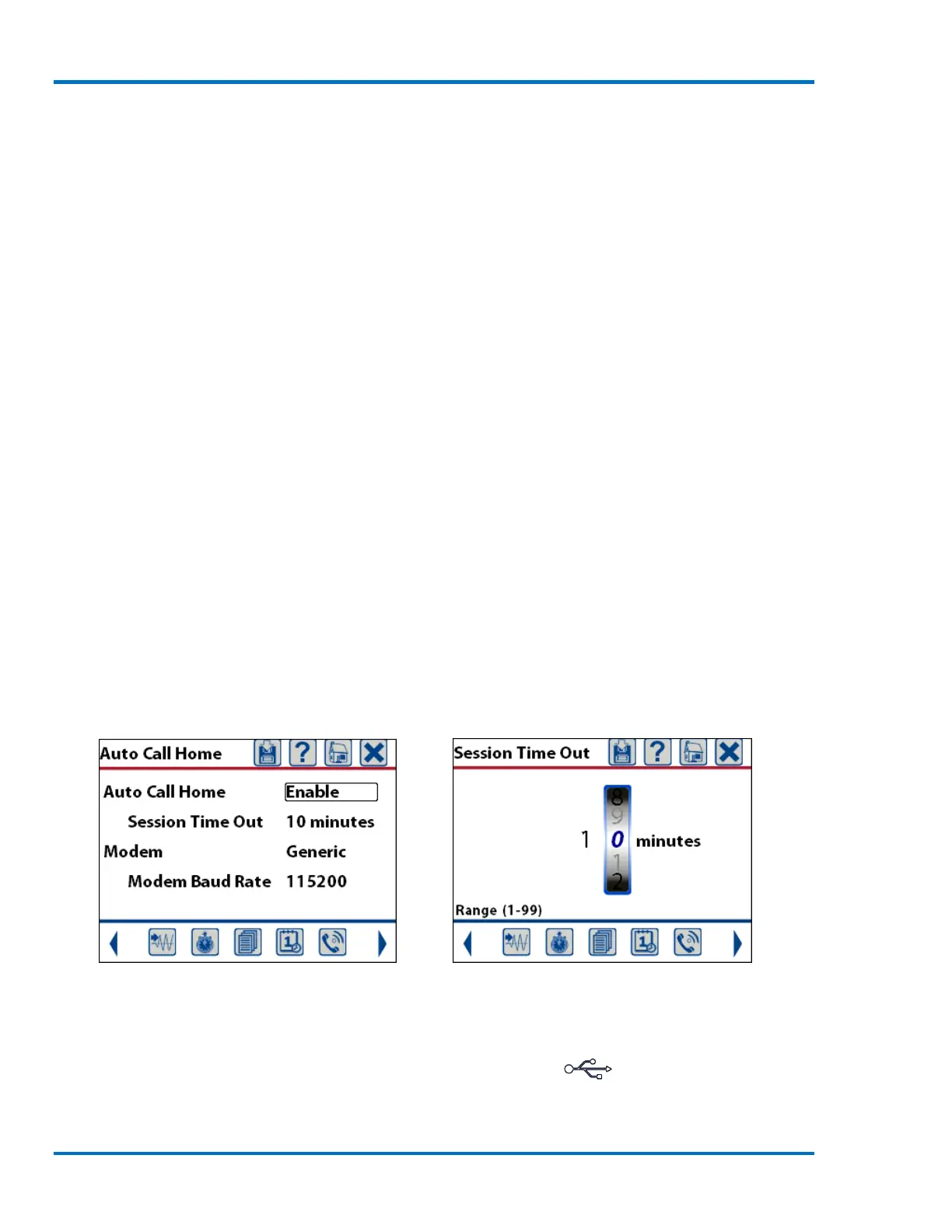
The Auto Call Home menu is used to configure how the Micromate will call home (home refers to
the destination computer) if this function has been enabled. Auto Call Home will not be triggered
when generating manually recorded events.
The Session Time Out is used to exit Auto Call Home after the given time. Selecting the session time
out will display a new window and allow the setting of the time out value from 1 to 99 minutes in
length.
Auto Call Home Screen Setting the Session Time Out
The modem can be set to generic or USB to PC. If this is set to generic the Micromate will assume it
is connected to a modem and communicate through the USB port ( ). If it is set to USB to PC
the Micromate will assume it is connected directly to a PC and communicate through the PC port.
If the Auto Call Home configuration on the unit is set to USB-to-PC, remote communications



 To Next Page