62 Micromate Operator Manual – 721U0201 Revision 6
11.1.6. Sample Rate
This is the number of samples the Micromate will read from the analog to digital (A/D) converter
each second while it is in monitor mode. The higher the sample rate the better the resolution
when reproducing the waveform. However, as the sample rate increases so does the size of the
event file. The available sample rates are 1024, 2048 and 4096 samples per second. The
recommended sample rate is four times higher than the highest frequency to be recorded. The
ISEE geophone (2 to 250 Hz) should be sampled at 1024 samples per second while the DIN
geophone (1 to 315 Hz) should be sampled at 2048 samples per second.
11.1.7. Trigger Level
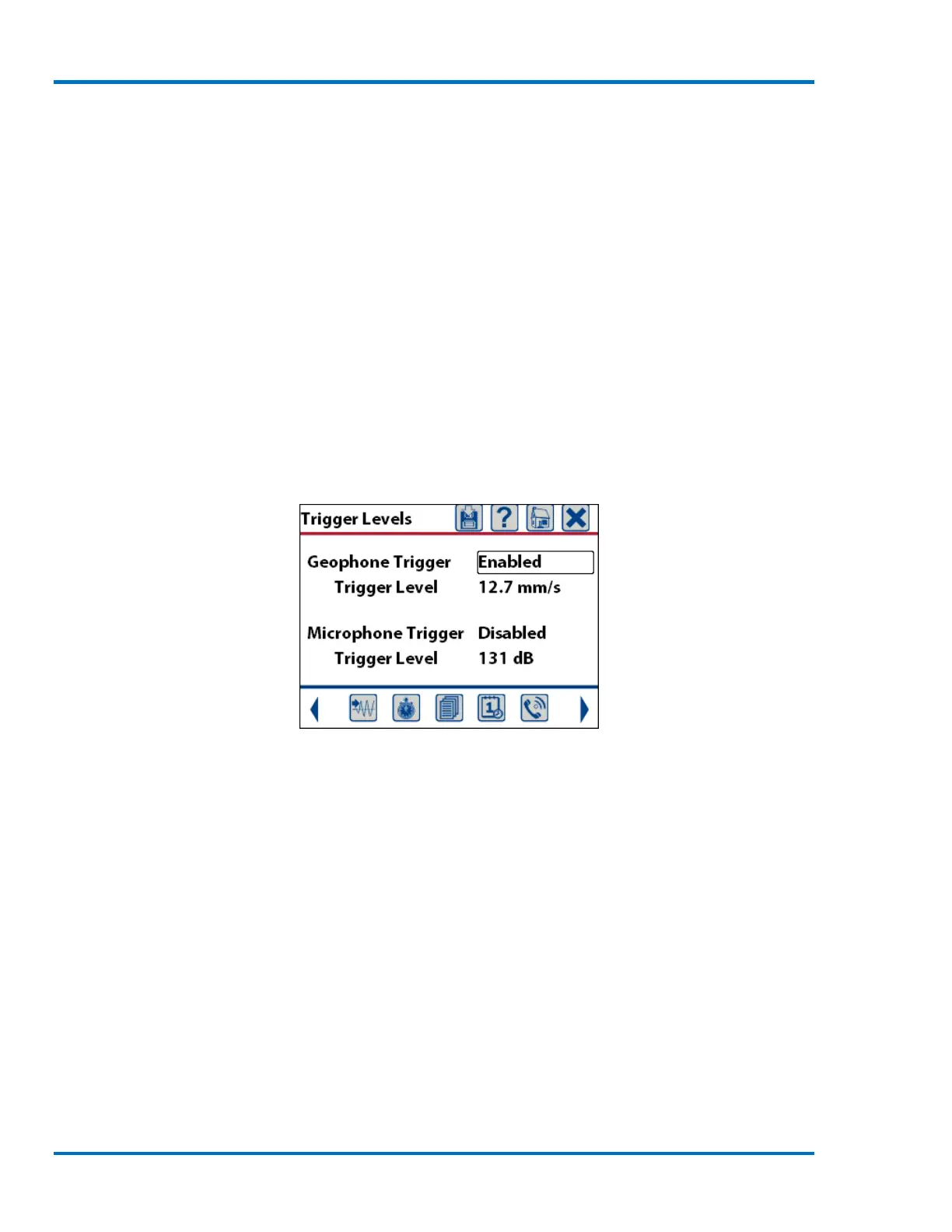
This will display a new window that allows the setting of the geophone and or microphone sensors
as the trigger source. The trigger level should be set high enough to prevent triggering from
unwanted sources and low enough to ensure you capture the desired activity. The default settings
are geophone trigger enabled with a trigger level of 12.7 mm/s (0.5 in/s) and the microphone
trigger disabled.
Sample Trigger Source and
Trigger Level
Geophone Trigger: This can be set to Enabled or Disabled. If it is enabled the Micromate will
monitor the geophone sensor level and start recording data if the incoming signal level exceeds the
preset trigger level. In the example above, the geophone signal must exceed 12.7 mm/s before the
Micromate will start recording data.



 To Next Page