48 Micromate Operator Manual – 721U0201 Revision 6
10. ENTERING INFORMATION
The Micromate can be configured in several different ways to meet the most demanding
monitoring program. Configuring the Micromate will require you to navigate through the different
menus, selecting the active sensors to monitor, the record mode, the trigger level and sample rate.
Entering this data can be done using the Micromate keypad, touch screen or a combination of
both. The currently active menu or data will be highlighted. To select a different item use the
navigation keys to move up, down, left or right to the desired item or simply touch the item.
Selecting a menu with the Check Mark key or touching it with your finger will either toggle through
the menu options or open a new window for editing. In general, if an item has more than five
options a new window will be opened.
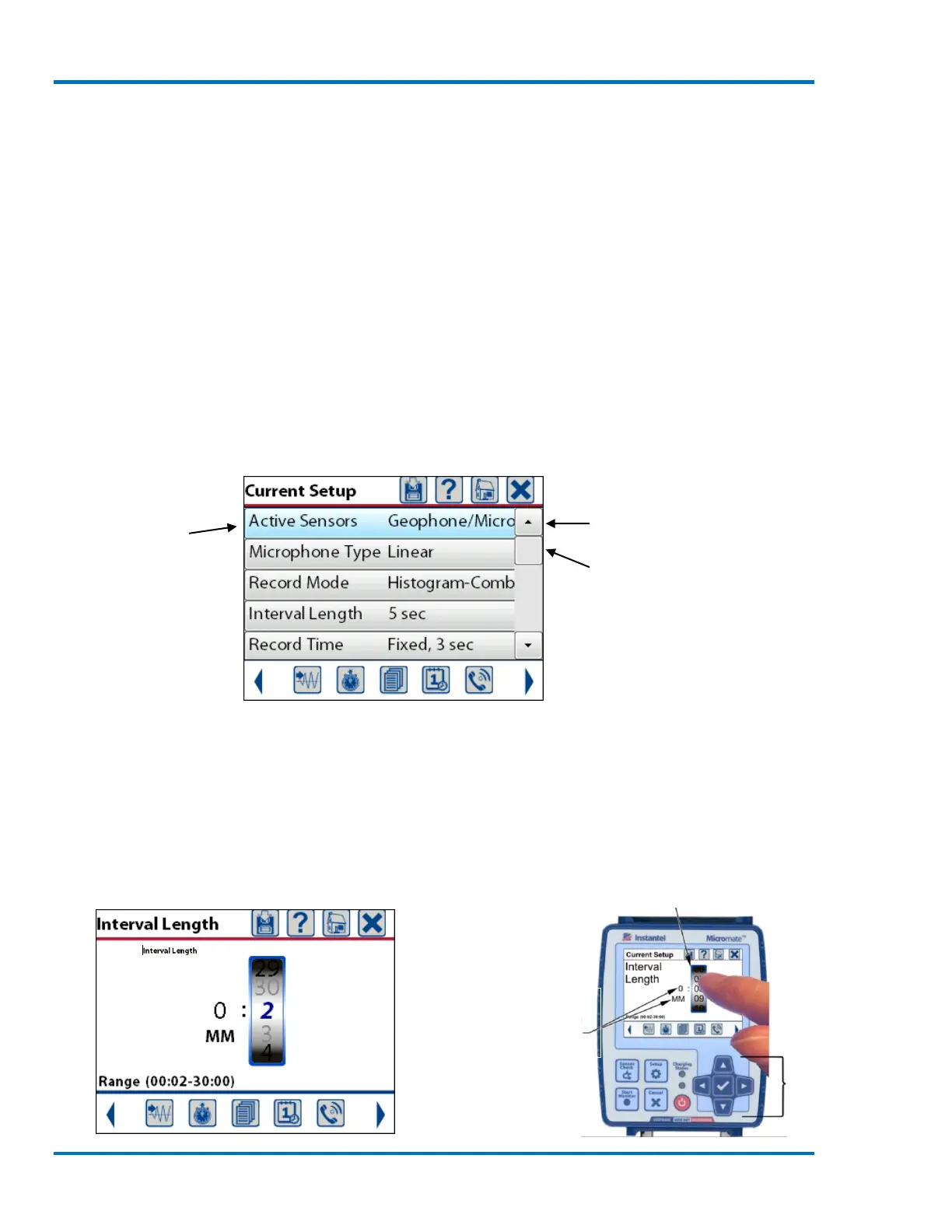
The scroll bar on the right can be used to quickly move through the list of items. Touching the
arrow at the top or bottom of the scroll bar will move the window up or down one entry. Touching
above or below the scroll bar curser will move window up or down one page. Dragging the scroll
bar cursor up and down will change the window once cursor has been released.
Active menu
Sample Display Window
When entering numeric values, like the Interval Length, a spinner wheel will be presented. Select
the digit to be modified using the left and right arrow keys or use your finger to touch the desired
entry. The current value can be changed using the up and down arrow keys or use a finger to
swipe up and down on the spinner wheel.
NOTE: Finger swiping in any blank portion of the screen will also move the selected spinner wheel.
Scroll bar arrow
Scroll bar cursor
Menu and data
navigation arrows with
central check mark key



 To Next Page