20 Micromate Operator Manual – 721U0201 Revision 6
USB Protective Dust Caps Dust Caps Pulled Back to Access Connectors
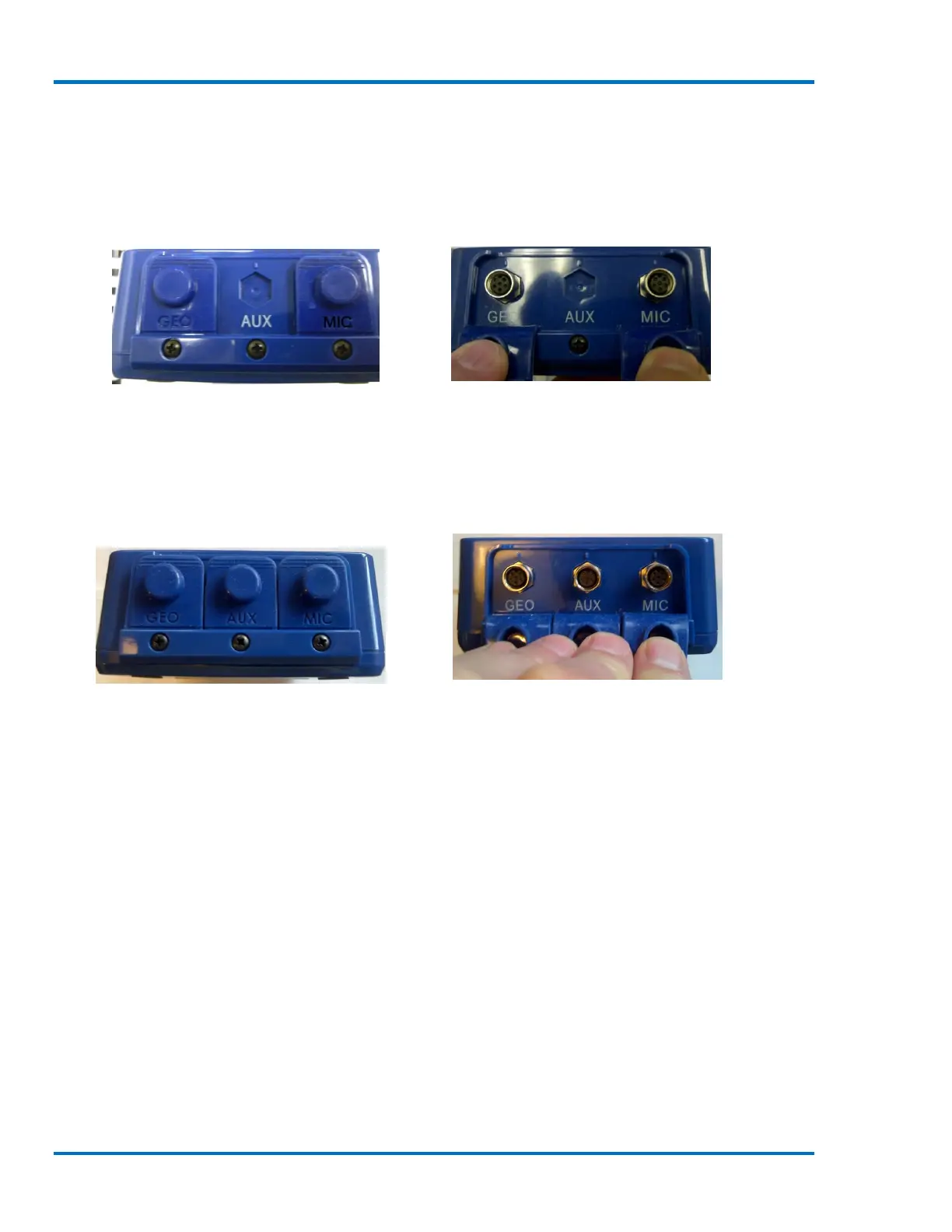
7.3. Geophone, Microphone and Auxiliary Connectors
The geophone, microphone and optional auxiliary I/O port are dedicated ports and located on the
bottom of the Micromate unit. They are, from left to right, GEO, AUX and MIC.
Protective Dust Caps without Dust Caps Pulled Back to Access Connectors
Optional AUX Connector
If the Micromate has been factory configured with auxiliary I/O option the AUX connector and AUX
dust cap will also have been installed.
Protective Dust Caps With Dust Caps Pulled Back to Access Connectors
Optional AUX Connector



 To Next Page