34 Micromate Operator Manual – 721U0201 Revision 6
9.1.9. Add Operator Icon
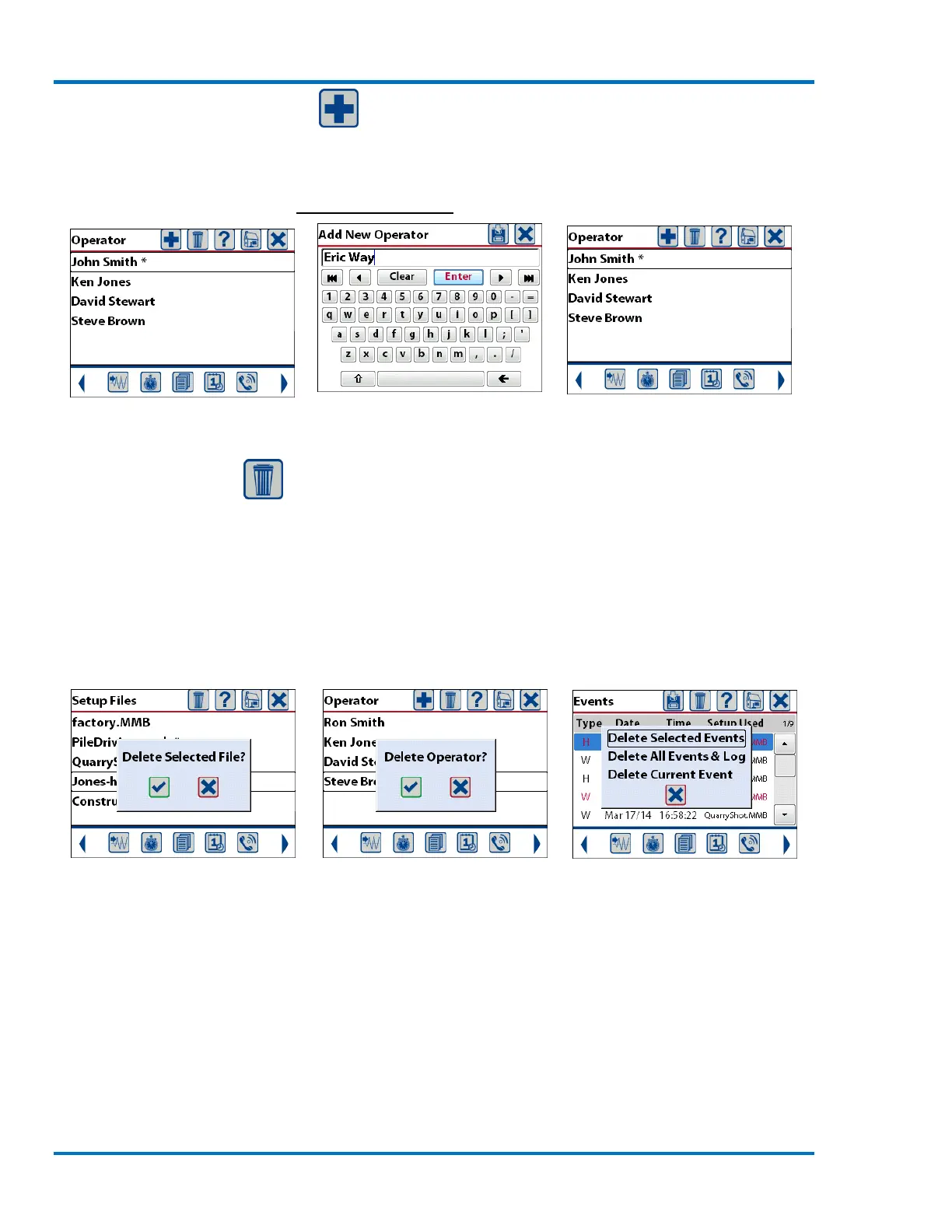
The Add Operator icon will only appear when the Select Operator menu is displayed. Pressing this
icon will display a text box and a full QWERTY keyboard allowing the entry of a new operator name.
The new operator name will be added to the list of names allowing it to be selected and included in
event reports. Refer to section 11.3 Select Operator for additional information.
Initial List of Operator Names Adding New Operator Name Updated List of Operator Names
9.1.10. Delete Icon
The Delete icon will only be displayed in the Select Setup File, Select Operator and Event List
menus. Refer to these Sections for additional information. In all cases before any item is actually
deleted a message confirming the action will be presented and must be acknowledged before the
item will be deleted.
NOTE: Deleting an item will permanently remove it from the unit.
Setup File Select Operator



 To Next Page