118 Micromate Operator Manual – 721U0201 Revision 6
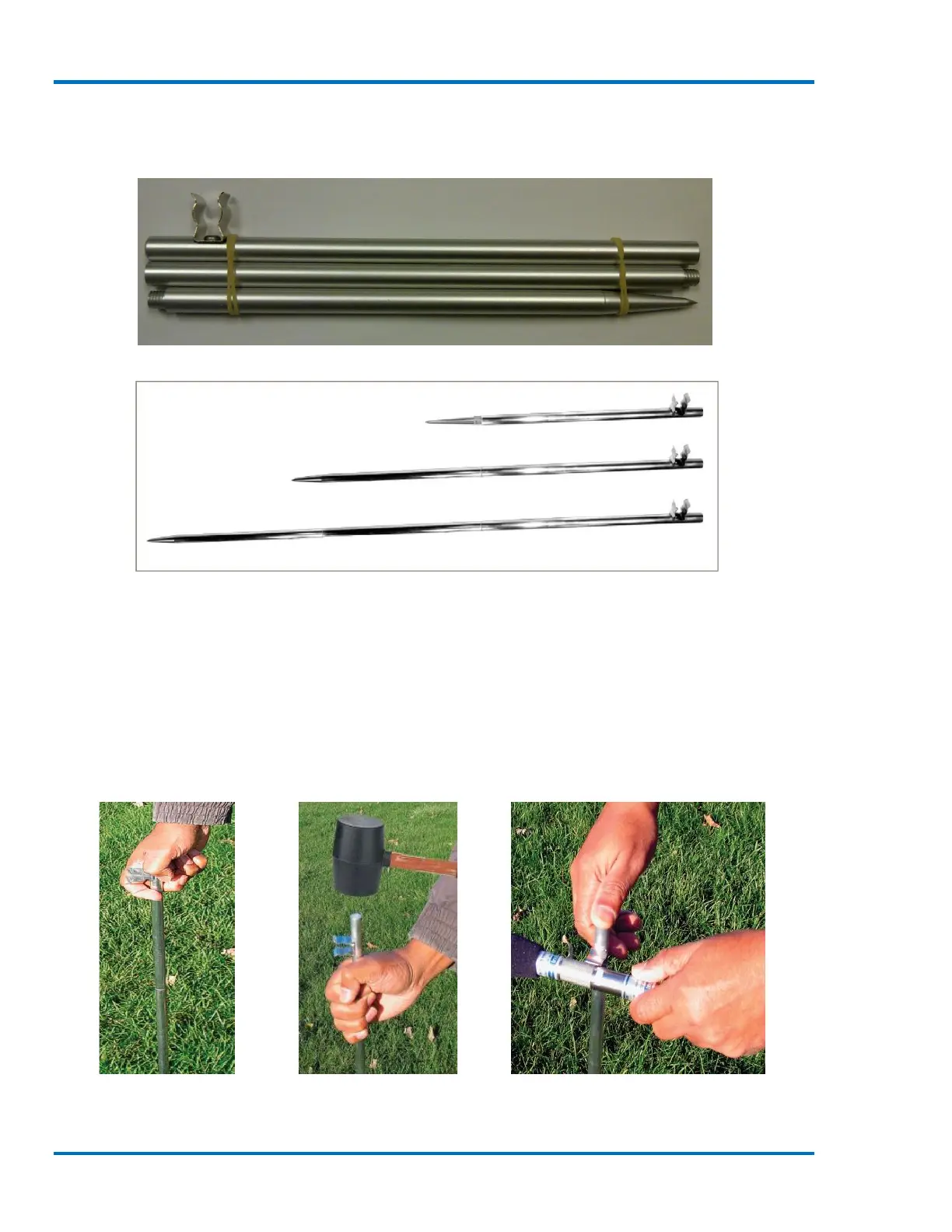
greater than 0.8 meters, additional extension sections can be purchased. See the Micromate
Accessory part List in the appendix for part numbers.
Microphone Stand Included with Micromate
Assembled Microphone Stand Options
With the microphone stand assembled and at the desired location:
1) Push the pointed end of the microphone stand into the ground. If the ground is too hard
use a rubble mallet to install the microphone stand. Do not use a metal hammer or other
hard object as it may damage the top of the microphone stand.
2) Attach the windscreen to reduce false triggering caused by wind. The windscreen attenuates
the microphone reading by approximately 0.2 dB.
3) Install the linear microphone in the clip at the top of the microphone stand and point the
microphone in the direction of the noise source.
Soft Ground Installation Hard Ground Installation Installing Microphone



 To Next Page