Micromate Operator Manual – 721U0201 Revision 6 55
The waveform mode is used to record the vibration and overpressure signals in enough detail to
reproduce the waveforms. The data can be transferred to and further processed in the Blastware
program to produce such things as acceleration, displacement or the individual frequency
components.
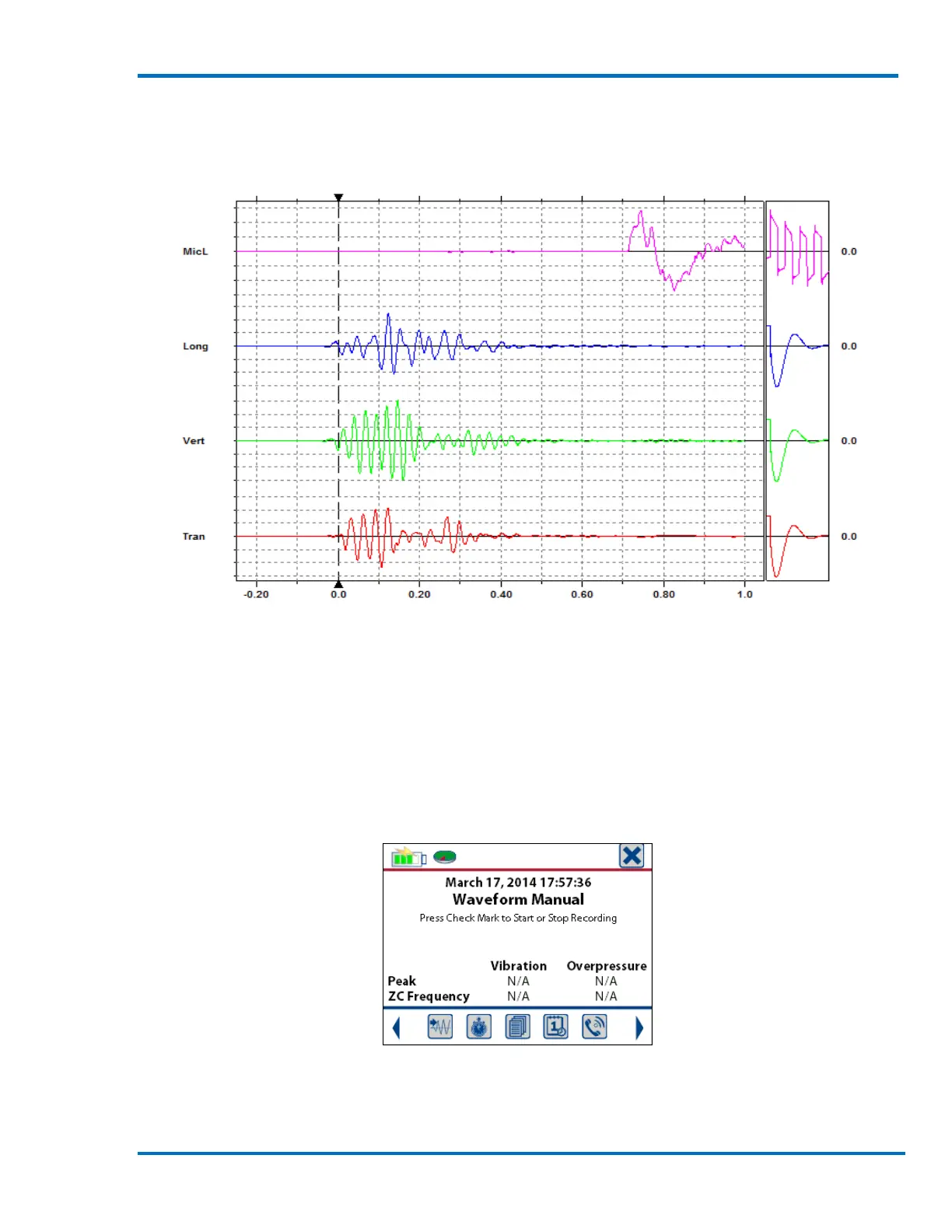
Blastware Sample Waveform Event
Waveform Manual Mode: The Micromate will record waveform data as above. However instead of
triggering based on an input signal level the unit will wait for the “√” (check mark) to be pressed to
start recording data. The Micromate will continue recording data until the “√” is pressed a second
time stopping the recording. This mode can be used to record event data when triggering
automatically at a specific level may not be practical or even possible. It can also be used to record
background vibration and overpressure levels for an extended period of time. As in waveform
recording the peak vibration and overpressure results will be displayed once the event has been
completed. The maximum length of an event recorded using Waveform Manual is 1 hour.
Sample Display for Manual Waveform Monitoring
Histogram Recording Mode: The Micromate will sample the incoming signals for the preset
interval length and save the highest level and associated zero crossing frequency found for each



 To Next Page