Micromate Operator Manual – 721U0201 Revision 6 91
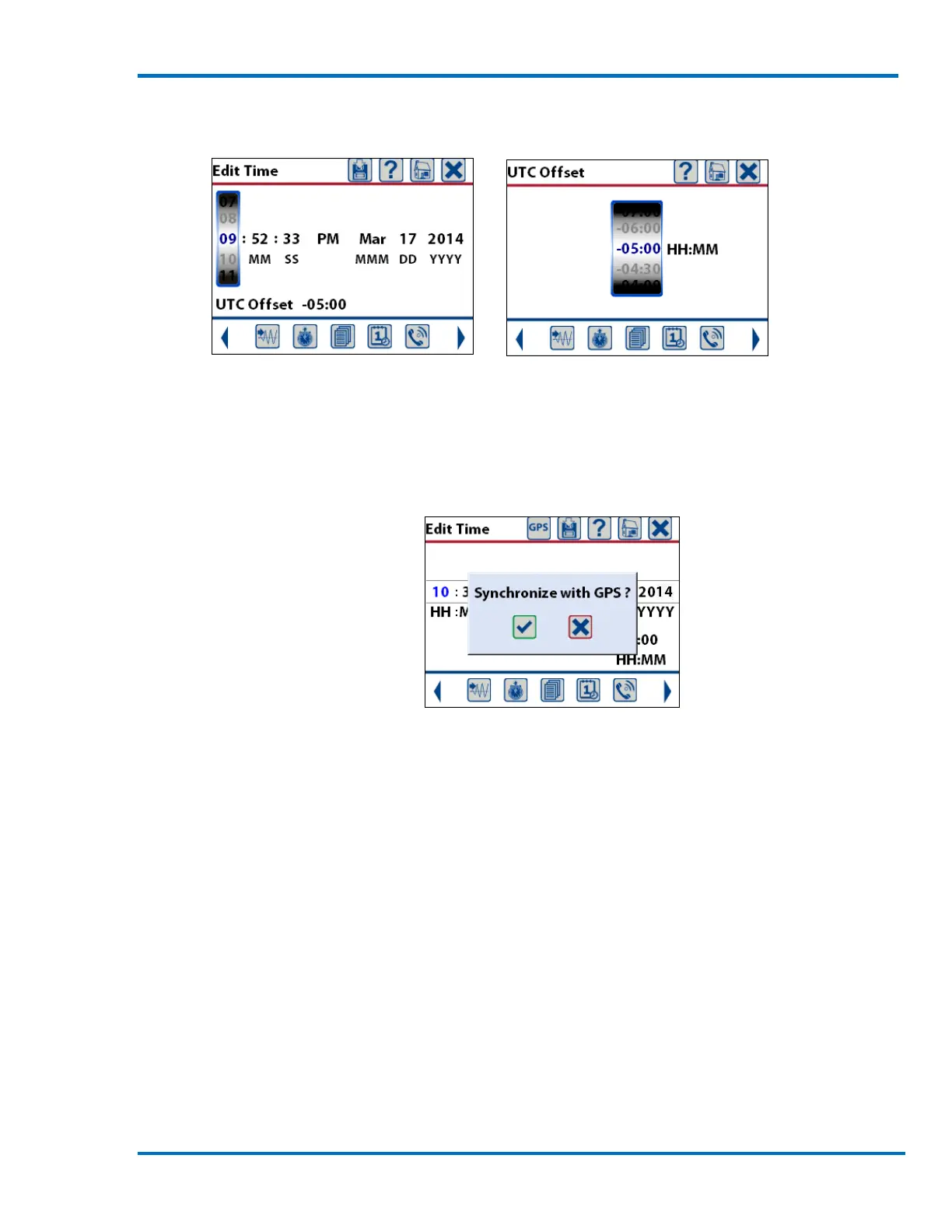
Edit Time – Hours Selected Edit the UTC Offset
b. Synchronize Time and Date to GPS
To synchronize these values to the GPS system, connect the supported GPS device to the
Micromate’s USB port and press the GPS icon. This will prompt you to confirm that you want to
synchronize the Micromate to the GPS. Once the values have been set, pressing the save icon will
save the changes and update the display.
Set Time and Date with GPS
c. Set Time, Date with Blastware
To set the time with the Blastware or Auto Call Home programs please refer to the Blastware
Operator Manual. These programs will send the UTC time from the PC to the Micromate.
NOTE: The clock on the unit does not automatically adjust for daylight savings time. Ensure that
you update the clock so that the correct time will be included and displayed on the event reports.
d. ‘Send the PC Time to the Unit’ using a Scheduled Auto Call Home
Refer to the Blastware Operator Manual for more information about how the PC Time is sent to the
Micromate when using Auto Call Home combined with the Scheduler.



 To Next Page